17
Connecting External Equipment
Making an RGB/Component Connection
g.connect-PC-RGB.eps
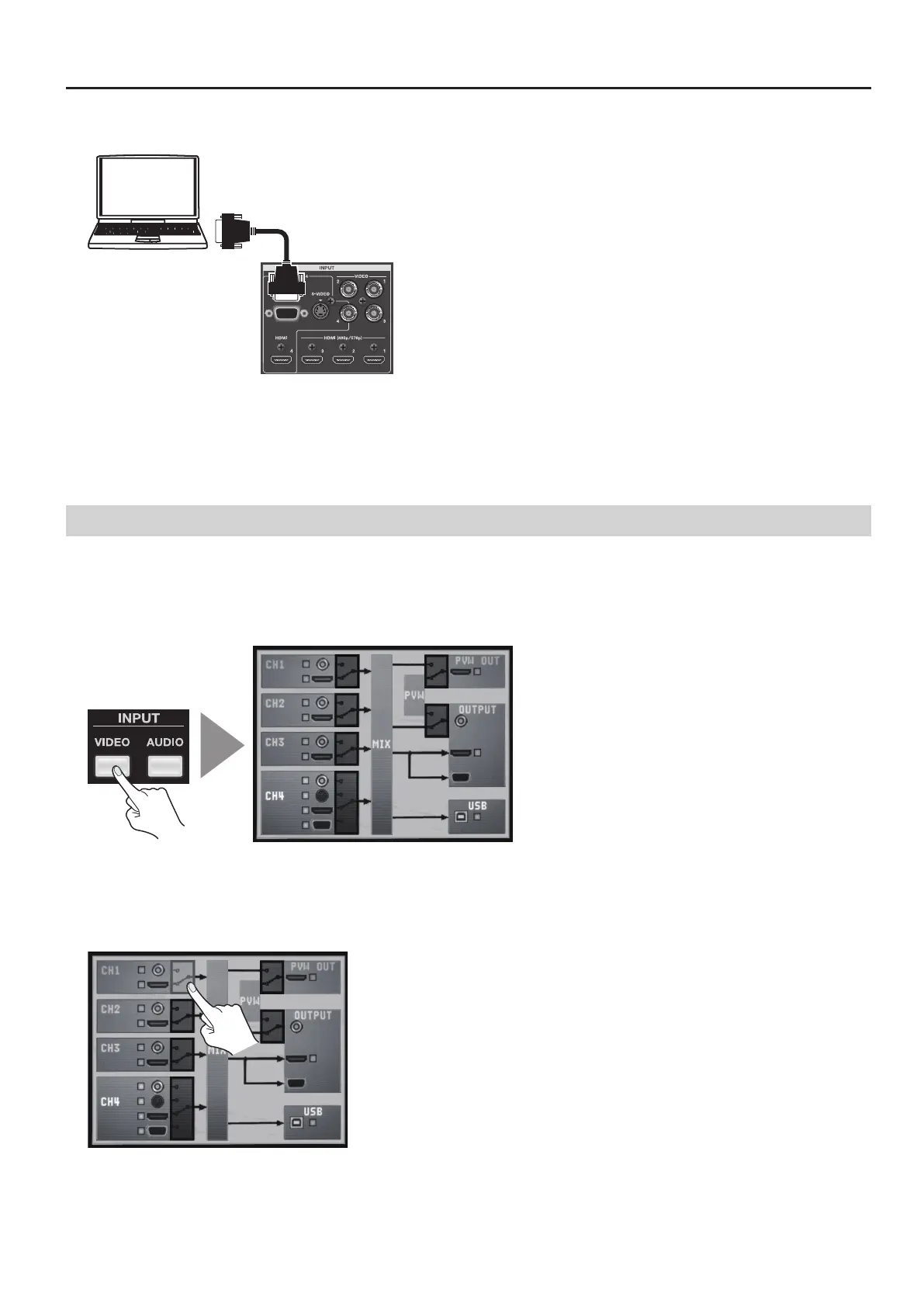
You can make an RGB/component connection at INPUT 4 only. In the same way as for a composite or S-Video connection, the
enabled connector must be switched from [HDMI] to [RGB/COMPONENT]. Refer to the following “Switching the Enabled Connector”
and change the setting.
* For equipment provided with component output, make the connection using a conversion cable from component to mini D-Sub 15-pin type
connectors.
Switching the Enabled Connector
Use the procedure described below to enable connectors other than HDMI.
1. Display the input setup screen.
Press the [VIDEO] button in INPUT section to display the input setup screen for video.
g.input-video-button.eps
2. Select the channel.
Use the touch panel to select the channel where the non-HDMI source is connected.
* You can also select the channel by turning and pressing the [VALUE] dial.
g.select-composite-ch.eps



 To Next Page