33
Use the compositing eects described below to composite (combine) two pictures. By default, these eects are assigned to B-Bus
Eect buttons 2 through 4.
CHROMA-KEY
This extracts (blanks out) blue or green areas in the foreground picture and composites with the background picture.
By default, blue areas are extracted.
LUMINANCE-KEY
This extracts black or white areas of the foreground picture and composites with the background picture.
By default, black areas are extracted.
PinP (Picture-in-Picture) This reduces the size of the foreground picture and composites with the background picture as an inset screen.
g.composition-eects.eps
Key Compositing
You can use the KEY menu (p. 40) to change settings like the extraction color for chroma key or luminance key.
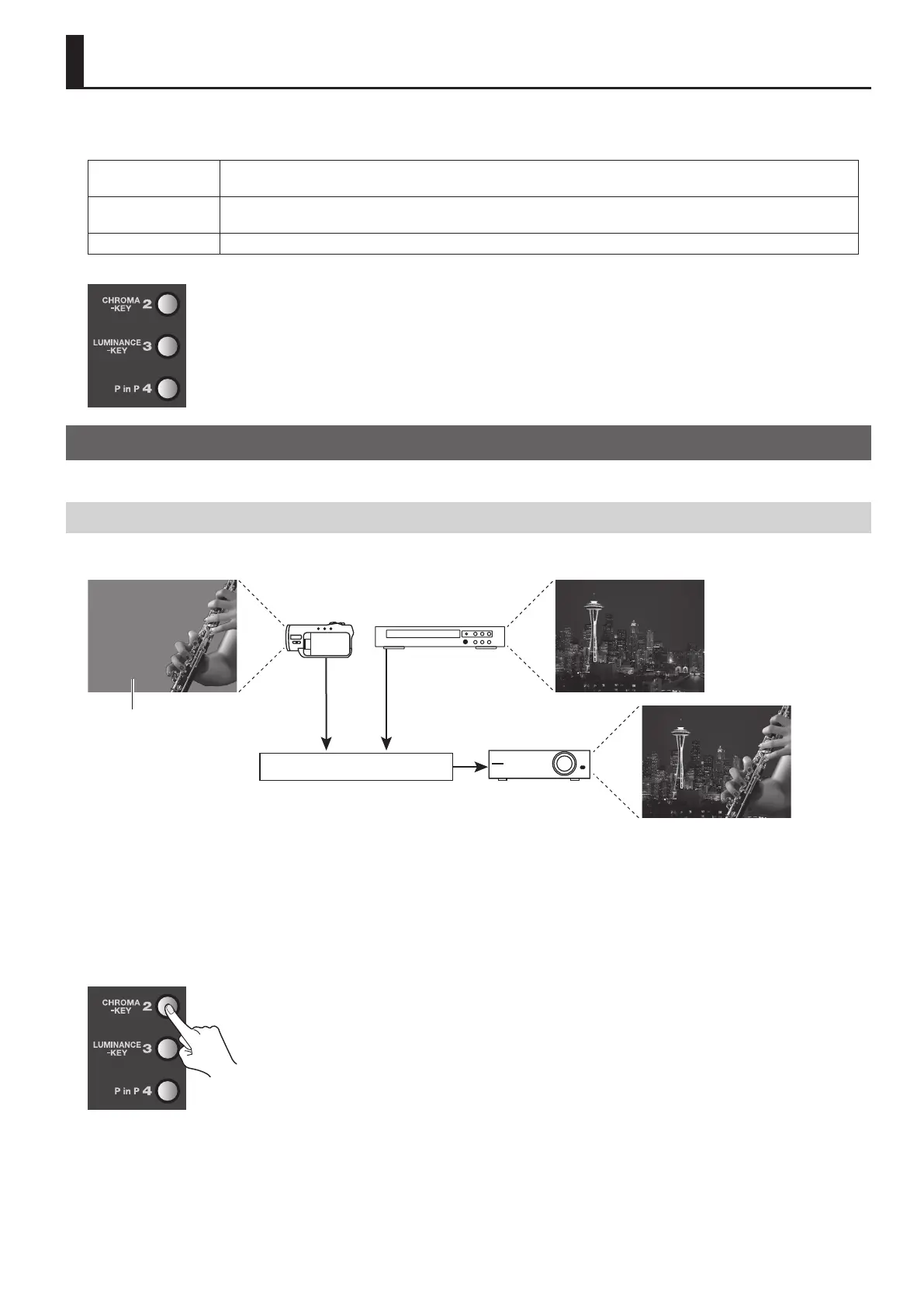
Compositing Using Chroma Key
Using chroma key, you can composite video that has a blue or green background. Blue is extracted by default..
g.chroma-key-image.eps
Chroma Key
Blue (Green)
1. Choose the background picture.
Use the A-Bus input selectors to select the channel of the background.
2. Select the video to display in the foreground.
Use the B-Bus input selectors to select the channel of the video to be displayed in foreground.
3. Perform compositing.
Press the B-Bus [CHROMA-KEY] Eect button to make it light up.
g.press-chroma-key.eps
Compositing Two Pictures



 To Next Page