24
By default, the HDCP (High-bandwidth Digital Content Protection) setting of the V-4EX is turned o. This means that HDCP-
applied signals from Blu-ray Disc players and the like cannot be input. When inputting signals to which HDCP is applied, follow the
procedure shown below to change the setting.
* HDCP is copyright-protection technology that prevents unlawful copying of content by encoding the path when sending digital signals from a
video playback device to a display monitor or other display equipment.
1. Display the SETUP menu.
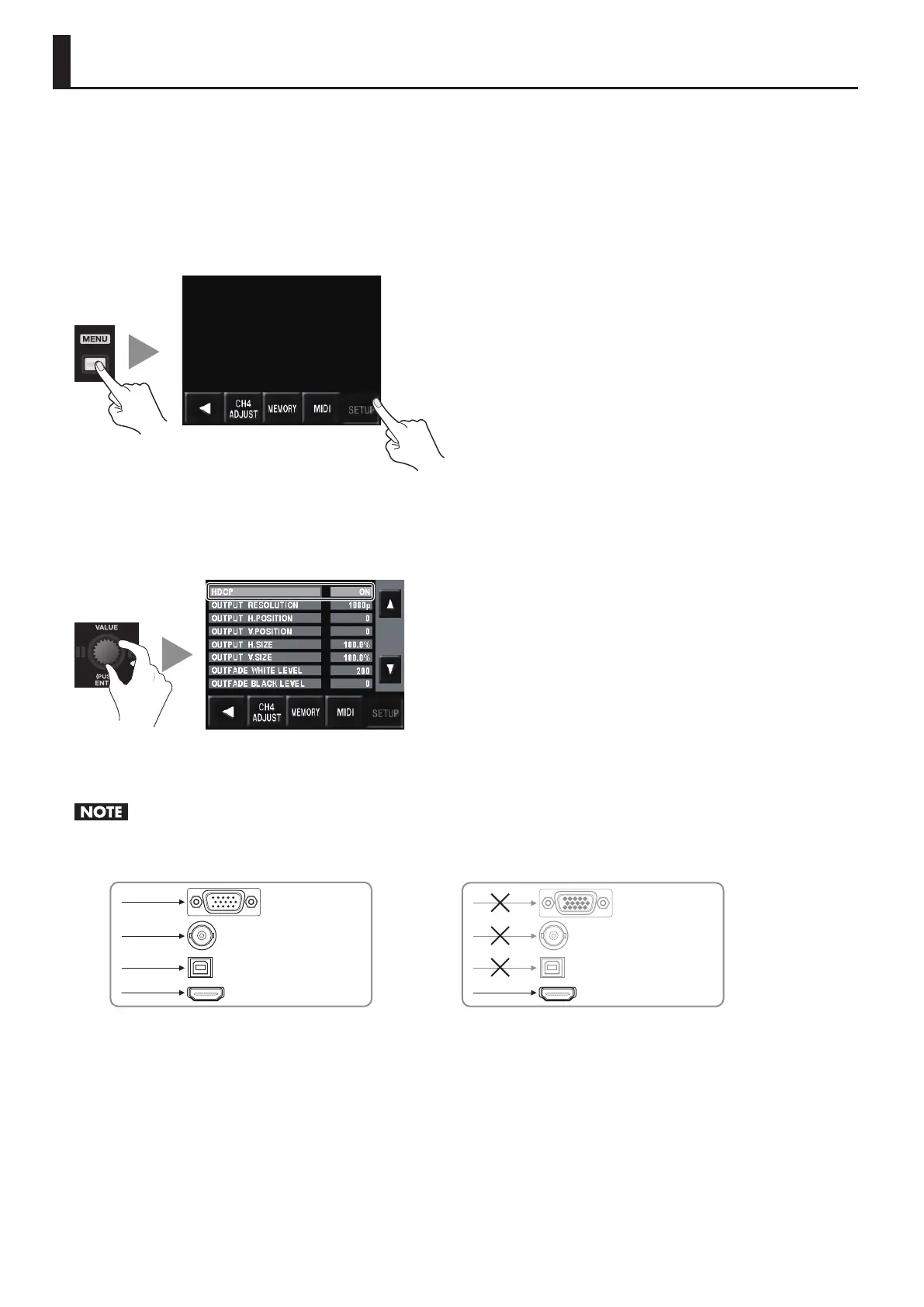
Press the [MENU] button to display the menu. Use the touch panel to select [SETUP].
g.open-system-menu.eps
2. Change the setting.
Use the [VALUE] dial or the touch panel to select [HDCP]. Turn the [VALUE] dial to change the setting from [OFF] to [ON]. When the
conrmation screen appears, press the [VALUE] dial or use the touch panel to conrm the change.
g.HDCP-setting.eps
3. Exit the menu.
Press the [MENU] button several times to quit the menu.
When the setting change just described has been made, video output from the composite connector, the RGB/COMPONENT connector and the
USB port is stopped. Note, however, that HDCP-applied signals are output via the HDMI connector. Preview output also continues.
g.HDCP-signal-ow.eps
RGB/COMPONENT
VIDEO
HDMI
RGB/COMPONENT
VIDEO
HDMI
OF
N
USB USB
About the HDCP Indicator
The [HDCP] indicator on the top panel operates as described below.
• It lights up when an HDCP-compatible device is connected as the output device.
• It ashes when nothing is connected or when the connected device is not compatible with HDCP.
• It goes dark when [HDCP] is set to [OFF].
Inputting HDCP Signals



 To Next Page