EasyManua.ls Logo

Roland XPS-10 - User Manual

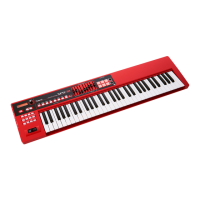
Roland XPS-10
48 pages
Print Icon
To Next Page IconTo Next Page
Loading...
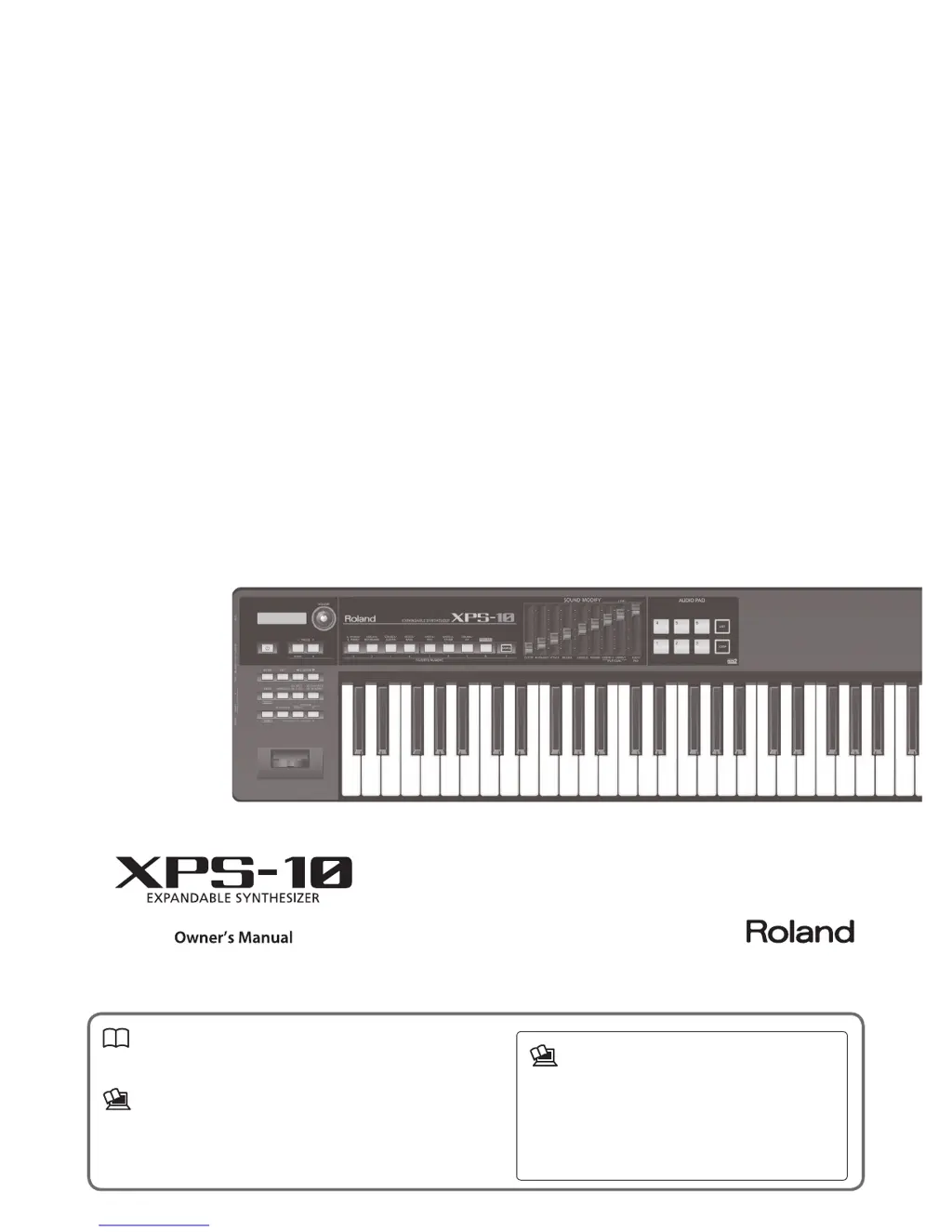
Owners Manual (this document)
Read this rst. It explains the basic things you need to know in order to use the
XPS-10.
PDF Manual (download from the Web)
. Parameter Guide
This explains the eect parameters of the XPS-10 and lists the built-in sounds.
. MIDI Implementation
This is detailed information about MIDI messages.
To obtain the PDF manual
1.
Enter the following URL in your computer.
http://www.roland.com/manuals/
I
2. Choose “XPS-10” as the product name.

Table of Contents

Questions and Answers

  • C
    Carolyn LopezAug 18, 2025
    Why does the sound cut off when I switch patch on my Roland XPS-10?
    • R
      Rachael SteeleAug 18, 2025
      If the sound cuts off when you switch patches on your Roland Synthesizer, it's because switching the patch also switches the type of multi-efefcts used. This inconsistency between the current sound and the multi-efefct can cause unexpected sound or make it seem like the sound is no longer sounding.
  • A
    angela35Aug 21, 2025
    How to turn on Roland Synthesizer XPS-10 if it doesn't power on?
    • S
      Shawn HughesAug 21, 2025
      If your Roland Synthesizer XPS-10's power isn't turning on, ensure the AC adapter is correctly connected both to the AC outlet and the rear panel power connector. Also, check that the adapter and AC power cord are properly connected. If a USB flash drive is connected, it might be malfunctioning; try disconnecting it and then turning on the power.
  • T
    terry56Aug 23, 2025
    What to do if my Roland Synthesizer XPS-10 has no sound?
    • C
      Christopher HigginsAug 23, 2025
      If there's no sound from your Roland Synthesizer, check the following: * Ensure connected amps and speakers are powered on. * Verify the volume on connected equipment isn't too low. * Confirm the [VOLUME] knob isn't turned all the way down. * Check that all connections are correctly made. * If headphones produce sound, the connection cables or your amp/mixer may be faulty. * Ensure the Local Switch is turned on. * Check the patch level to ensure it is not too low. * Verify Part levels are not set too low. * Confirm Efefct settings are correct. * Check if a MIDI message or pedal operation lowered the volume. * Ensure the LEVEL sliders of the SOUND MODIFY section are not lowered.
  • T
    toddgravesAug 26, 2025
    Why is the Roland Synthesizer sound distorted?
    • A
      Ashley HopkinsAug 26, 2025
      If the sound from your Roland Synthesizer is distorted, first check if an efefct that distorts the sound is being applied. If it is, lower the volume level on that part. If all sounds are distorted, use the [VOLUME] knob to lower the overall volume level. Also, check the system setting “SOUND” to ensure the Output Gain isn't excessively high.
  • J
    Jacob ClarkeAug 27, 2025
    How to fix incorrect pitch on Roland Synthesizer XPS-10?
    • D
      Douglas CookAug 28, 2025
      If the pitch of your Roland Synthesizer is incorrect, check the “Master Tune” setting. Also, verify whether the pitch has been changed by pedal operations or by Pitch Bend messages received from a computer.
  • M
    Madison AyersAug 30, 2025
    What to do if a specific part doesn't sound on my Roland XPS-10 Synthesizer?
    • P
      pguerreroAug 30, 2025
      If a specific part of your Roland Synthesizer isn't sounding, check if the volume level of that part has been lowered. Also, see if the LEVEL sliders of the SOUND MODIFY section are lowered. Finally, ensure the keyboard switch for that part is turned on.
  • J
    James MartinezSep 1, 2025
    Why is the sound interrupted on my Roland XPS-10?
    • D
      David DunnSep 1, 2025
      If the sound from your Roland Synthesizer is being interrupted, it may be because more than 128 voices are being used simultaneously. Try reducing the number of Patches you are using.
  • F
    Frank ConradSep 3, 2025
    Why don't notes stop when playing Roland Synthesizer?
    • M
      Mrs. Tanya KruegerSep 3, 2025
      If notes don't stop when you play the keyboard on your Roland Synthesizer, check the “PEDAL” “Polarity” parameter setting to see if the pedal polarity of the Hold Pedal is reversed.
  • J
    Jonathan McdanielSep 5, 2025
    Why don't specific pitch ranges sound on Roland Synthesizer?
    • J
      Jesse WellsSep 6, 2025
      If specific pitch ranges do not sound on your Roland Synthesizer, check the Key Range settings for the Performance Part to see if a restricted range of notes has been set.
  • A
    Alfred MaldonadoSep 8, 2025
    Why do the notes sound strange in the upper registers of the Roland XPS-10 keyboard?
    • D
      douglasgoodmanSep 8, 2025
      If the notes sound strange in the upper registers of the keyboard of your Roland Synthesizer, it may be because the upper pitch limit is exceeded. This does not indicate a malfunction.

Summary

Main Features

Numerous and varied professional-quality sounds

Details on the 1,000+ built-in sounds, including ethnic and local instruments.

Sample Import Functionality

Allows importing audio files from a USB drive to be assigned pitches and played.

AUDIO PAD for Sound Effects and Phrases

Enables playing audio files from a USB flash drive using the AUDIO PAD.

Intuitive User Interface

Describes user-friendly interface features like sound selection, split/dual settings, and favorites.

Lightweight and Portable Design

Highlights the compact and lightweight design for easy mobility.

Panel Descriptions

Front Panel Layout

Detailed explanation of the XPS-10's front panel controls and indicators.

Panel Descriptions: Side Panel Connections

Playing the XPS-10

Selecting Sounds

How to select single tones (Patch Mode) and multiple tones (Performance Mode).

Split and Dual Modes

Guide to layering sounds (Dual) and using different sounds for each hand (Split).

Registering Favorites

How to save and recall frequently used sounds or performances.

Playing the XPS-10 (Continued)

Invoking Registered Tones

How to recall saved favorite sounds and performances.

Adjusting Part Volumes in Split;Dual Mode

Using sliders to adjust volume levels for different parts.

Switching Favorite Banks

How to switch between different banks of favorite settings.

Viewing or Removing a Favorite

How to view, edit, or delete registered favorites.

Playing with a Different Tone for Each Hand (SPLIT)

Instructions for setting up and using the Split function for different hand parts.

Changing the Split Point

How to adjust the split point on the keyboard.

Exchanging Tones in Split;Dual Mode

How to swap the upper and lower sounds in Split/Dual mode.

Playing Multiple Sounds Simultaneously (PERFORMANCE MODE)

Selecting a Performance

How to select and activate a performance.

Selecting a Part and Specifying Its Sound

How to assign patches or drum kits to parts within a performance.

Using the Sliders to Modify the Sound (SOUND MODIFY)

Modifying the tonal character

Explanation of the CUTOFF and RESONANCE sliders for tonal shaping.

Modifying how the volume changes

Guide to using the ATTACK and RELEASE sliders for volume envelope.

Adding Effect Depth and Adjusting Volumes

Spaciousness and Reverb Controls

Using CHORUS and REVERB sliders to enhance sound.

Importing and Playing Sounds (SAMPLE IMPORT)

Sample Management

Deleting Imported Samples

Editing Sounds

Editing Effects

Saving Settings (WRITE)

Using AUDIO PAD

Data Management (UTILITY)

Computer Connectivity via USB

Troubleshooting

Troubleshooting (Continued)

Error Messages

Using the Unit Safely

General Safety Instructions and Precautions

Key instructions for preventing fire, electric shock, injury, and damage.

Roland XPS-10 Specifications

General IconGeneral
Bit rate16 bit
Product typeDigital synthesizer
Keyboard number of keys61
Maximum polyphony (notes)128
Reverberation effects quantity5
Power source typeAC
Display typeLCD
Built-in displayYes
Display number of lines2 lines
Display number of characters16
Headphone outputs1
USB ports quantity2
Weight and Dimensions IconWeight and Dimensions
Depth251 mm
Width1002 mm
Height93 mm
Weight4000 g

Videos

How To Connect Roland XPS 10 to FL Studio

Related product manuals