24
Connecting the AC power cord
The projector uses a standard voltage of
100-240V AC power, which automatically
adapts to different input voltages. This unit
uses a single-phase power system with a
neutral grounding
Connecting the AC power cord (equipped) to
the projector.
To avoid the risk of electric shocks, do not
use any other type of power system. If you are
unsure of the type of power supply you are using,
consult an authorized dealer or service station.
First connect all peripherals before turning on the projector.
The AC power outlet should be close to the
projector and easily plugged and unplugged.
Caution:
Caution:
For safety, when not using the projector, unplug the AC power cord. When connecting
the projector to an outlet with the AC power cord, the projector is in standby mode and
consumes a small amount of power.
Caution:
● Using incorrect cables may affect product performance and may even cause electric
shocks, fire, etc. To ensure product performance and safety in use, use the same
type of cable as the original cable.
● Commonly used connecting cables include AC power cord, audio cables, video
cables, and serial interface control cables.
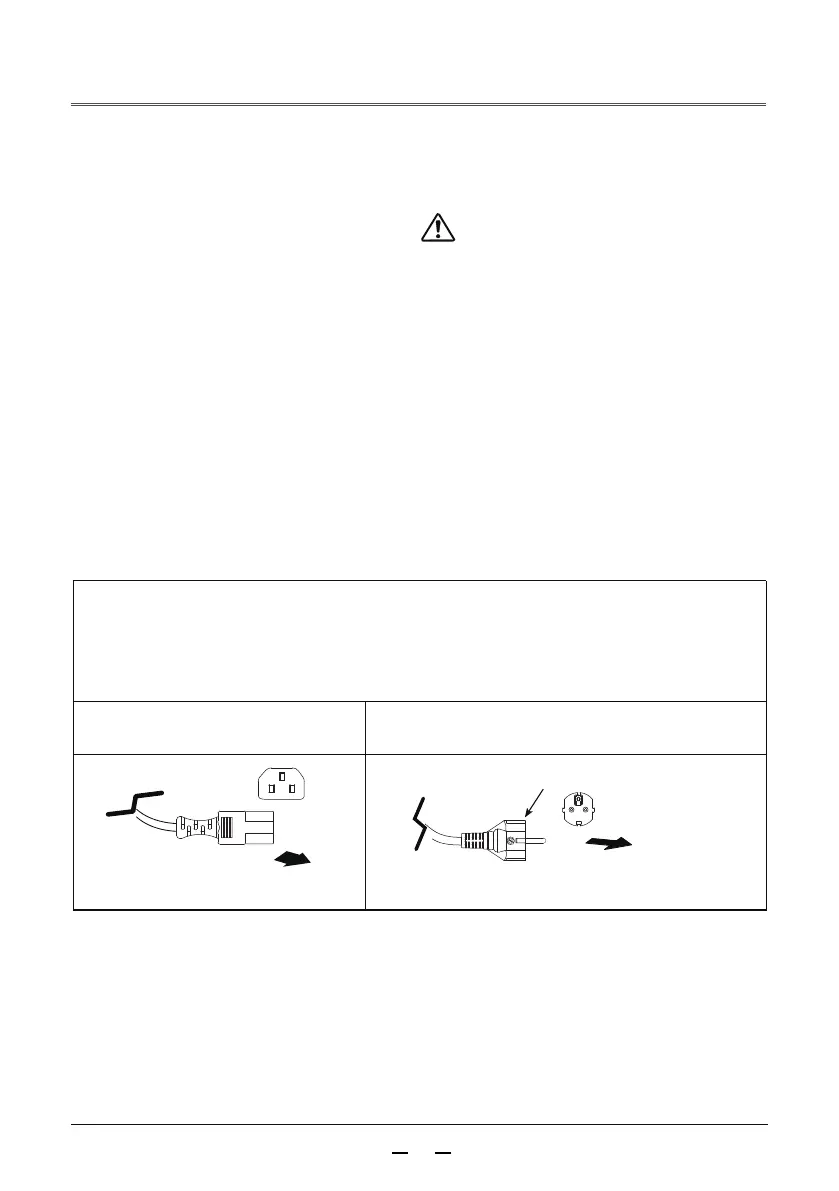
Power cord precautions
The AC power cord must meet the requirements of the country where the projector is
used.Make sure that the AC power plug type is the same as the figure below and that
the correct AC power cord must be used.If the provided AC power cord does not match
the AC power outlet you are using, contact your distributor.
Projector side Connect to the AC power socket
Connecting to an AC power outlet
Connecting to the projector's
power cord interface
Grounding pin



 To Next Page