35
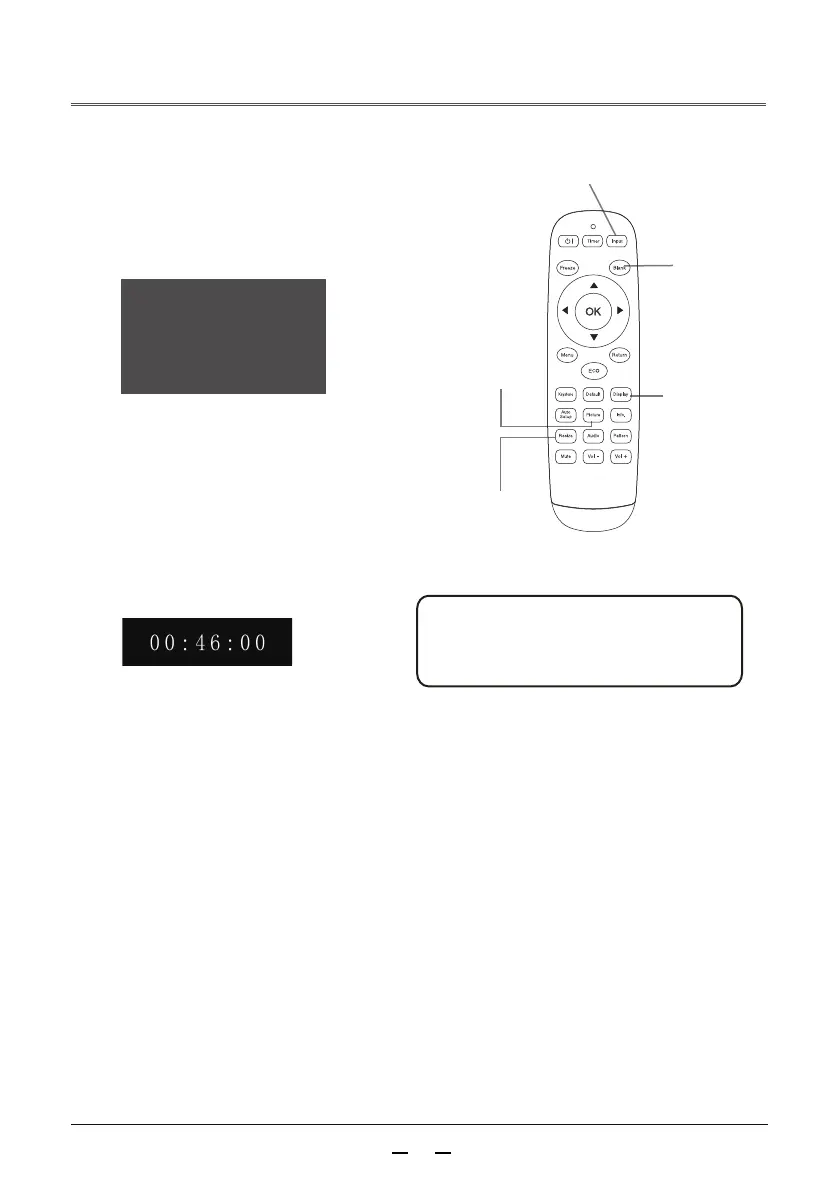
Black screen button
Press the black screen button on the remote
control, the picturedisappears and a black screen
appears. Press the black button again and the picturewill
return to normal. Each time the black button is pressed,
the screen changes as follows:
Black screen → Normal →Black screen →Normal
Press the timer button on the remote control, the
timing display 00:00 appears on the screen, and
the timing starts (00:00:00-09:59:59).
Press once to display the timing, and press again
to pause the timer.
Press again to resume the timing; press other
buttons to cancel the timing function.
Input source button
Timer button
Press the image mode button on the remote control to select the desired image mode.
Image mode button
Aspect ratio button
Display input channel and resolution information.
Display button
Caution:
For a description of other buttons,
see the previous page.
Remote control
Aspect ratio
button
Black screen
button
Image mode
button
Display
button
Black screen
Choose 16:9 Screen Size, 4:3 Screen Size, Original, Panorama,
Auto, Full Screen, Wide Mode I, Wide Mode II, Normal.



 To Next Page