34
Keystone
correction
button
Caution:
For a description of other buttons,
see the next page.
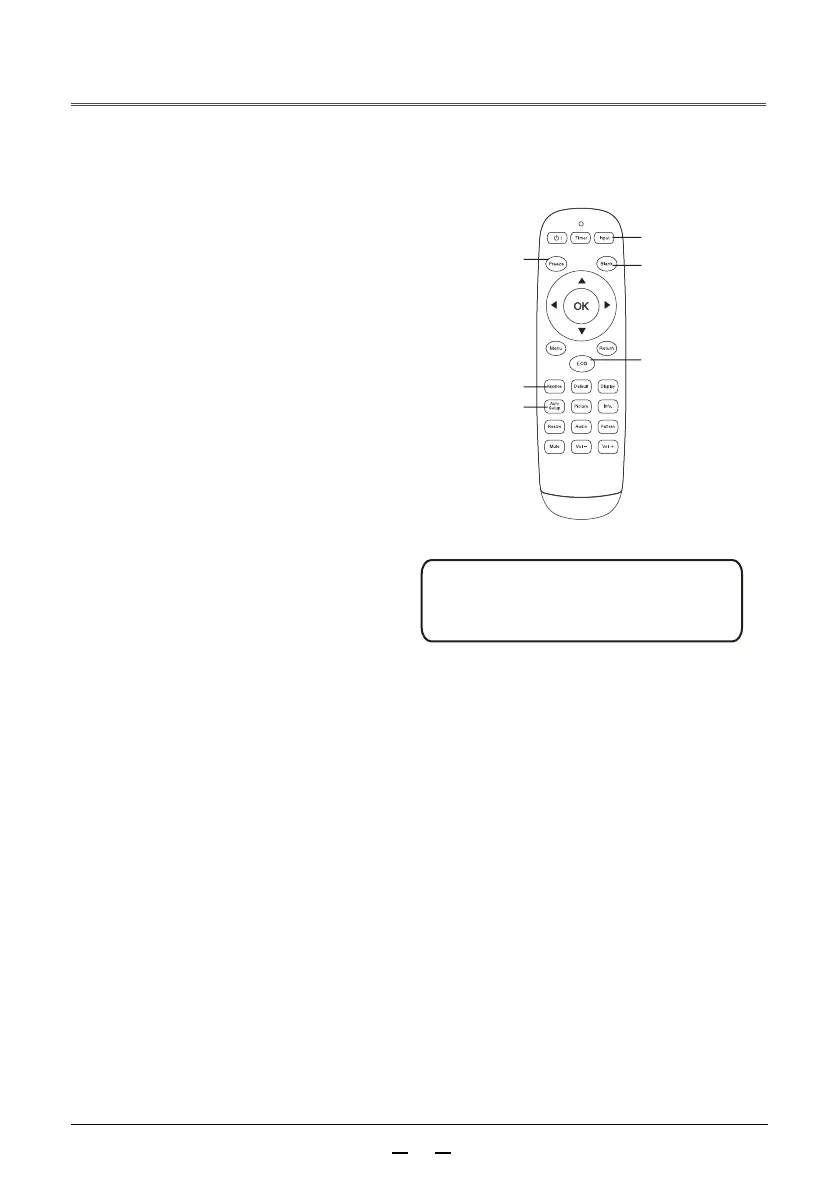
Freeze
button
Black screen
button
Energy saving
button
Remote control operation
For some common operations, it is recommended to
use the remote control to operate by pressing one
button without the need to call the on-screen menu.
Press the Freeze button on the remote control to
make the screen image still. To release the still
function, press the Freeze button or any other
button.
Freeze button
Display input source information. Input source
information includes video, HDMI1, HDMI2,
VGA, USB.
、
..........Standard.
Normal brightness.
..........Energy saving 1 Lower brightness.
Press the energy saving button on the remote control to select the laser mode to
change the screen brightness.
Input source button
Energy saving button
Press the Auto Setup button on the remote
control to enter the auto search input
source mode.
Auto setup button
..........
Energy saving 2
Minimum brightness
Input source
button
..........
Auto setup
button



 To Next Page