29
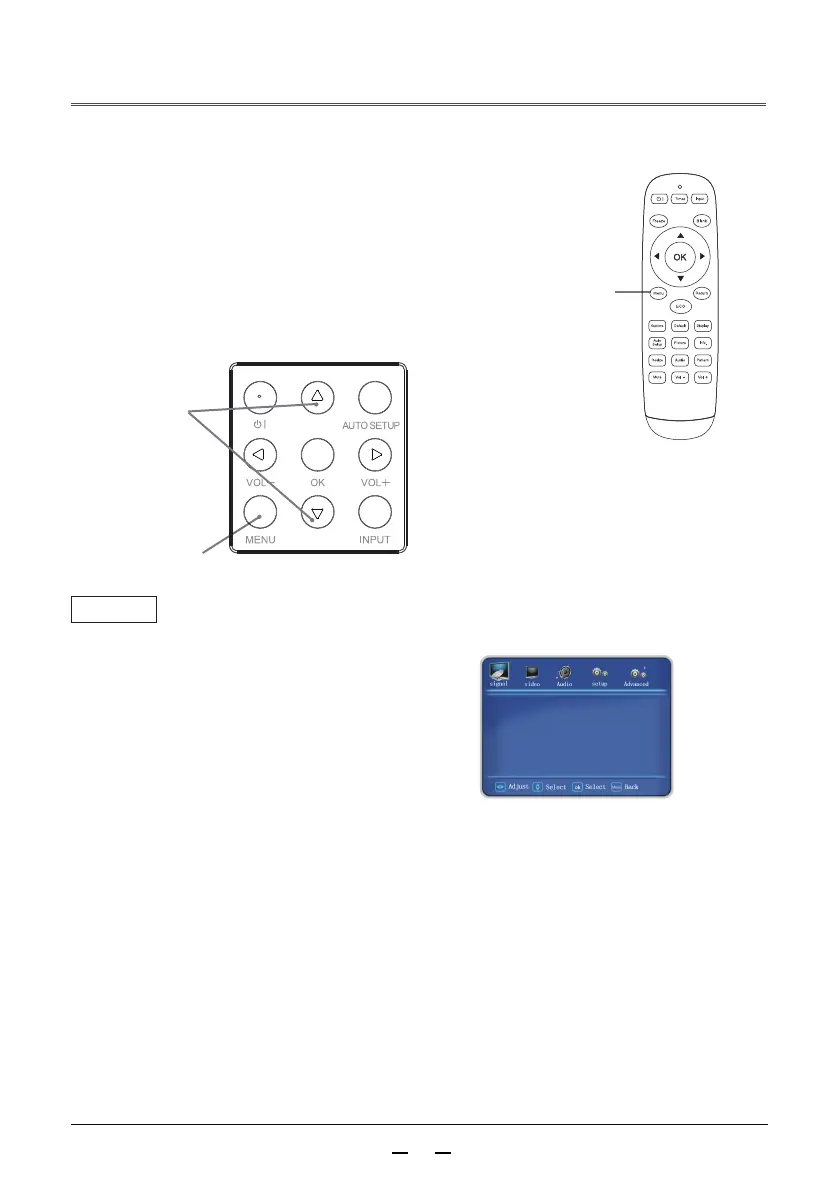
How to operate the on-screen menu menu
You can adjust or set up the projector through the
on-screen menu. The menu has a multi-layer structure,
and each main menu is divided into a number of sub-menus,
which are divided into a number of secondary sub-menus.
For the steps of each adjustment and setting, refer to the
corresponding section of this manual.
Press▼ button or ok button to select the desired
sub-menu item.
Press the MENU button on the rear control panel,
or directly press the menu button on the remote
control to display the menu.
Press▲▼ buttons to adjust the setting or
switch between items.
Press the Menu button to return to the previous level.
Press the Exit button to exit the menu.
Menu
MENU button
▲▼
buttons
Remote control
Menu
1
2
3
4
5
H Position
V Position
Phase
Manual clock
Auto setting
picture size
▼
▼



 To Next Page