AC750 Wireless Dual Band Gigabit Router RNX-AC750RT User Manual
- 97 -
Edit- To modify or delete an existing entry.
To add a new entry, please follow the steps below.
1. Click the Add New button.
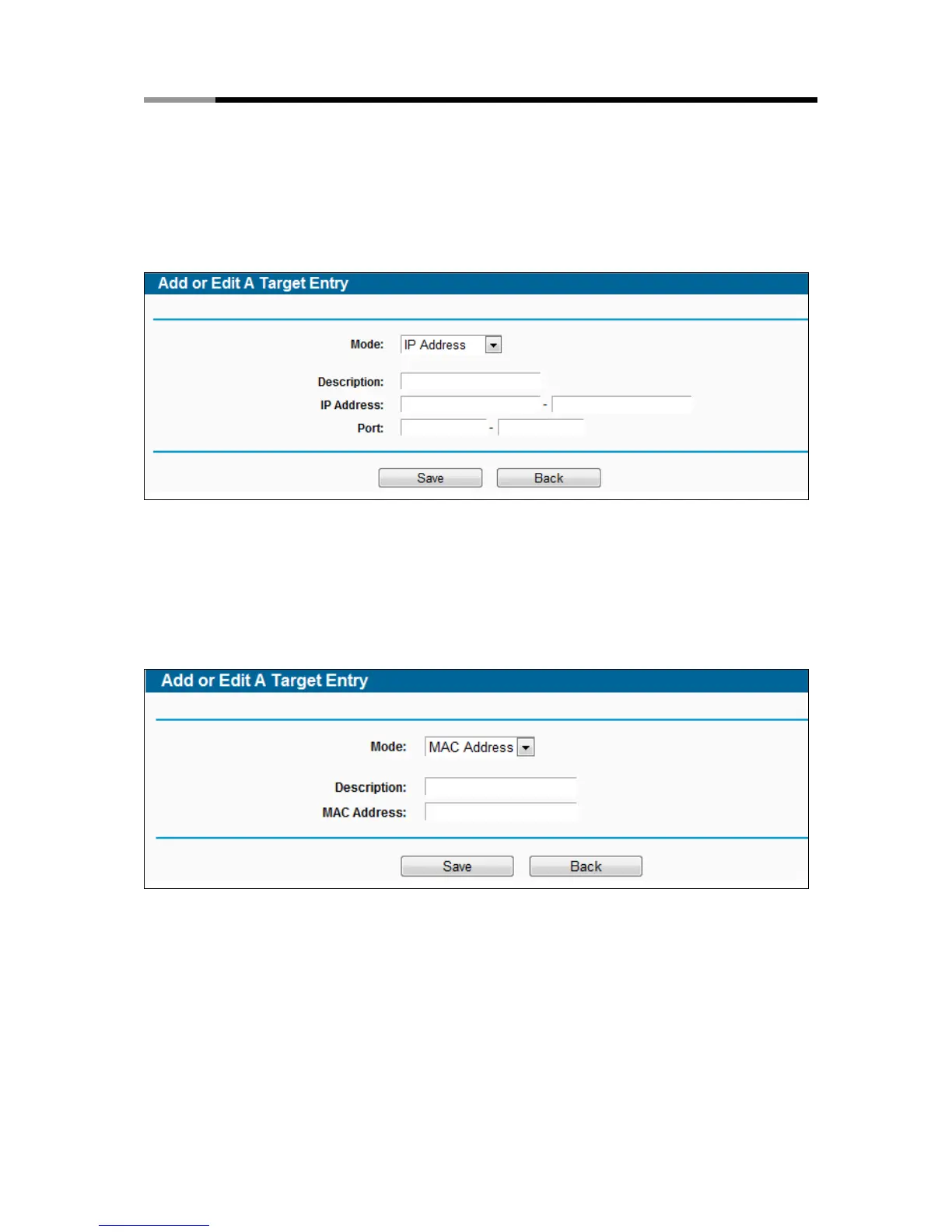
2. In Mode field, select IP Address, MAC Address or URL Address.
1) If you select IP Address, the screen shown is Figure 4-80.
Figure 4-80 Add or Modify an Access Target Entry
I) In Description field, create a unique description for the target (e.g. Target_1).
II) In IP Address field, enter the IP address of the target.
III) Specify the Target Port manually.
2) If you select MAC Address, the screen shown is Figure 4-80.
Figure 4-81 Add or Modify an Access Target Entry
I) In Description field, create a unique description for the target (e.g. Target_1).
II) In IP Address field, enter the IP address of the target.
III) Specify the Target Port manually.
3) If you select URL Address, the screen shown is Figure 4-82.



 To Next Page