AC750 Wireless Dual Band Gigabit Router RNX-AC750RT User Manual
- 24 -
4.3 Quick Setup
Please refer to 3.2 Quick Installation Guide.
4.4 Network
Figure 4-2 the Network menu
There are three submenus under the Network menu (shown in Figure 4-2): WAN, LAN and MAC
Clone. Click any of them, and you will be able to configure the corresponding function.
4.4.1 WAN
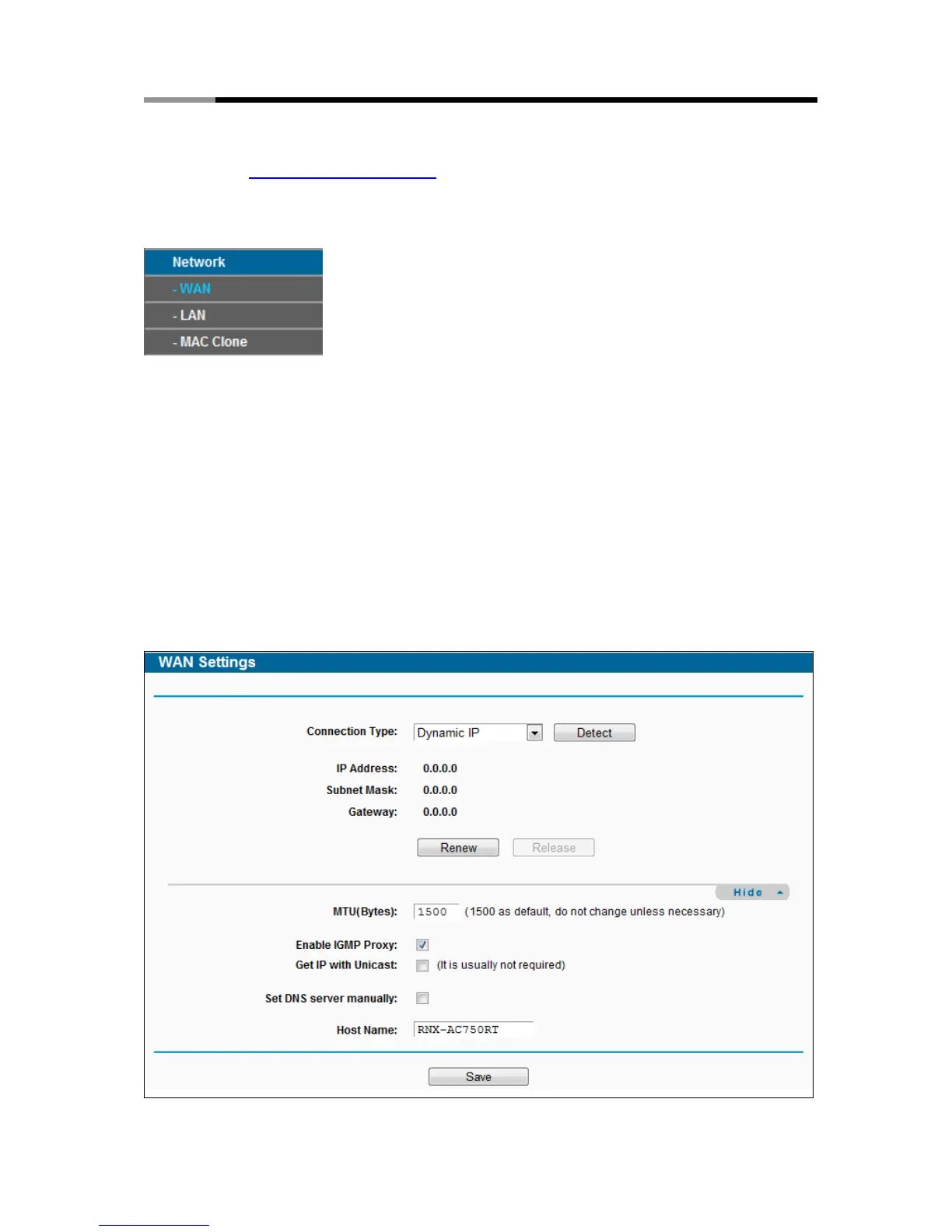
Choose menu “Network → WAN”, you can configure the IP parameters of the WAN on the
screen below.
1. If your ISP provides the DHCP service, please choose Dynamic IP type, and the router will
automatically get IP parameters from your ISP. You can see the page as follows (Figure
4-3):
Figure 4-3 WAN – Dynamic IP



 To Next Page