AC750 Wireless Dual Band Gigabit Router RNX-AC750RT User Manual
- 77 -
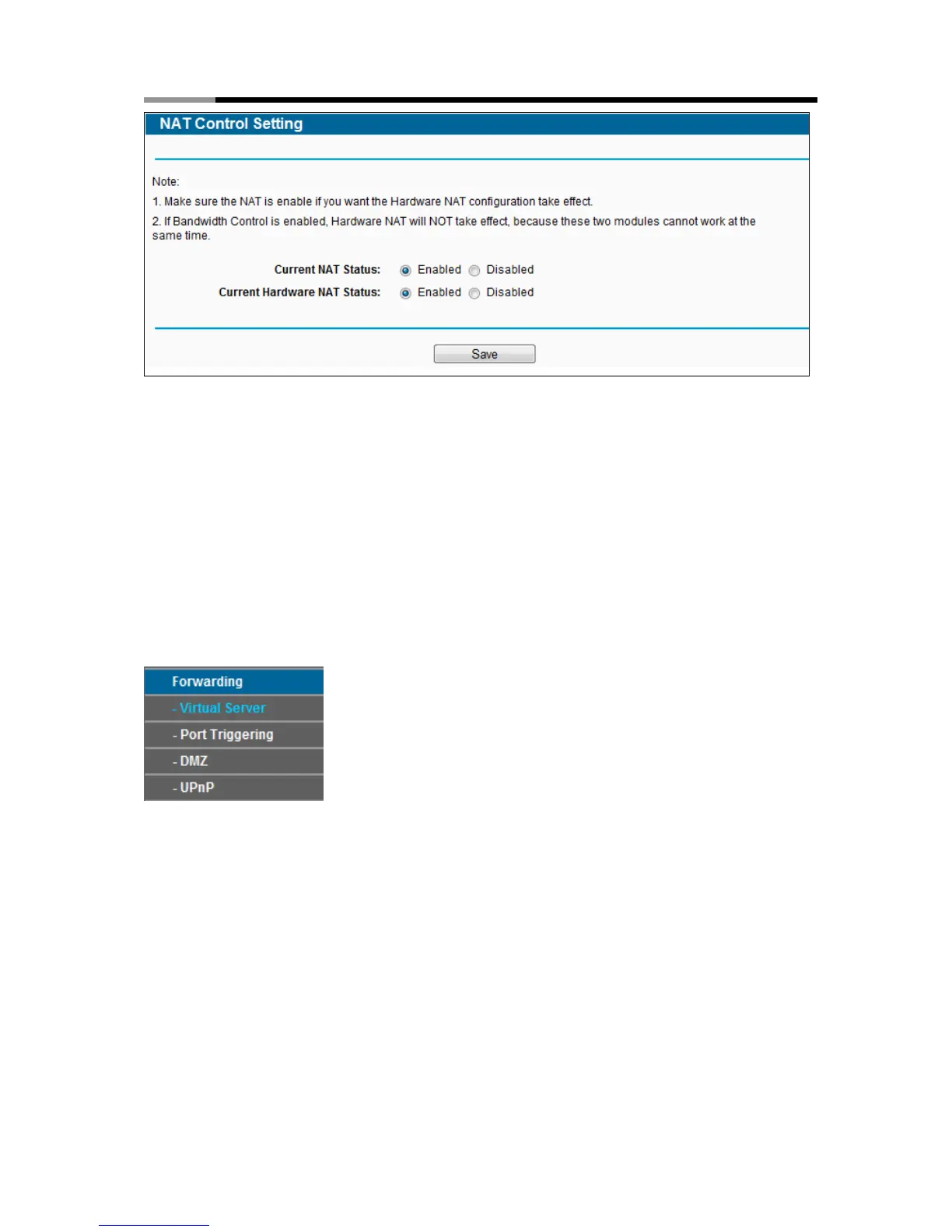
Figure 4-58 The Forwarding menu
Enable NAT Control - If enabled, the NAT function and the Forwarding configuration will
take effect.
Disable NAT Control - If disabled, neither NAT function nor Forwarding configuration will
take effect.
Enable Hardware NAT Control - If enabled, the Hardware NAT feature will take effect.
Disable Hardware NAT Control - If disabled, neither Hardware NAT feature will take effect.
4.12 Forwarding
Figure 4-59 The Forwarding menu
There are four submenus under the Forwarding menu (shown in Figure 4-59): Virtual Servers,
Port Triggering, DMZ and UPnP. Click any of them, and you will be able to configure the
corresponding function.
4.12.1 Virtual Server
Choose menu “Forwarding→Virtual Server”, and then you can view and add virtual servers on
this page (shown in Figure 4-60). Virtual servers can be used for setting up public services on
your LAN. A virtual server is defined as a service port, and all requests from Internet to this
service port will be redirected to the computer specified by the server IP. Any PC that was used
for a virtual server must have a static or reserved IP address because its IP address may change



 To Next Page