AC750 Wireless Dual Band Gigabit Router RNX-AC750RT User Manual
- 5 -
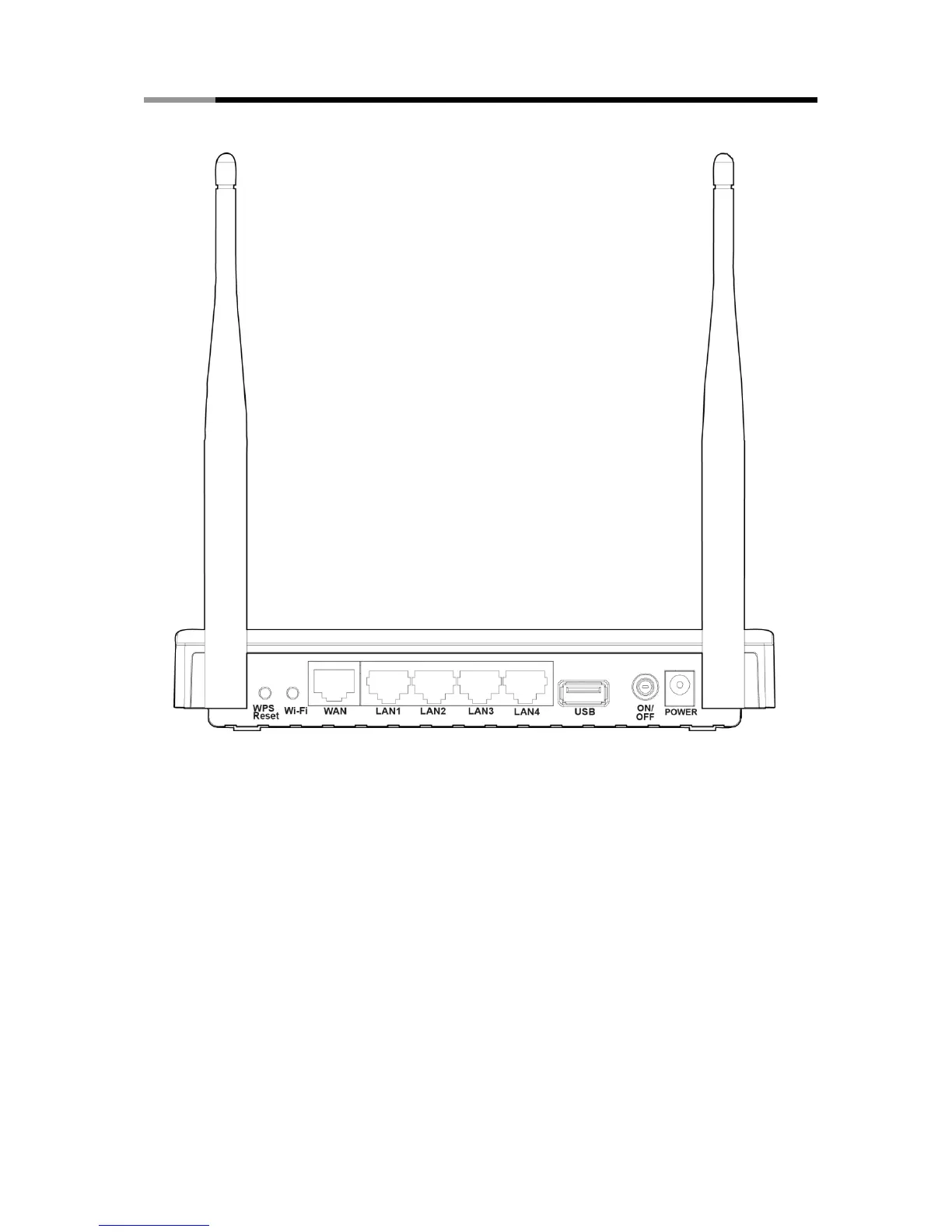
1.4.2 The Rear Panel
Figure 1-2 Rear Panel sketch
The following parts are located on the rear panel (View from left to right).
WPS/Reset:
Pressing this button for less than 5 seconds enables the WPS function. If your client devices,
such as wireless adapters, support Wi-Fi Protected Setup, then you can press this button to
quickly establish a connection between the router and client devices and automatically
configure wireless security for your wireless network.
Pressing this button for more than 5 seconds enables the Reset function. With the router
powered on, press and hold the WPS/Reset button (approximately 8 seconds) until all LEDs
are lit. And then release the button and wait for the router to reboot to its factory default
settings.
Wi-Fi: The button for turning on/off the wireless function.
WAN: This port is where you will connect the DSL/cable Modem, or Ethernet.



 To Next Page