AC750 Wireless Dual Band Gigabit Router RNX-AC750RT User Manual
- 116 -
4.21 System Tools
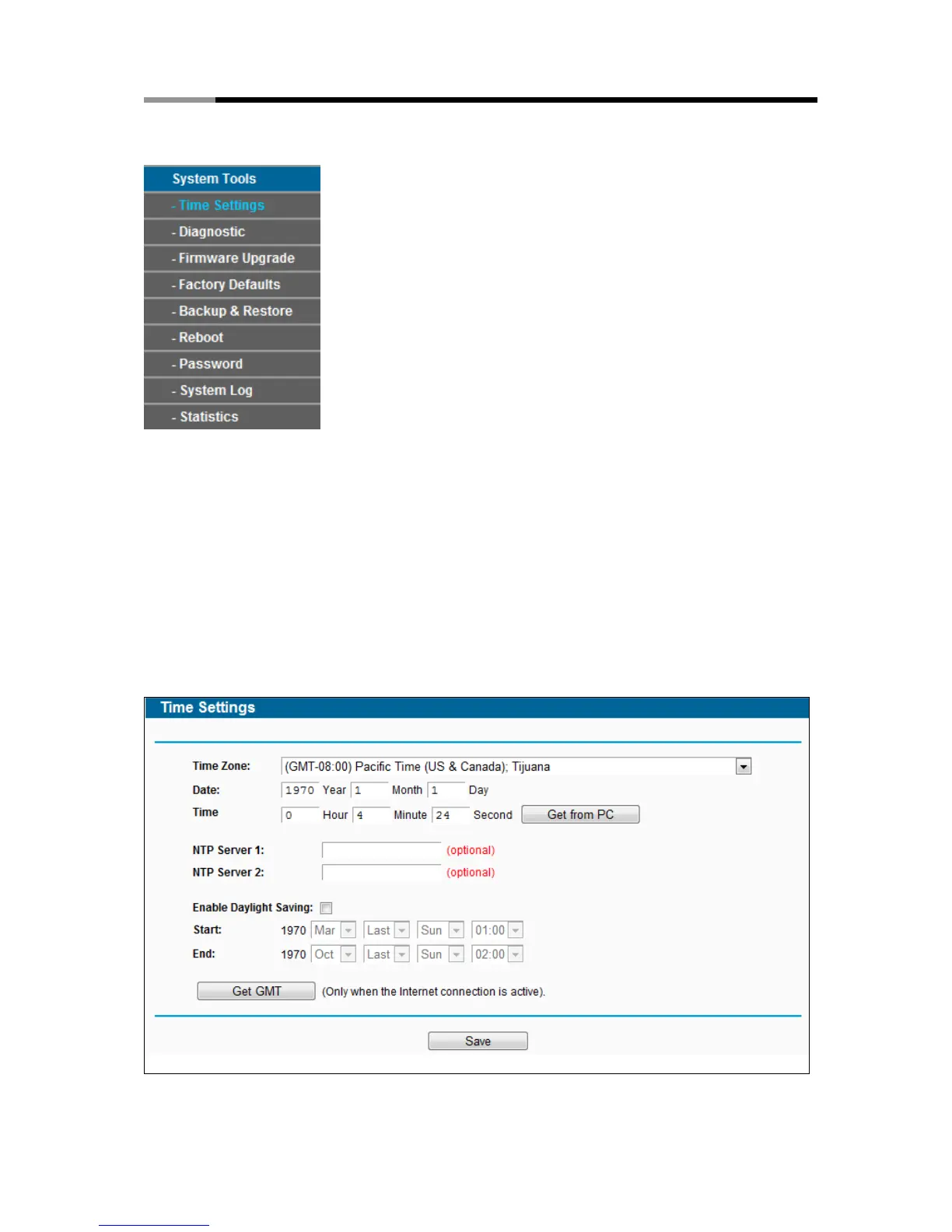
Figure 4-106 The System Tools menu
Choose menu “System Tools”, and you can see the submenus under the main menu: Time
Settings, Diagnostic, Firmware Upgrade, Factory Defaults, Backup & Restore, Reboot,
Password, System Log and Statistics. Click any of them, and you will be able to configure the
corresponding functions. The detailed explanations for each submenu are provided below.
4.21.1 Time Settings
Choose menu “System Tools→Time Settings”, and then you can configure the time on the
following screen.
Figure 4-107 Time settings



 To Next Page