AC750 Wireless Dual Band Gigabit Router RNX-AC750RT User Manual
- 36 -
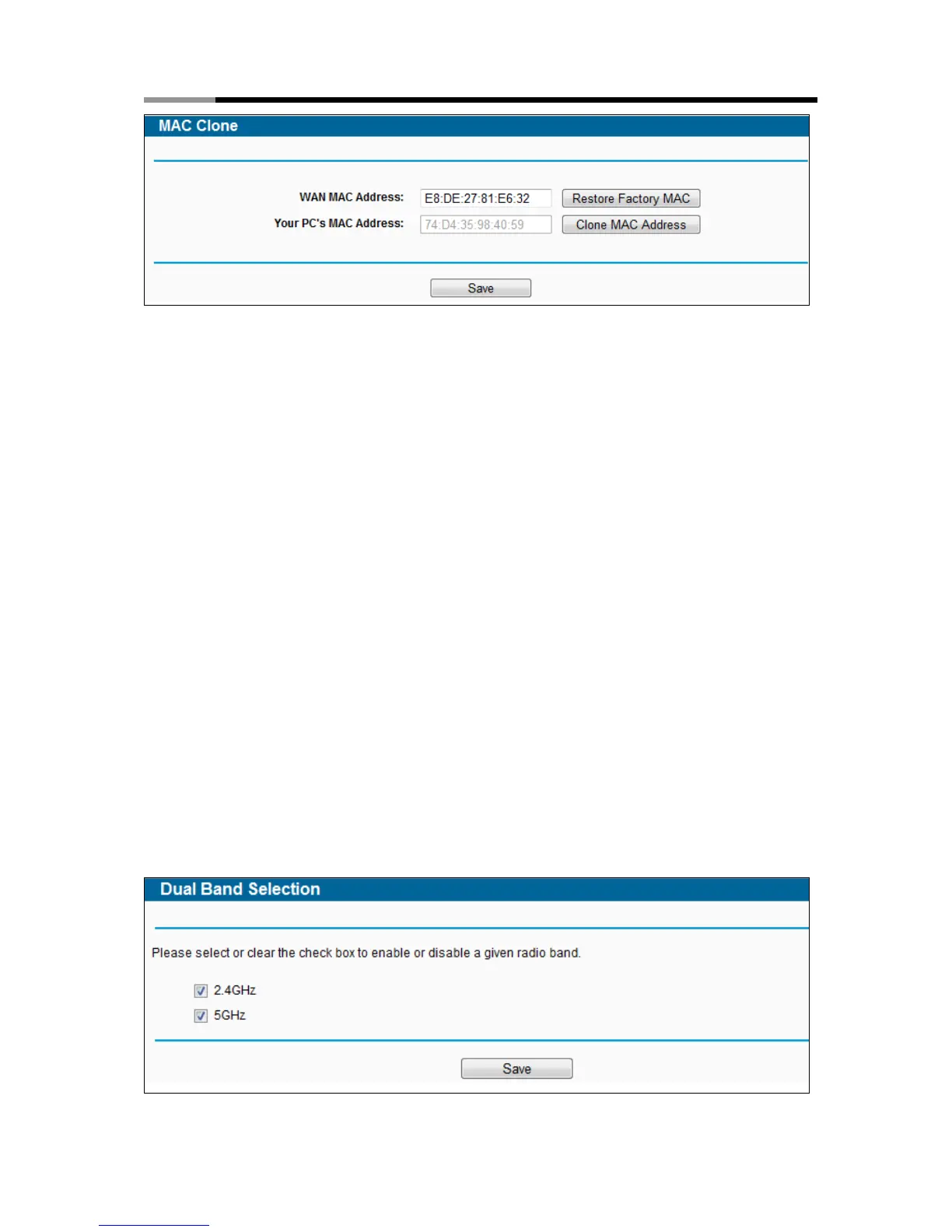
Figure 4-10 MAC Clone
Some ISPs require that you register the MAC Address of your adapter. Changes are rarely
needed here.
WAN MAC Address - This field displays the current MAC address of the WAN port. If your
ISP requires you to register the MAC address, please enter the correct MAC address into
this field in XX:XX:XX:XX:XX:XX format (X is any hexadecimal digit).
Your PC's MAC Address - This field displays the MAC address of the PC that is managing
the router. If the MAC address is required, you can click the Clone MAC Address button
and this MAC address will fill in the WAN MAC Address field.
Click Restore Factory MAC to restore the MAC address of WAN port to the factory default value.
Click the Save button to save your settings.
Note:
Only the PC on your LAN can use the MAC Address Clone function.
4.5 Dual Band Selection
Choose menu “Dual Band Selection”, and you can choose the working frequency for your router.
It is recommended that your computers and devices running video and voice applications use the
5GHz band, while your guest access and computers that are only browsing the web use the
2.4GHz band.



 To Next Page