AC750 Wireless Dual Band Gigabit Router RNX-AC750RT User Manual
- 59 -
If you do not set the key, the wireless security function is still disabled even if you have
selected Shared Key as Authentication Type.
Be sure to click the Save button to save your settings on this page.
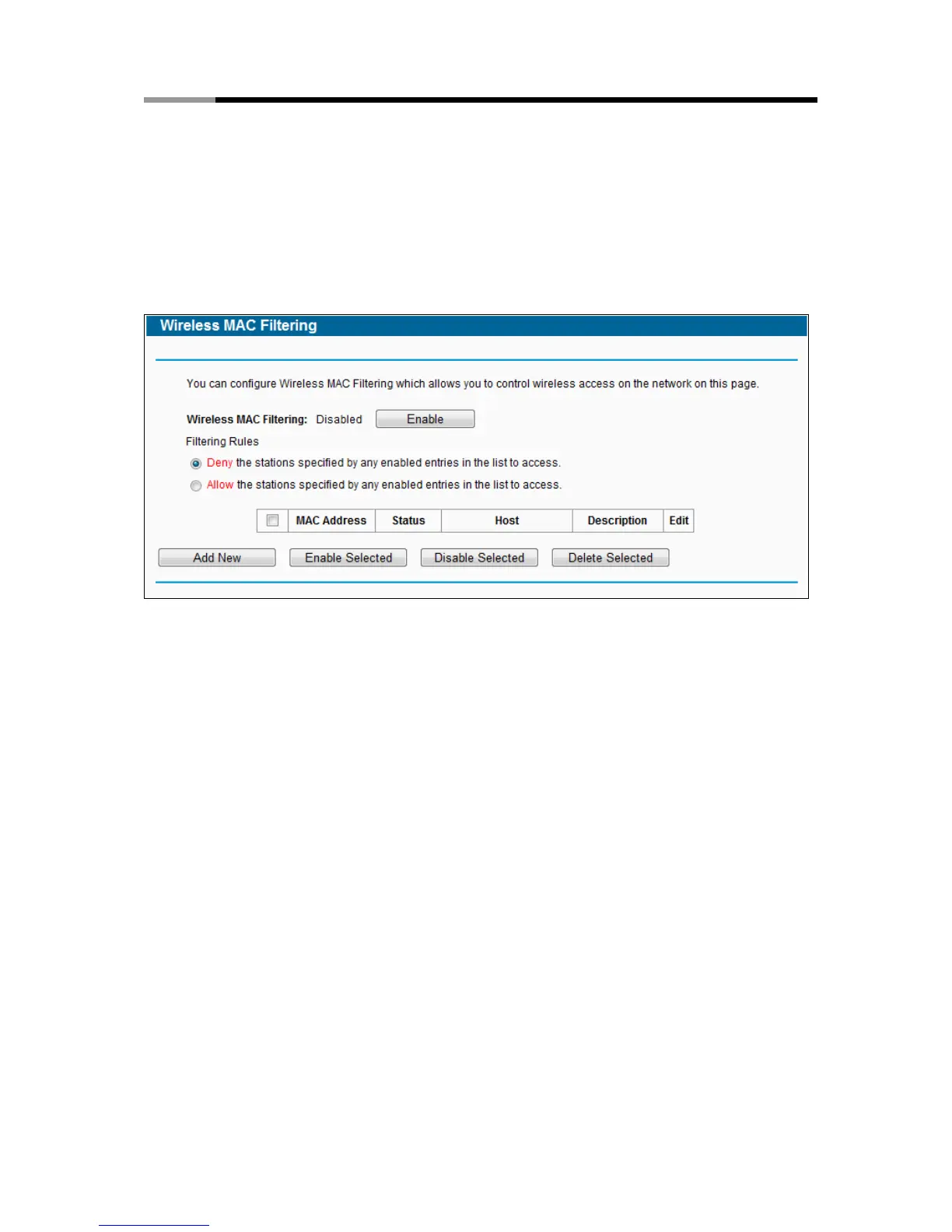
4.7.4 Wireless MAC Filtering
Choose menu “Wireless → MAC Filtering”, you can control the wireless access by configuring
the Wireless MAC Filtering function, shown in Figure 4-23.
Figure 4-38 Wireless MAC Filtering
To filter wireless users by MAC Address, click Enable. The default setting is Disabled.
MAC Address - The wireless station's MAC address that you want to filter.
Status - The status of this entry, either Enabled or Disabled.
Host- The host network for the filetring rules.
Description - A simple description of the wireless station.
To Add a Wireless MAC Address filtering entry, click the Add New button. The "Add or Modify
Wireless MAC Address Filtering entry" page will appear, shown in Figure 4-24:



 To Next Page