AC750 Wireless Dual Band Gigabit Router RNX-AC750RT User Manual
- 27 -
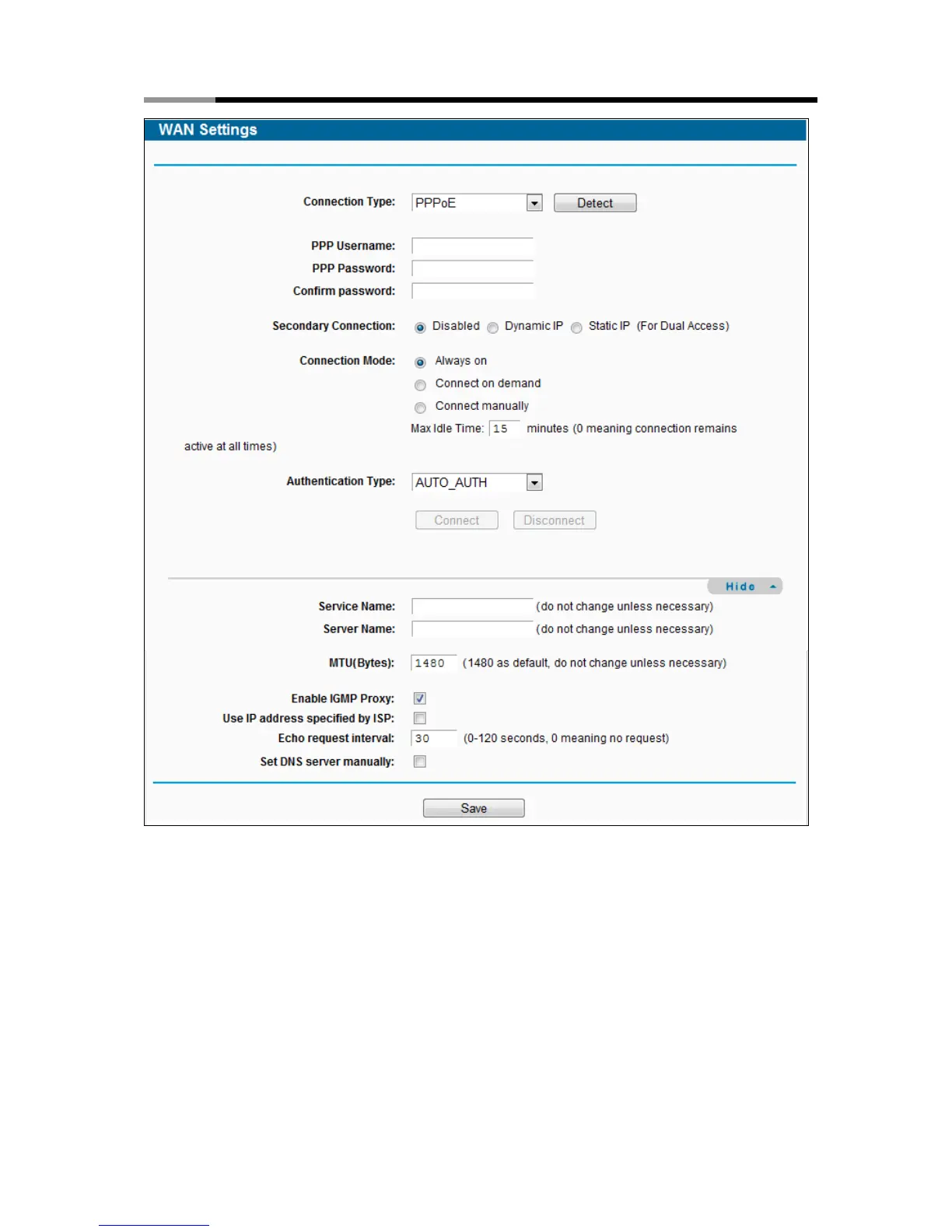
Figure 4-5 WAN - PPPoE
PPP Username/PPP Password - Enter the User Name and Password provided by your ISP.
These fields are case-sensitive.
Secondary Connection - It’s available only for PPPoE Connection. If your ISP provides an
extra Connection type such as Dynamic/Static IP to connect to a local area network, then you
can check the radio button of Dynamic/Static IP to activate this secondary connection.
Disabled - The Secondary Connection is disabled by default, so there is PPPoE
connection only. This is recommended.



 To Next Page