AC750 Wireless Dual Band Gigabit Router RNX-AC750RT User Manual
- 43 -
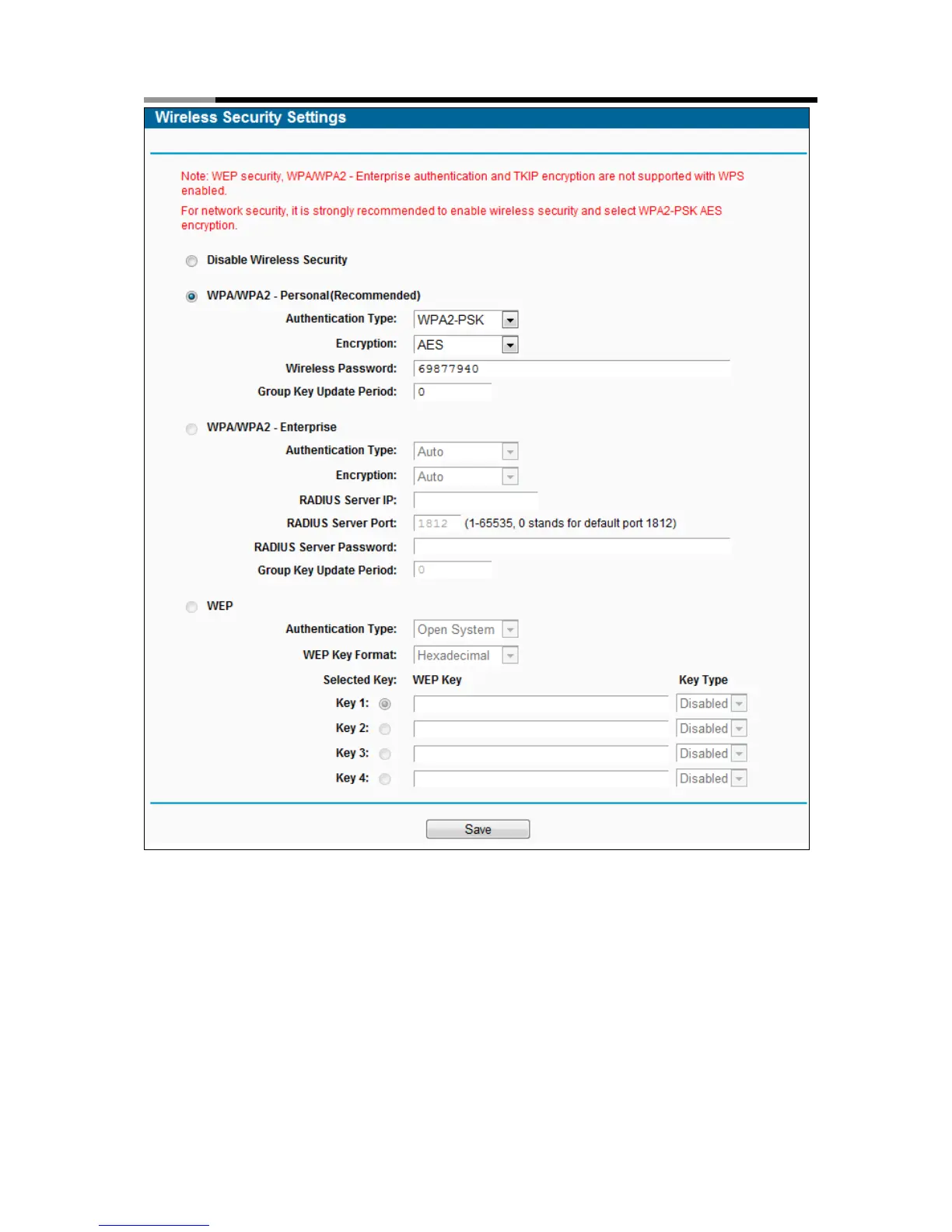
Figure 4-19 Wireless Security
Disable Wireless Security - If you do not want to use wireless security, check this radio
button. But it’s strongly recommended to choose one of the following modes to enable
security.
WPA/WPA2-Personal - It’s the WPA/WPA2 authentication type based on pre-shared
passphrase. The router is configured by this security type by default.
Authentication Type - you can choose the version of the WPA-PSK security on the
drop-down list. The default setting is Auto, which can select WPA-PSK (Pre-shared key of
WPA) or WPA2-PSK (Pre-shared key of WPA) automatically based on the wireless
station's capability and request.



 To Next Page