AC750 Wireless Dual Band Gigabit Router RNX-AC750RT User Manual
- 61 -
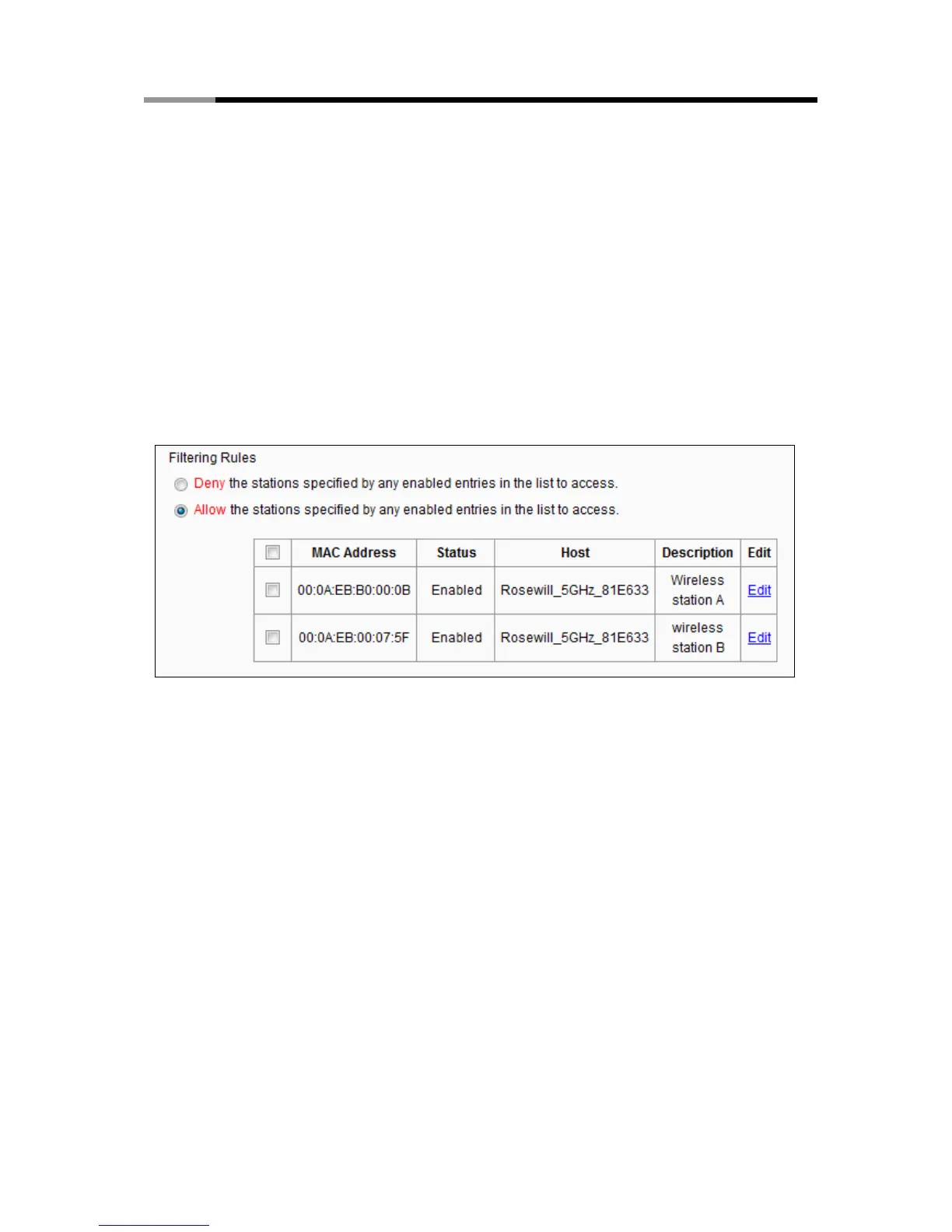
2. Select the radio button “Allow the entries specified by any enabled entries in the list to
access” for Filtering Rules.
3. Delete all or disable all entries if there are any entries already.
4. Click the
Add New button.
5. Enter the MAC address 00:0A:EB:B0:00:0B /00:0A:EB:00:07:5F
in the MAC Address field.
6. Enter wireless station A/B in the Description field.
7. Select Enabled in the Status drop-down list.
8. Click the Save button.
9. Click the Back button.
The filtering rules that configured should be similar to the following list:



 To Next Page