14 • Hardware Overview ULTRIX-FR12 Installation Guide (v4.0)
Front Panel Overview
The ULTRIX-FR12 is designed to operate with the door closed to ensure adequate cooling via the
fans.
Features
The ULTRIX-FR12 front door is:
• designed to improve engineering efficiency
• high resolution
• password protected
• DashBoard enabled
• smart monitoring made easy via
› priority display of system alarms
› configurable severity and hysteresis
› quick link to port/function
• smart control via
› pushbutton routing control
› configurable layouts
› AFV and breakaways
› salvos
› destination status
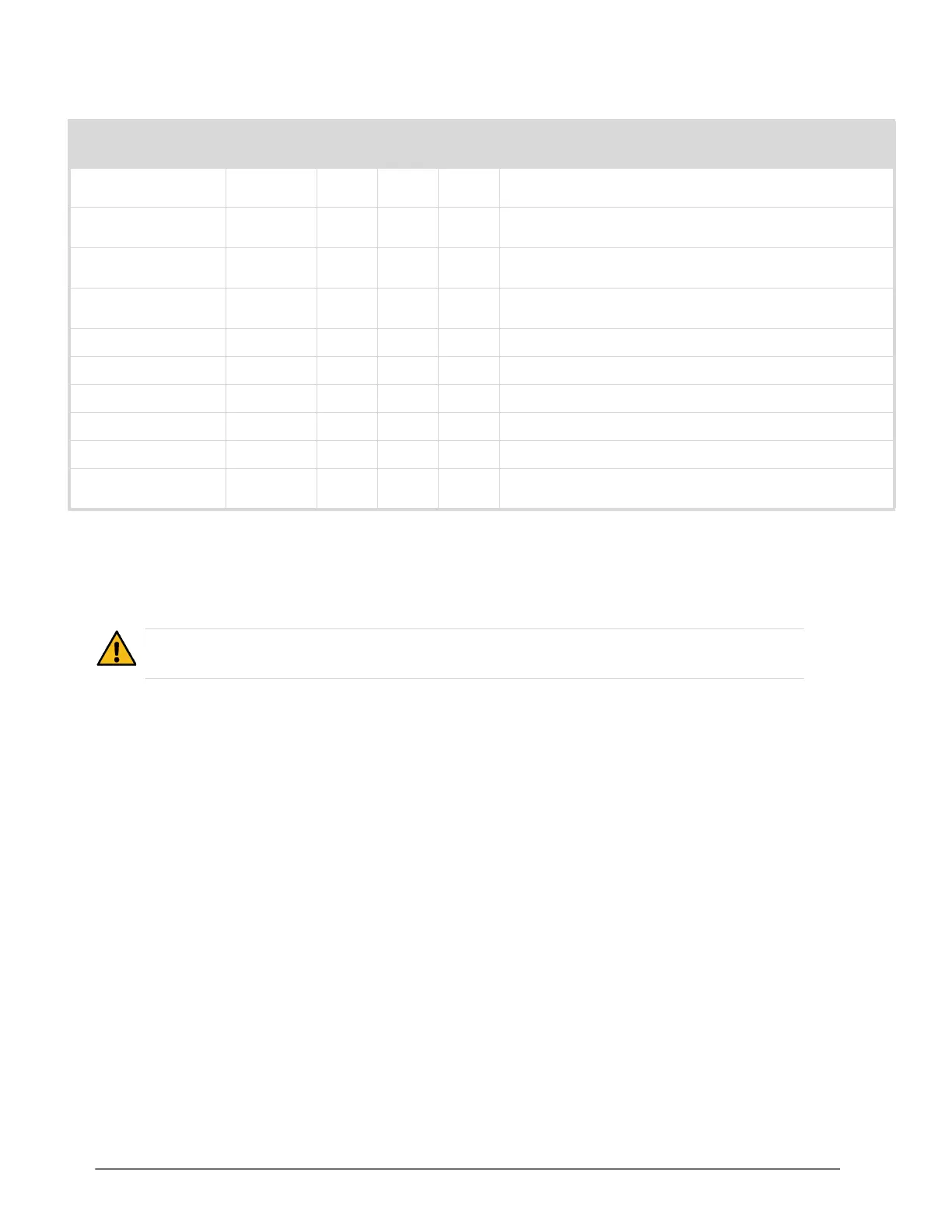
Table 2 List of SFP Modules
Model
Supported I/O Blades
DescriptionHDX-IO IP-IO IPX-IO SFP-IO
SFP-FIBER-3G
3G SDI Optical Transceiver that provides 1 optical input and 1
optical output
SFP-FIBER-12G
12G SDI Optical Transceiver that provides 1 optical input and 1
optical output
SFP-HDB-IO-3G
3G SDI HD-BNC Transceiver that provides 1 SDI input and 1 SDI
output
SFP-HDB-IO-12G
12G/3G/HD SDI Coax Transceiver that provides 1 SDI input and 1
SDI output
SFP-HDB-OUT-12G
12G SDI HD-BNC Dual Receiver that provides 1 SDI output
SFP-HDM-IN-12G
HDMI/DVI to SDI Receiver
SFP-HDM-OUT-12G
12G/3G/HD-SDI to HDMI 2.0/DVI Transmitter
SFP-MADI-1300MM
3G SDI multi-mode optical transceiver (1330nm)
SFP-MADI-1310SM
3G SDI optical transceiver that supports MADI
SFP-MADI-COAX
MADI Transceiver that provides a MADI Link with up to 64
channels in and out
Caution — Before opening the front panel door, ensure that the ULTRIX-FR12 is disconnected from
the power source and fully powered off.



 To Next Page