ULTRIX-FR12 Installation Guide (v4.0) Powering the ULTRIX-FR12 • 27
12. To assign a unique identifier for the group, click “New Group” and edit as required.
13. Select the group from the list in the Group pane.
14. Click Add under the Ultripower pane.
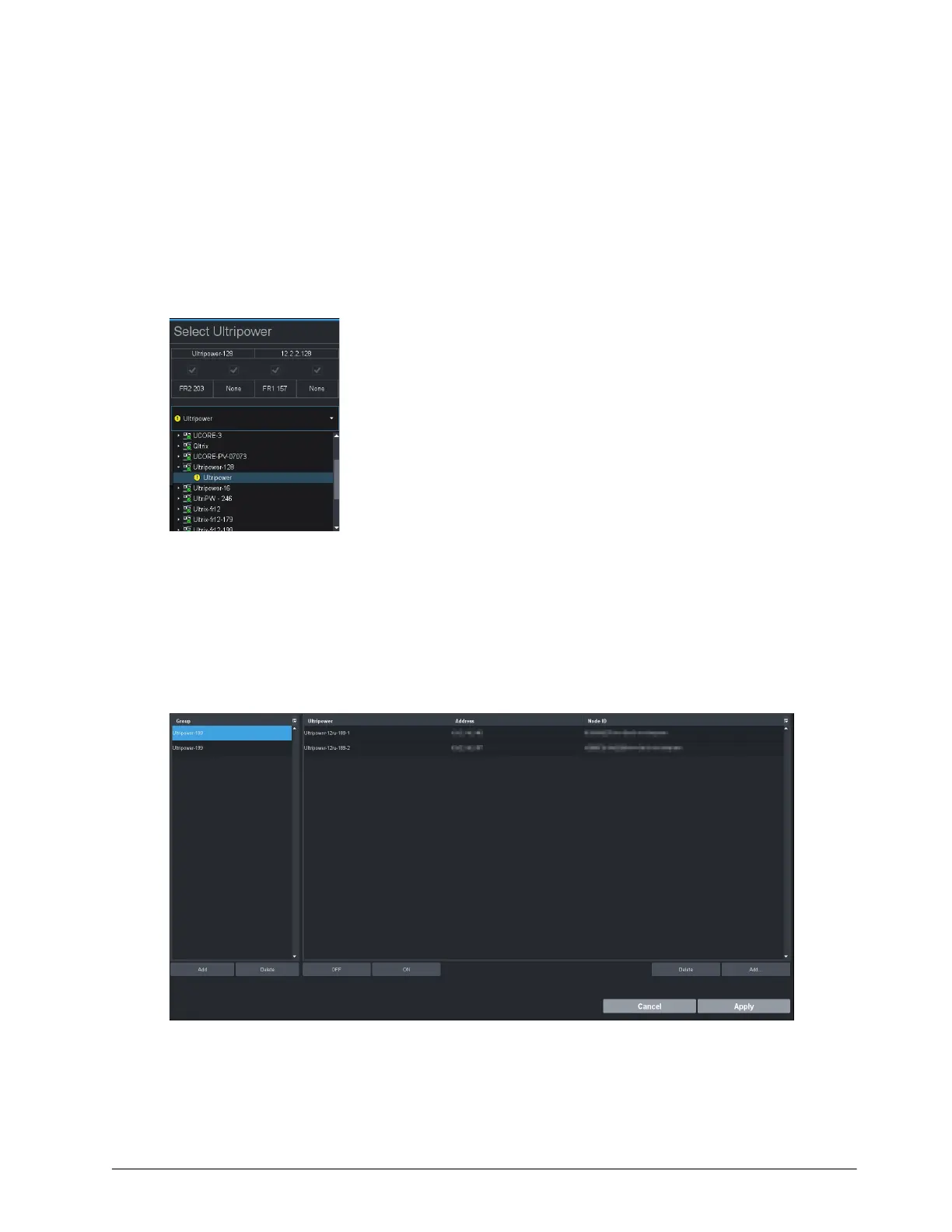
The Select Ultripower dialog opens.
15. From the drop-down menu, expand the node for the Ultripower unit to include in this group.
16. Double-click the sub-node.
The top panel of the dialog updates to report the name, IP address, status, and number of
power modules for the selected Ultripower. In the example below, the user selected an
Ultripower that is reporting an error (yellow indicator).
17. Verify that the information is correct.
18. Click OK.
The Select Ultripower dialog closes and the Ultripower pane updates to list the selected unit.
19. Repeat steps 14 to 18 to add the second Ultripower unit to the group.
If you are setting up a redundant system or a high-powered system, you will need to include 4
Ultripower units to the group.
In the example above, the user created two Ultripower groups.
20. Click OFF.



 To Next Page