AY-B9350 User Manual 24
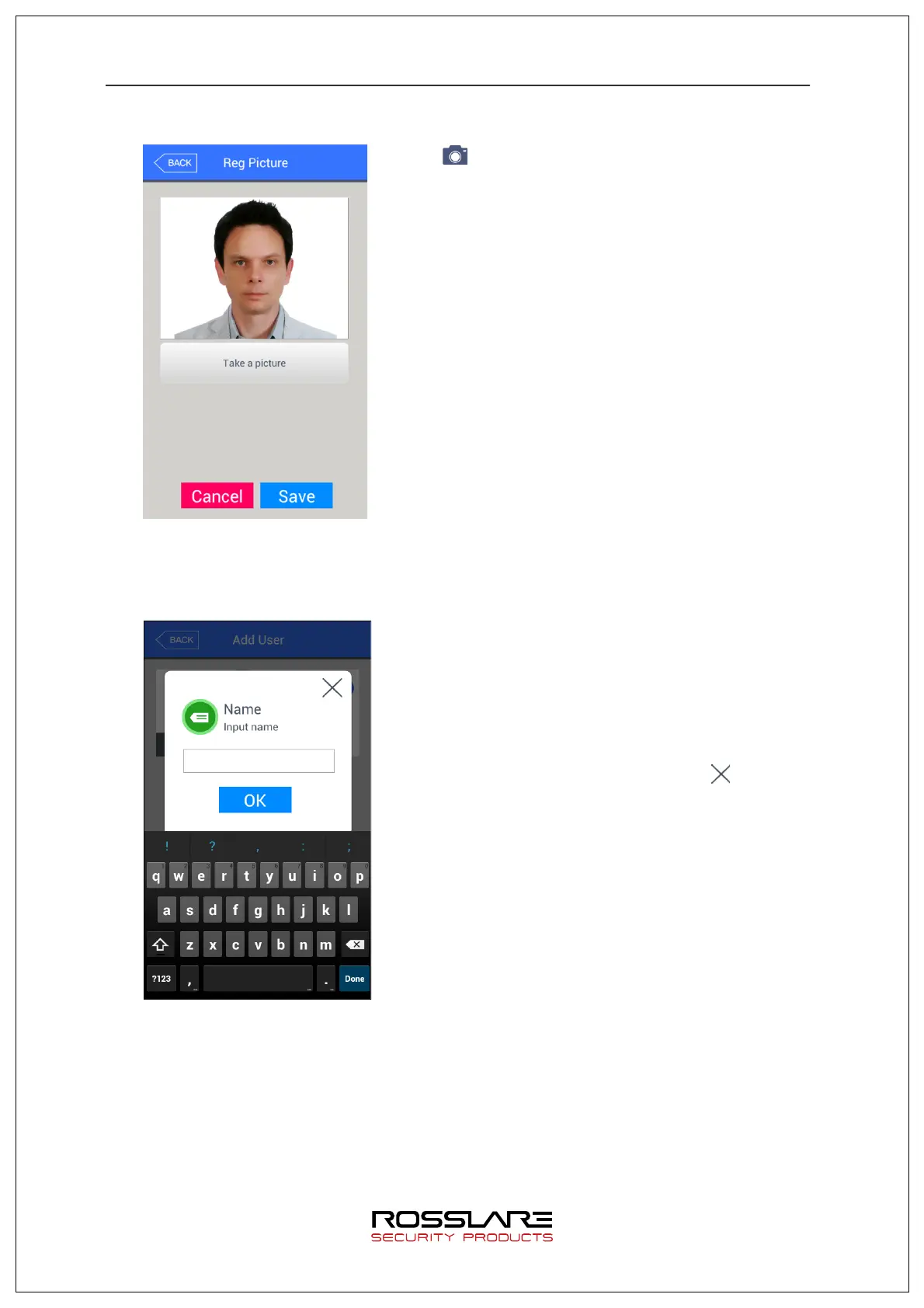
3.3.1.1. Registering Picture
Press [ ] button in [Add user] screen to register a
picture.
Press [Save] button to register current camera image as
a picture.
To cancel registration and move out, press [Cancel] or
[BACK] button.
3.3.1.2. Registering Name
Press [Name] button in [Add user] screen to register a
name.
Input name using the keyboard displayed below and
press OK button. Up to 29 characters can be input for
name.
To cance l regis trati on and move out, press [ ] button.


 To Next Page
 Loading...