AY-B9350 User Manual 43
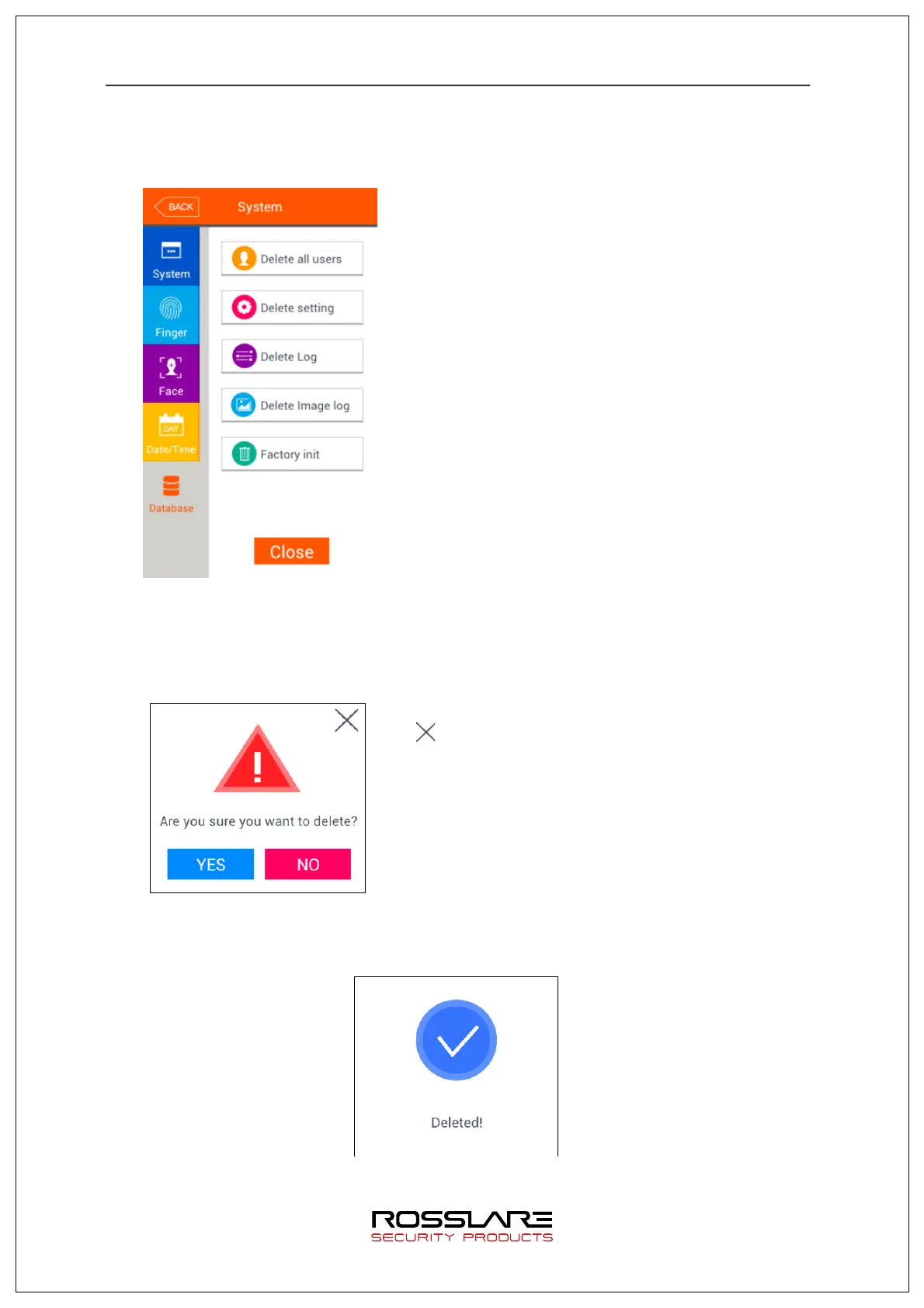
3.6.6. Database
Select [System]
à
[Database] in the main menu to display the screen below.
To delete all users, press [Delete all users] button.
To reset the setting value, press [Delete setting]
button. To reset authent ica tion record, press [Delete
Log] button. To delete only image log, press [Delete
image log] button. To del ete t he whole data to make
the device to factory setting status, press [Factory
Init] button.
Press [Close] or [BACK] button to move to upper
menu.
3.6.6.1. Deleting All Users
Select [System]
à
[Database]
à
[Delete all users] in the main menu to display the
screen below.
To delete all users, press [Yes] button, or press [No]
or [ ] button to cancel it.
If nothing is input for 5 seconds in this status,
message box will be closed without delete.
The following success message box will be displayed when all users are successfully
deleted by pressing [Yes].
In this case, all of users and administrators will be deleted. They can’t be recovered


 To Next Page
 Loading...