STATE TABLE
TAX
CODE
Once you have filled
in
both Chart A and Chart B and have determined the Irregular and Regular breakpoint patterns you are ready to
derive the necessary program code from
this
information
There are
six
steps necessary Please refer to page 34 for additional illustrations of the
six
steps
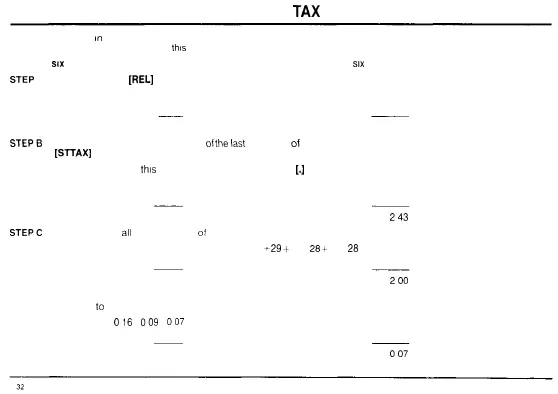
STEP
A Press the Release
[REL]
key
PROGRAM EXAMPLE
PRESS DISPLAY
[REL]
0 00
STEPB
Enter the first amount (lower amount)
of
the
last
tax bracket
of
the irregular breakpoint sequence Then press the Subtotal Tax
[ST
TAX]
key
NOTE Do not enter
this
amount by using the Decimal Point
[J
key
PROGRAM EXAMPLE
PRESS DISPLAY
243 [STTAX] 01
243
STEPC
Enter the total of
all
the breakpoints
of
the Regular breakpoint sequence then press the Subtotal Tax [STTAX] key
PROGRAM EXAMPLE Regular breakpoint sequence 29 28
+
29
+
29 +
28
+
29 +
28
- 200
PRESS DISPLAY
200 [STTAX] 02
200
STEP D Enter the difference between the last tax amount applicable to the Regular breakpoint sequence and the last tax amount
applicable
to
the Irregular breakpoint sequence Then press the Subtotal Tax [STTAX] key
PROGRAM EXAMPLE
016
009
007
PRESS DISPLAY
7 [STTAX] 03
007



 To Next Page