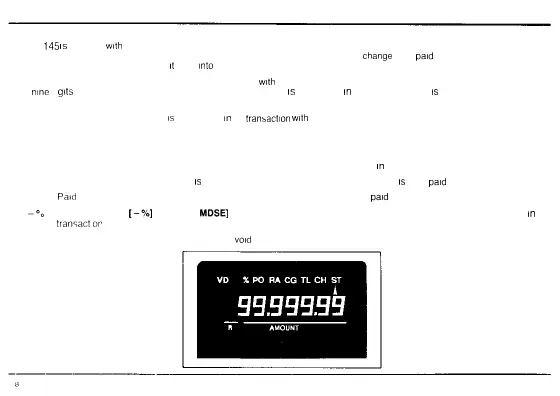
DISPLAY
The ER
145
is
equipped
with
front and rear displays which allow for easy visibility by both the customer and operator during the transaction
The rear display rotates to the best viewing position and clearly displays prices totals and
change
to be
paid
To rotate the rear display pull
upward on the rear display housing until
it
locks
into
place Then simply turn to the desired position
The display features large clear easy to read fluorescent digits
with
an input capacity of seven digits (99 999 99) and a read out capacity of
up to
nine
d
gits
Above the display are symbols that show which entry
is
being made
in
the transaction and
is
indicated by an arrow below
that symbol
The following symbols show what entry
is
being made
in
the
transaction
with
the amount of the entry shown on the display
ST Subtotal When [ST] or [ST TAX] key has been pressed for intermediate totaling
CH Charge When [CHARGE] key has been pressed for a charge transaction
TL Cash Total When [AMOUNT/TEND] key has been pressed for amount tendered
in
the transaction or to total the transaction
CG Change When the cash tendered
is
more than the total of the transaction and change
is
to be
paid
PO
Paid
Out When [P/0] key has been pressed to show any money that has been
paid
out
-%
D scount When
[-%]
OR [RETD
MDSE]
key has been pressed for any discount reduction or refund being allowed
in
the
transactor
VD Vo d When [VOID] key has been pressed to
void
a previous entry or an entire transaction



 To Next Page