TRANSACTION EXAMPLES
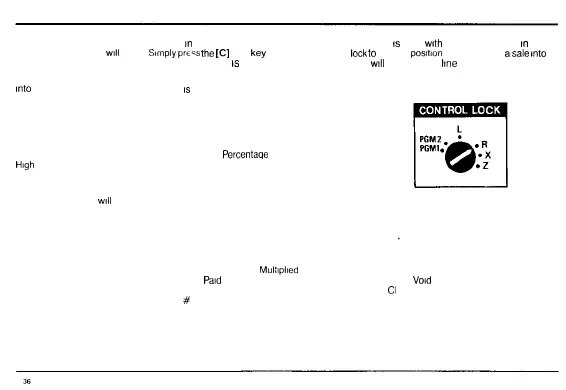
IMPORTANT The control lock key must be
in
the R position to register transactions If an entrv
is
made
with
the control lock key
in
any
other position the alarm
will
sound
Sirnplypre^s
the
[C]
clear
key
and return the control
lock
to
the R
position
When entering
a
sale
into
the register do not use the decimal point If the register
is
set up properly the decimal point
will
automatically
line
up for you
All transaction examples are based on the sample program The pertinent data that was entered
into
the register using the sample program
is
as follows
Tax 1 3 5% State Table Tax Rate
Tax 2 5 0% Fixed Percentage Tax Rate
Department 1 Multiple Item Sale Non Tax
Department 2 Multiple Item Sale/Tax 1 (3 5% State Table Tax)
Department 3 Single Item Sale Tax 1 (3 5% State Table Tax)
Department 4 Multiple Item Sale/Tax 2 (5% Fixed
Percentage
Tax)
High
Digit Lockout 55 (999 99)
Discount Rate 15%
Machine Number 12
The symbols which
will
appear on the paper tape to identify various totals and transaction
operations are as follows
LEFT
1 Department One Item CG Change
2 Department Two Item Discount/Refund S
3 Department Three Item Q Quantity Being Multiplied T
4 Department Four Item Amount Being
Multiplied
C
T1 Tax One Item Deduction PO
Paid
Out VI
T2 Tax Two Item Deduction RA Received on Account
Cl
T1 Tax One Item Registered
#
Reference Number No Sale
T2 Tax One Item Registered TB Tax Balance on Discounted
% Percent Discount Transaction
AT Amount Tendered NO Transaction Number
RIGHT
Registered Entry
ST Subtotal
TX Tax Applied to Sale
CT Cash Transaction Total
VD
Void
CH Charge Sale



 To Next Page