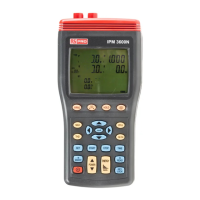
3 Phase Power Analyser / EN
11 09/30/16 Version No. 00
Maximum reading for Reactive power (“Q” mark is blinking) with its P, S, V, A reading and
its PF, Θ, Hz, I4 reading by press “
PFΘ
” and “
Hz I4
” keys.
Maximum reading for Apparent power (“S” mark is blinking) with its P, Q, V, A reading and
its PF, Θ, Hz, I4 reading by press “
PFΘ
” and “
Hz I4
” keys.
b). Minimum reading, the “ REC MIN ” mark is displayed.
Press
key to cycle through the
Minimum reading for Active power (“P” mark is blinking) with its Q, S, V, A reading and its
PF, Θ, Hz, I4 reading by press “
PFΘ
” and “
Hz I4
” keys.
Minimum reading for Reactive power (“Q” mark is blinking) with its P, S, V, A reading and
its PF, Θ, Hz, I4 reading by press “
PFΘ
” and “
Hz I4
” keys.
Minimum reading for Apparent power (“S” mark is blinking) with its P, Q, V, A reading and
its PF, Θ, Hz, I4 reading by press “
PFΘ
” and “
Hz I4
” keys.
c). Current reading, the “ REC ” mark is displayed.
Press “MAX” key for 3 seconds to exit this mode.
11. PF Θ key : Display measured power factor or phase angle value control key, the “PF” or “φ”
symbol is displayed.
12. THD key: Display measured voltage or current THDF, THDR value control key.
THDF: Total Harmonic Distortion of a waveform is compared to its Fundamental.
THDR: Total Harmonic Distortion of a waveform is compared to the waveforms rms value.
Press “THD” key to enter the Voltage U1, U2 and U3 THDR and THDF measurement
mode, the “THDR” and “THDF” marks are displayed.
Press “THD” key again to enter the Current I1, I2 and I3 measurement mode, the
“THDR” and “THDF” marks are displayed.
Press “THD” key again to exit this mode.
13. Hz I4 key : Display measured frequency or I4 current probe value control key, the “Hz” or “I4”
symbol is displayed.
14. SET key : Setting current date and time function key, press “SET” key to enter current time
setting mode and interval time setting mode for auto data logging use.
15 TIME key : Display current date and time control key, press and hold down “TIME” key to
display the current data and time.
Press and hold down “TIME” key then press key turn on the meter, the
“ ” mark appear, enter into auto power off function.
16. ⊳
↵
keys :
In the harmonic measurement mode, press
↵
key to select voltage or current harmonic
source. Press ⊳ or key to select which source to be displayed. Press or key to
select harmonic order.
Set current date and time, or recall manual data memory control keys
17. START key : Start auto data logging function.


 To Next Page