18
Sage Digital ENDEC Manual Rev 2.0
• Passwords. Select appropriately complex passwords for web page access and “endecpro pass”. Do
not use your station’s call letters and anything else you announce on the air periodically. See also
Passwords on page 6.
• Periodically check the www.sagealertingsystem.com/support
web page. Download and install any
security updates.
13.2 Network Settings
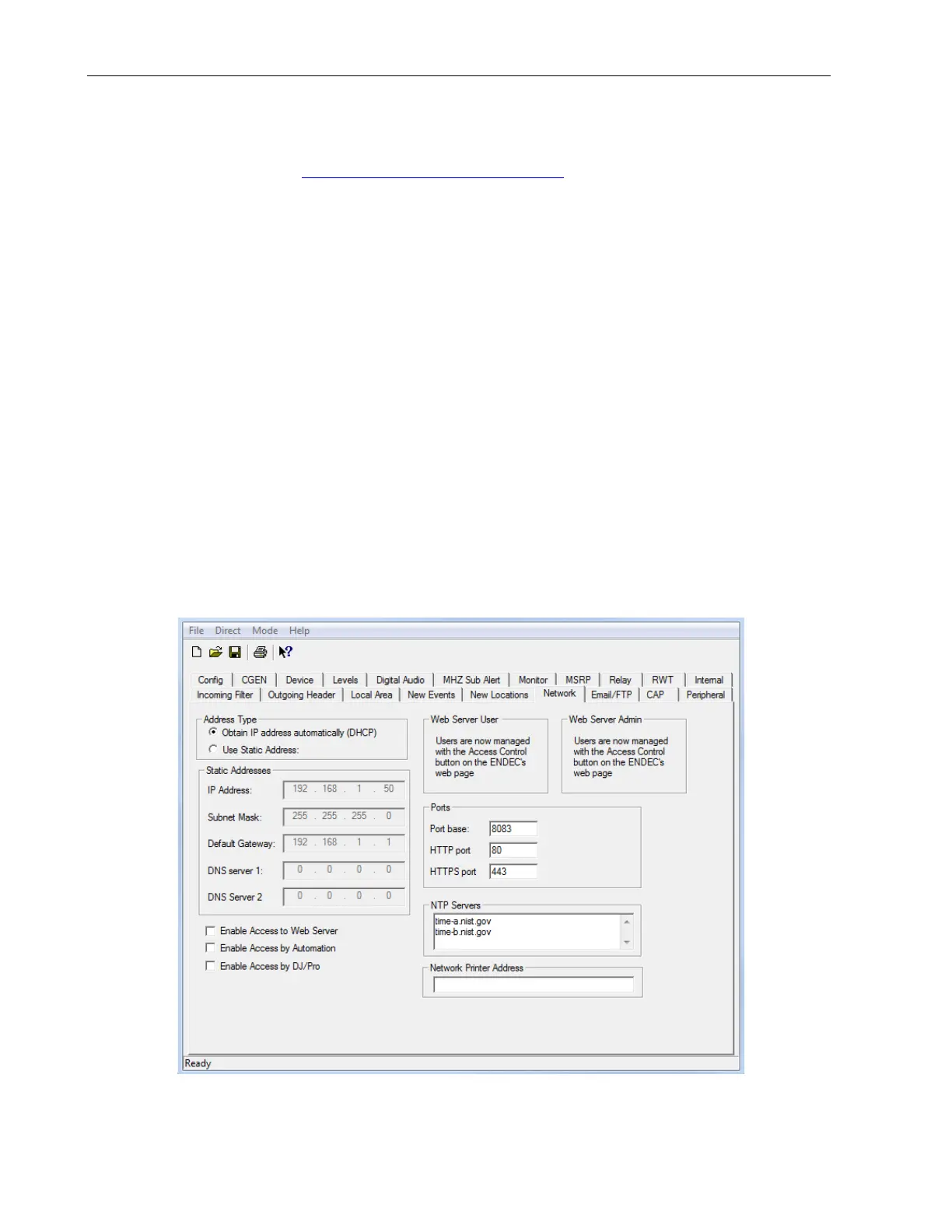
For most settings, use the ENDECSetD or web browser interface. The exceptions are:
• setting the LAN address or
• enabling the web server,
Use the front panel when configuring a LAN connected ENDEC for the first time:
Other network settings are described below. For all address lists, addresses can be an IP address or a DNS
name. If you use a DNS name and your address type is static, you must supply a DNS server address. If
your address type is DHCP, your DHCP server must provide the DNS server address. When using
ENDECSETD, put one address on a line, use as many lines as you need.
13.2.1 Time (NTP) Servers
The ENDEC uses a list of NTP (Network Time Protocol) servers to set its time of day clock. On a LAN,
NTP keeps the ENDEC clock within a few milliseconds of a local time standard. When used with an
internet server, the time is typically within several tens of milliseconds. To specify a list of NTP severs,
use the ENDECSETD network tab. NTP should be used to synchronize your ENDEC with other servers
and properly determine if the start and expiration time of an alert is valid for relay.
Two public access servers are provided by default. Your facility may also have a NTP server as part of
your internal web server or master clock. You can also configure most Windows or Linux systems to act as


 To Next Page