20
Sage Digital ENDEC Manual Rev 2.0
13.3.1 Email SMTP Server
When sending email, the ENDEC uses this address to access the SMTP server. If your SMTP server
requires a password, you can enter the password on the same settings page. The ENDEC supports SSL
(TLS) encryption for email.
13.3.2 Email Address Lists
Receiving. If a given alert is one that might be forwarded, the ENDEC sends messages to this list as
soon as the alert starts arriving. Use this list so you know in real-time when an alert arrives that
requires action or that will be automatically relayed.
Received. All Alerts are sent to this list. If the alert was something other than a duplicate or Log
Only, then the audio (if any) will be attached to the email message. Use this address list to collect
everything you need for the FCC log.
Error. Error conditions and other engineering status messages are sent to this list.
The text of email messages can be very long, depending on the number of locations in the alert. If
you send these messages to a cell phone using an SMS email address, for example,
2325551212@vtext.com, the message can be truncated, or multiple text messages can result.
To send a shorter message, place “sms://” in front of the address, for example,
sms://2135551212@vtext.com
Attachments are not sent to sms addresses.
13.3.3 FTP Server
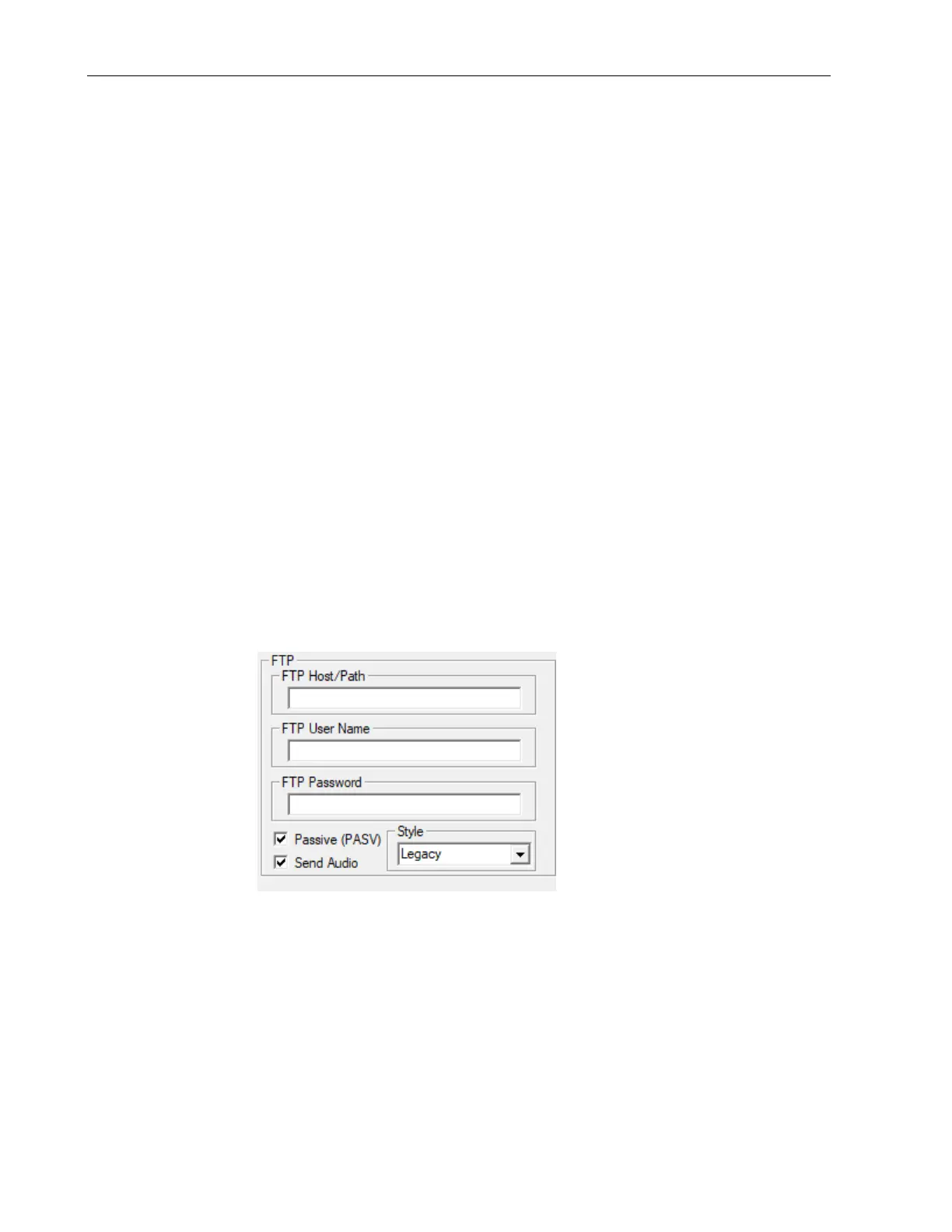
The same data and attachments that are emailed can also be sent to an FTP server. Each message
and attachment are sent as a separate file. Use the FTP section of the ENDECSETD Email/FTP tab
to set your host, username, and password.
You can specify a directory to use by placing it after the host address. For example, if your ftp
server is at 192.168.4.4, and you want to use a directory called eas, then place this in the FTP
Host/Path box:
192.168.4.4/eas
The ENDEC does not support sftp.


 To Next Page