3
Sage Digital ENDEC Quick Start Rev 2.0
13) You will need to monitor the operation of the ENDEC. You must make sure that you continue to send
weekly tests if your license class is required to do so. LP radio and TV may not be required to send the
data tone, however, if you have an ENDEC, there is no reason not to. You must make sure that you
receive, and in some cases relay, other types of required tests. Your monitored audio sources may
degrade due to outside antennas, local environment RF noises, and other reasons. Your Internet
connection may change IP address, gateway, DNS, your local firewall, other IT changes. Security
certificates change from time to time. You will need to occasionally install updates and make other
changes. Your first hint that you have a problem will be a missed reception of a required weekly test.
3. Bench Testing
The ENDEC includes an internal speaker. To hear alert audio from this speaker, a jumper wire must be in
place between the Speaker Out and Speaker In terminals. One is installed when you receive a new
ENDEC.
If you send an alert, you’ll hear it through the internal speaker. You can bench test all of the ENDEC
functions, except for relay of a pending message. If you have two ENDECs, you can use one to send a
message to the other in a bench test by wiring the Speaker Line Out of one ENDEC to the Monitor 1 In of
the other ENDEC, and a second wire from any GND pin on one ENDEC to any GND pin on the other
ENDEC.
4. Connecting your ENDEC to the LAN
Short version:
Use the front panel Network menu to select the type of address you need, DHCP or Static with Network
Addr Type. If static, set your IP address, DNS and Gateway as needed. Then use the Web Server menu to
turn on web access by selecting Yes.
Long version with step by step key presses:
It should only take you a minute or two to make these changes. If you spend more than 10 minutes in this
menu, the ENDEC will assume that something has gone wrong and reboot. If this happens, simply start
over at the last step you performed.
Tell the ENDEC whether it will have a static or dynamic IP address and activate the built-in web server.
Each of these steps will take place at the front panel of the ENDEC. If at any time the ENDEC display
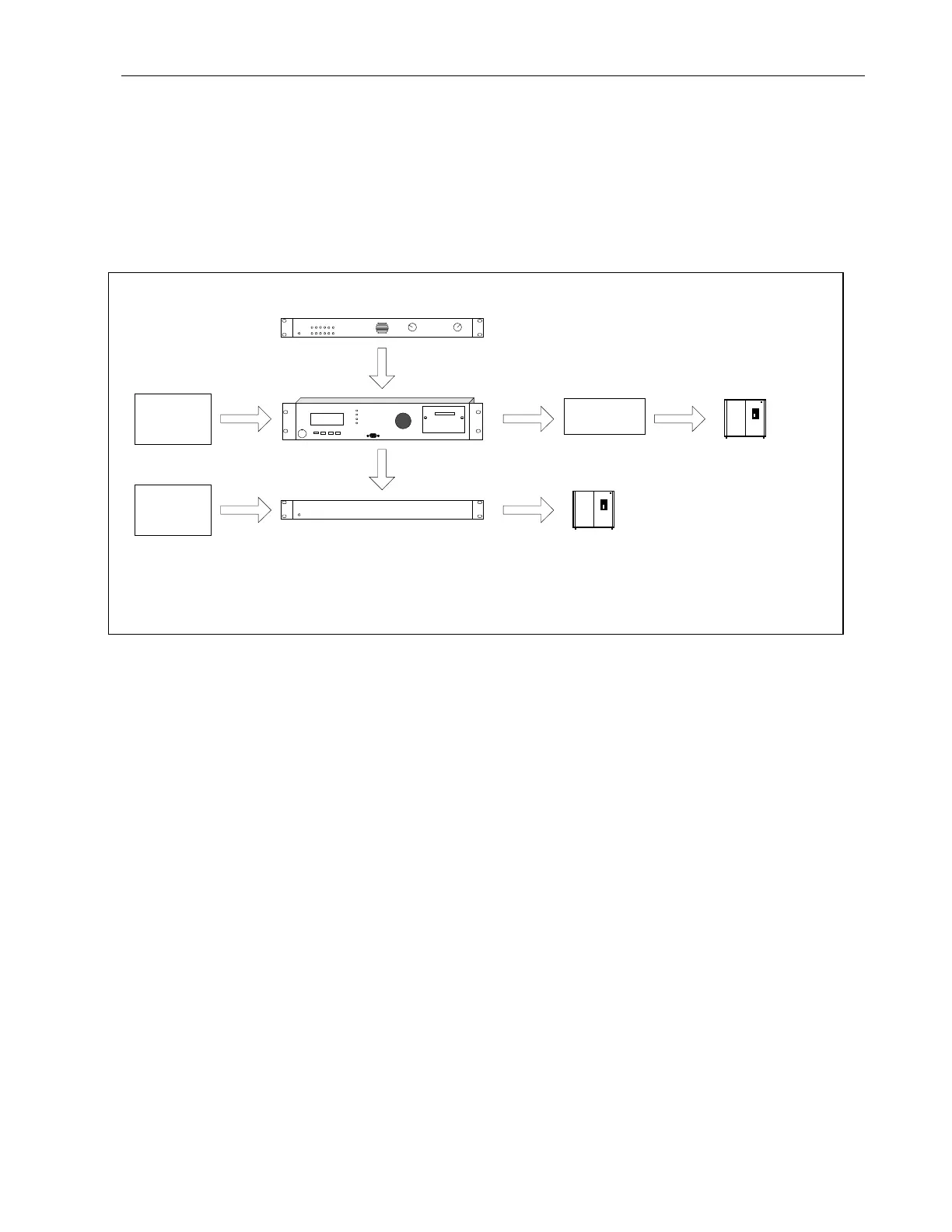
Console
Receiver
ENDEC
Processing
Audio
Transmitter
Video
Video
Transmitter
CGEN
Figure 2-1. Typical ENDEC Placement


 To Next Page