Chapter 1: Introduction
2 VHF radio with DSC Class A
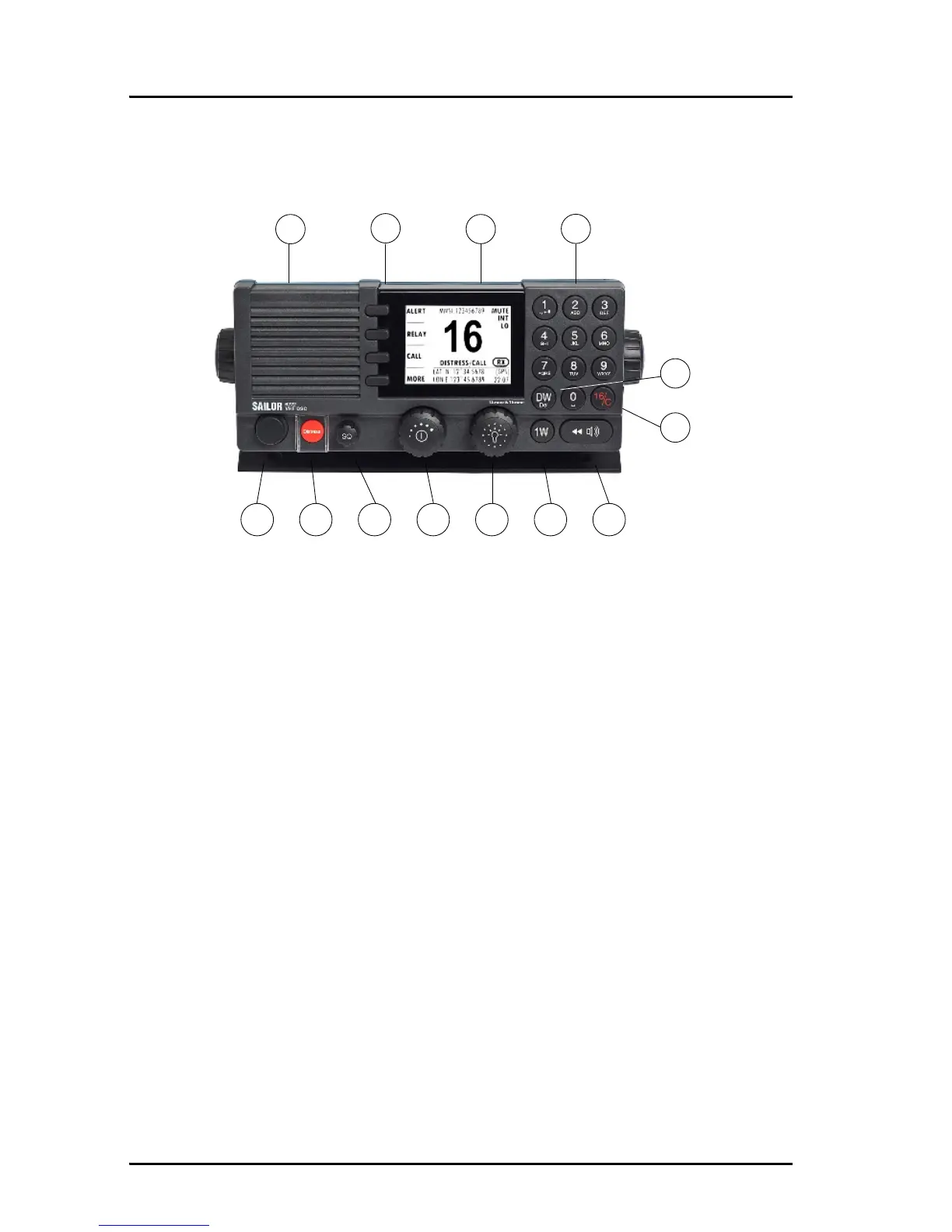
Controls on the front plate
1. Loudspeaker.
2. Four soft keys with function title in the display.
3. Large display.
4. Keys 0 to 9 to enter numbers or text.
5. DW button to toggle the watch function (dual or triple).
6. 16/C quick selection key for channel 16 and the programmed call channel.
7. Connector for Handset or Handmicrophone.
8. Distress button for sending a Distress alert.
9. Squelch control to mute background noise.
10. Volume wheel knob with key-press function for volume control and power
on/off.
11. Selector wheel knob with key-press function for general operation, display
color selection and dimming.
12. 1W button to toggle between high and low power.
13. Replay button to play back up to 240 s voice message.



 To Next Page