5. In the field CH: enter the suggested VHF channel for following
communication.
6. Press the soft key SEND to make the call.
What is a Session?
A DSC session is defined as a collection of DSC calls (transmitted and/or
received) that are related to the same event (e.g. a distress event) or
established call (e.g. an individual call request followed by an
acknowledgement).
A session can be either active or on hold. The active session has control over
the radio transmitter. A session can have a purpose. For example if the
purpose is to establish a communication on a working channel.
The non-DSC VHF communication is considered as a session that can be active
(engaged) or on hold (dis-engaged). See also Engagement status on page 18.
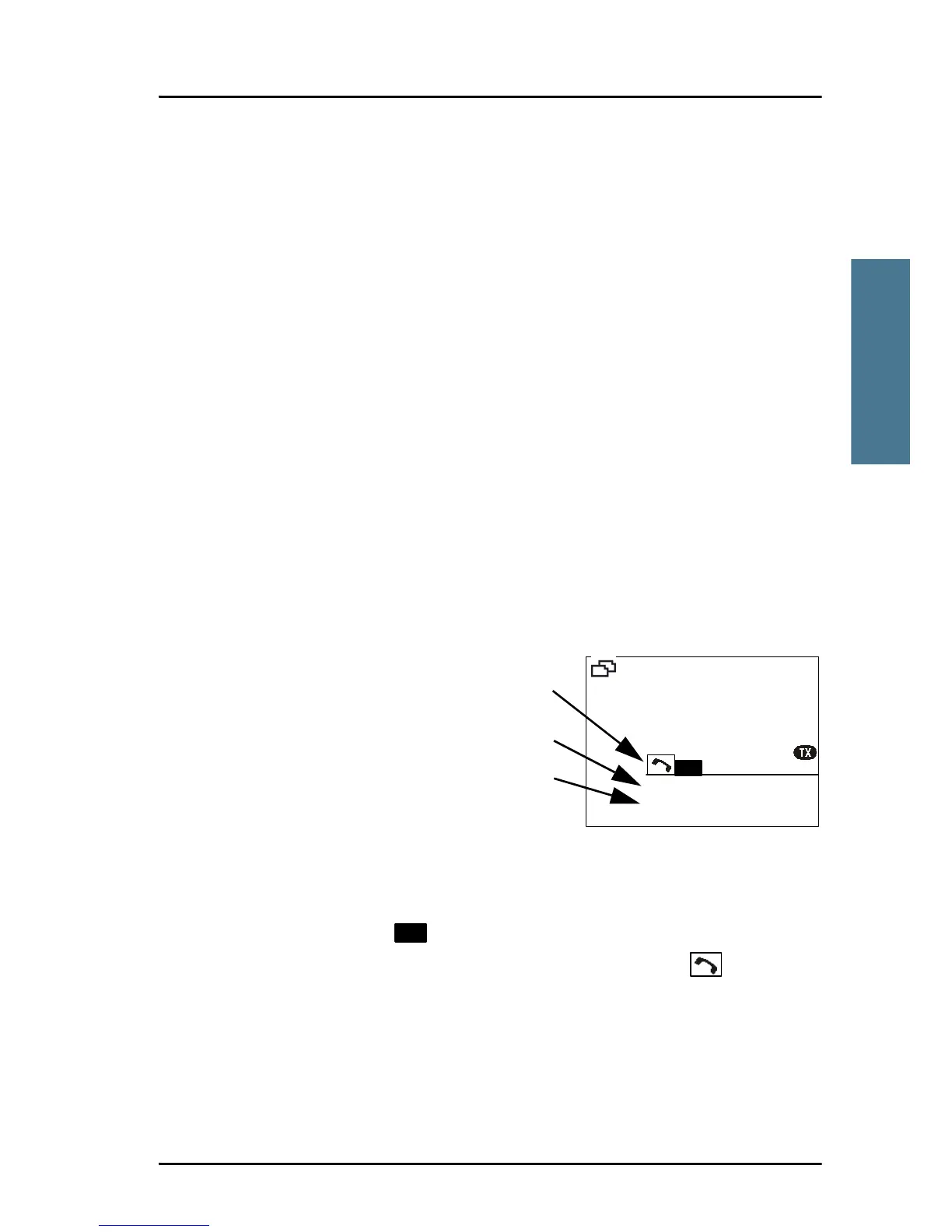
Display for a session
In the DSC window the type of
session, the current state,
MMSI number of the other
party and lapsed time since
the reception of a call request
or an acknowledgment is
shown.
The session state icons, in the
example V and R, show the state of the session:
• ACTIVE — inverted, transmitter tuned into the communication channel
in the example , a DSC Routine call).
• HOLD — normal view, parked session (in the example , VHF voice
communication.
For more information on the session state icons see Session state icons D, U,
S, R and V on page 34.



 To Next Page