Chapter 2: Using the system
22 Making a telex call
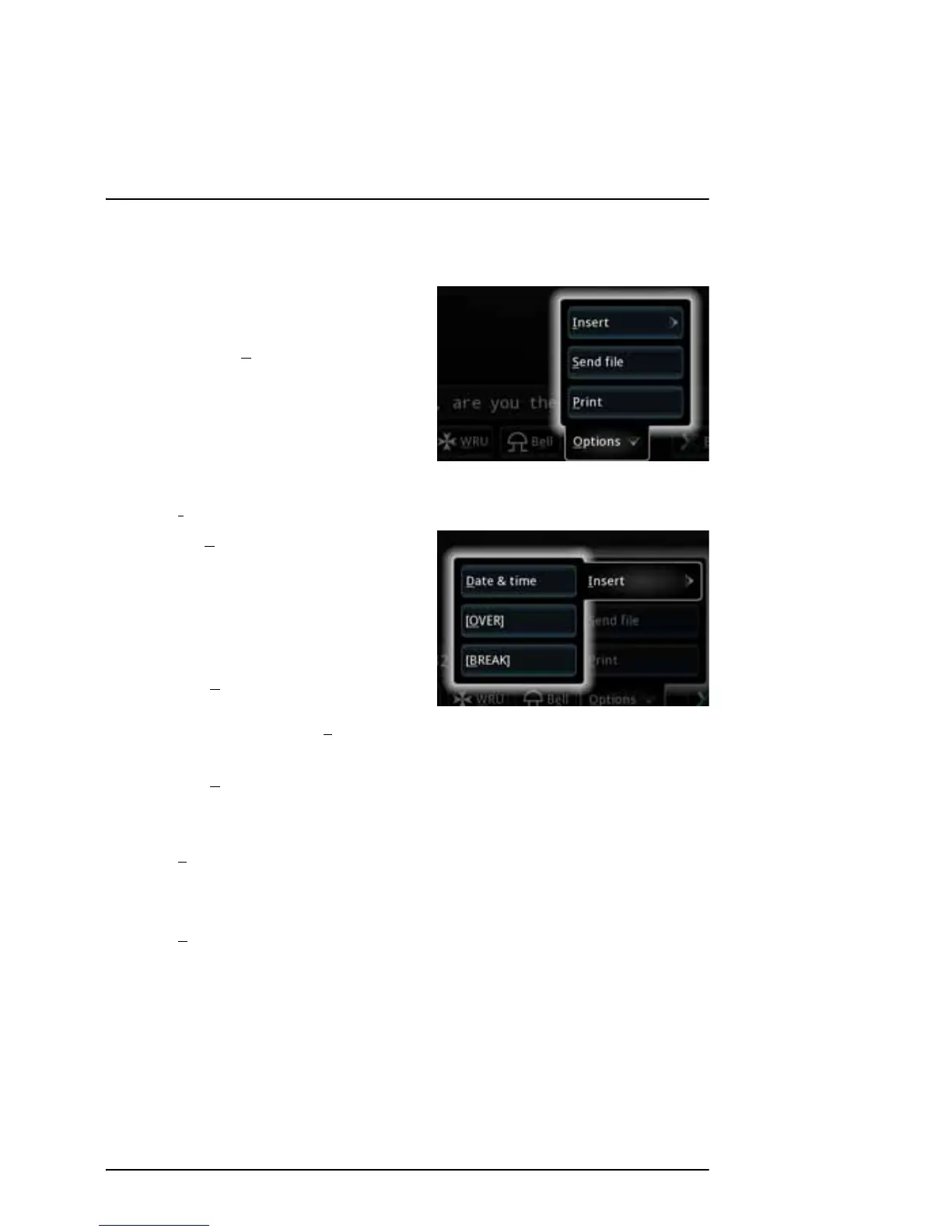
Options menu
To open the Options menu in the telex
page, select O
ptions at the bottom of
the page.
You now have the following options:
•I
nsert
• D
ate & Time: Inserts the
current date and time (UTC
format) in your message. The
syntax of the Date and time is
selected under Settings > Date
and Time format.
• [O
VER]: Inserts an OVER
command in your text, so that
when you select S
end or press Enter, your text is sent and the direction
is changed to the recipient immediately after.
• [B
REAK]: Inserts a BREAK command in your text, so that when you
select Send or press Enter, your text is sent and the communication is
stopped immediately after.
•S
end file
Allows you to select a text file to send. For information on how to write and
save the text file, see Writing message files for telex on page 23.
•P
rint
Sends the text in the telex page to the printer.



 To Next Page