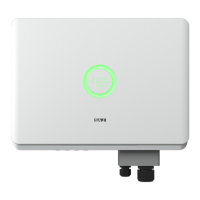
R5 Series
2. USB interface could be externally connected with eSolar WiFi module, for
operation in details please refer to eSolar WiFi module Quick Installation Guide in
https://www.saj-electric.com/.
5.6 Start up and Shut down
5.6.1 Start up the inverter
1. Follow the installation standard from previous chapter strictly to connect the
photovoltaic panels and AC power grid to inverter.
2. Using multimeter to check whether AC side and DC side voltage have met the
inverter start voltage.
3. Turn ON DC switch (if applicable), LED indicators will be lit up.
4. Inverter is in self-testing mode, if inverter has met all the grid connecting
condition, inverter will connect to grid and generate power automatically.
5.6.2 Shut down the inverter
1. Automatically shut down, when the solar light intensity is not strong enough
during sunrise and sunset or the output voltage of photovoltaic system is less than
the minimum input power of inverter, inverter will shut down automatically.
2. Shut down manually, disconnect AC side circuit breaker first, if multiple inverters
are connected, disconnect the minor circuit breaker prior to disconnection of main
circuit breaker. Disconnect the DC switch after inverter has reported grid connection
lost alarm.



 To Next Page
 Loading...