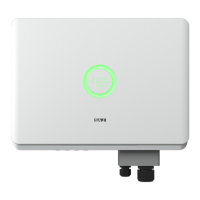
R5 Series
Connection setting
Please refer to the eSolar WiFi module operating manual for more details in
operation.
Equipment information
Connection way, running state, basic information, running information, Power
information and events information of the communication of the inverter could be
checked.
1. Click “Basic info”
Inverter model, Module SN code, Module firmware version, Communication board
firmware version, Main board firmware version, Slave board firmware version
could be checked.
2. Click “Running info”
PV information (voltage and current at PV terminal), Grid power information
(voltage, current and frequency at AC terminal), etc.
3. Click “Power info”
Current power, today energy, monthly energy, yearly energy, total energy could be
checked.
4. Click “Event info”
Time of the events, events sequence number (referring to fault codes details in
Chapter 7 Fault Codes and Common Troubleshooting) and events content of the
faults of the inverter could be checked.



 To Next Page
 Loading...