17
2
5
1
4
3
6
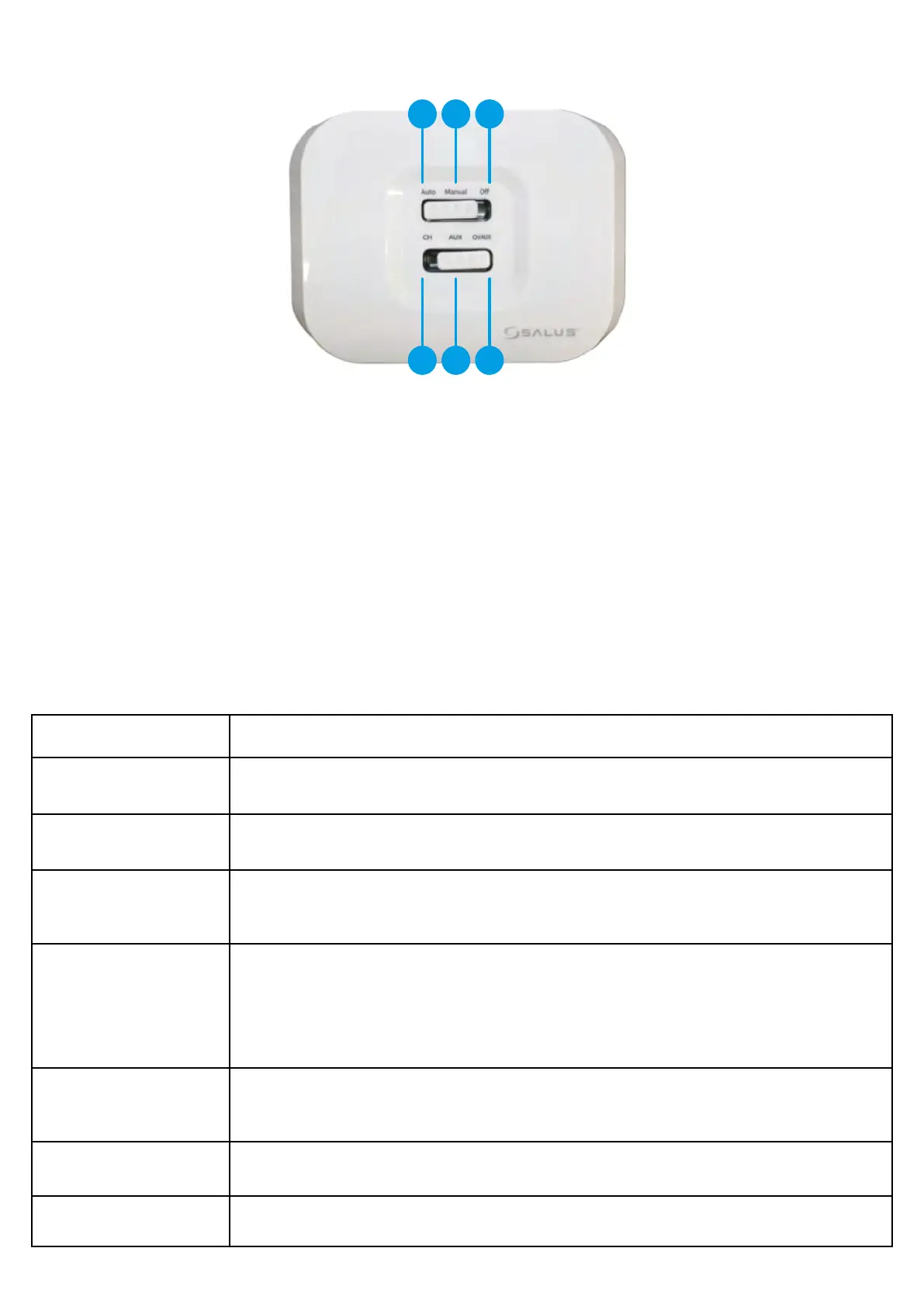
1. AUTO - receiver operate in automatic mode
(works according to thermostat or app)
2. MANUAL - receiver operate according to the switch located below
3. OFF - receiver is disabled
4. CH - in manual mode, zone 1 is turned ON
5. AUX - in manual mode, zone 2 (or DHW) is turned ON
6. CH/AUX - in manual mode, zone 1 and zone 2
(or DHW) are turned ON
3.3 iT500RX receiver switch functions
A detailed explanation of the meaning of the receiver LEDs can be found in the table below:
Description
The blue LED ashes Blue LED is ashing in 1Hz when it’s set to Auto position and device is on.
The blue LED is o Blue LED turns o when the device is o.
The yellow LED lights up
Yellow LED turns on when the receiver is in fail safe mode (lost signal from the thermostat). It will lights up only
when the receiver lost signal for more than one hour.
The green LED lights up
When the receiver is powered on.
(or)
After receiving correct signal from the thermostat.
The green LED ashes
Green LED is ashing in 0.5Hz for 4 seconds after receiving the correct adress and RF signal during pairing process
from the thermostat in Auto mode.
The red LED lights up When thermostat enters pairing process.
The red LED ashes When pairing process has failed.



 To Next Page