45
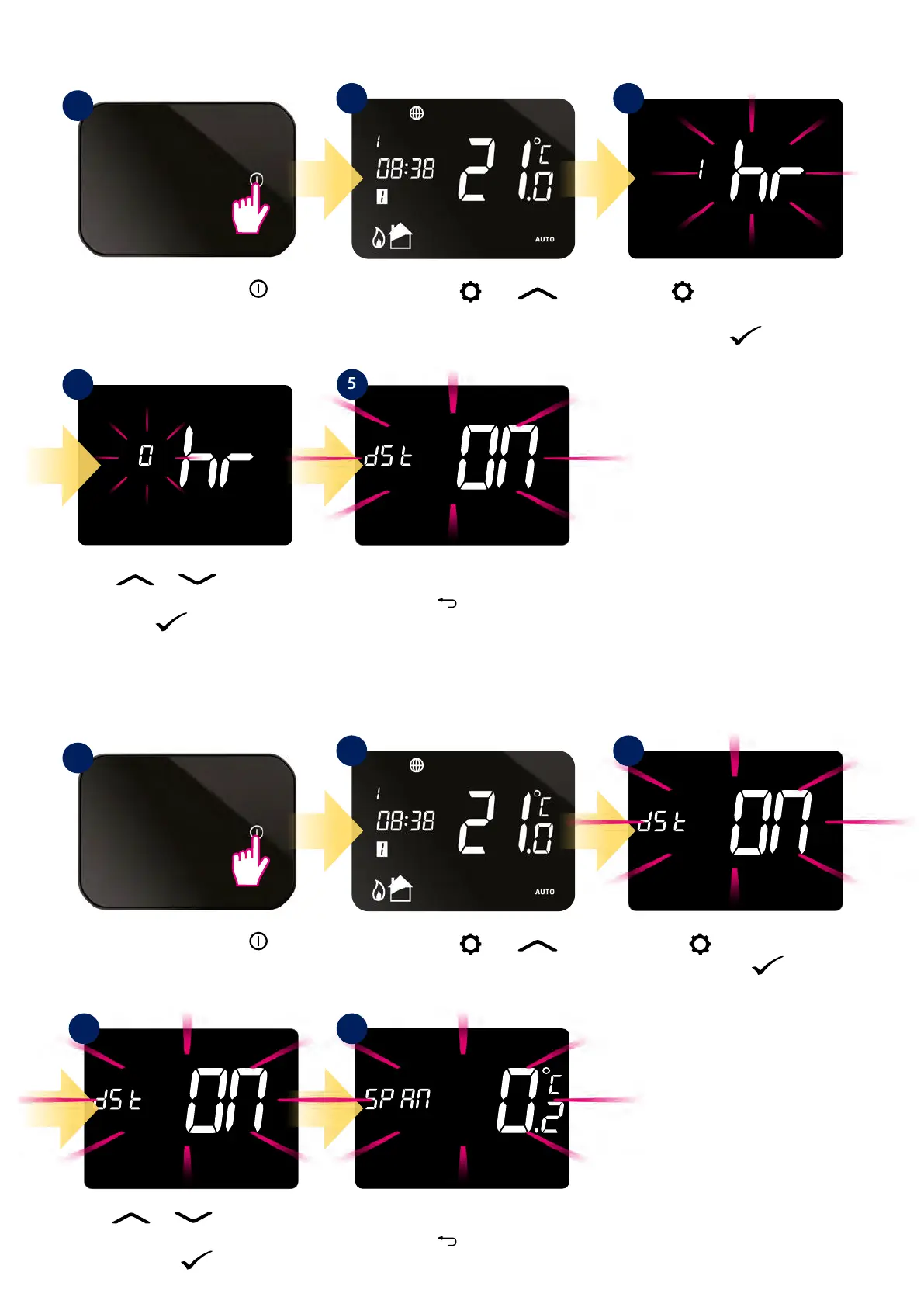
8.6.3 Time zone selection
8.6.4 Daylight Saving Time setting
Use or buttons to
change zone. Conrm selected zone
by button.
Thermostat will go to the next
setting. Hold
button to exit to
main screen.
Thermostat will go to the next
setting. Hold
button to exit to
main screen.
Press the power button
to highlight the display.
Press the power button
to highlight the display.
1
1
4 5
Press and hold and
buttons for 3 sec.
Press and hold
and
buttons for 3 sec.
Using
button search time zone
selection option.
Conrm by button.
Using
button search DST
option. Conrm by button.
Use
or buttons to set
DST option ON or OFF. Conrm your
choice by button.
2
2
3
Assign the proper time zone to your thermostat.
Set the DST setting ON or OFF (it’s mostly for economic thermostat work).
3
4 5



 To Next Page