37
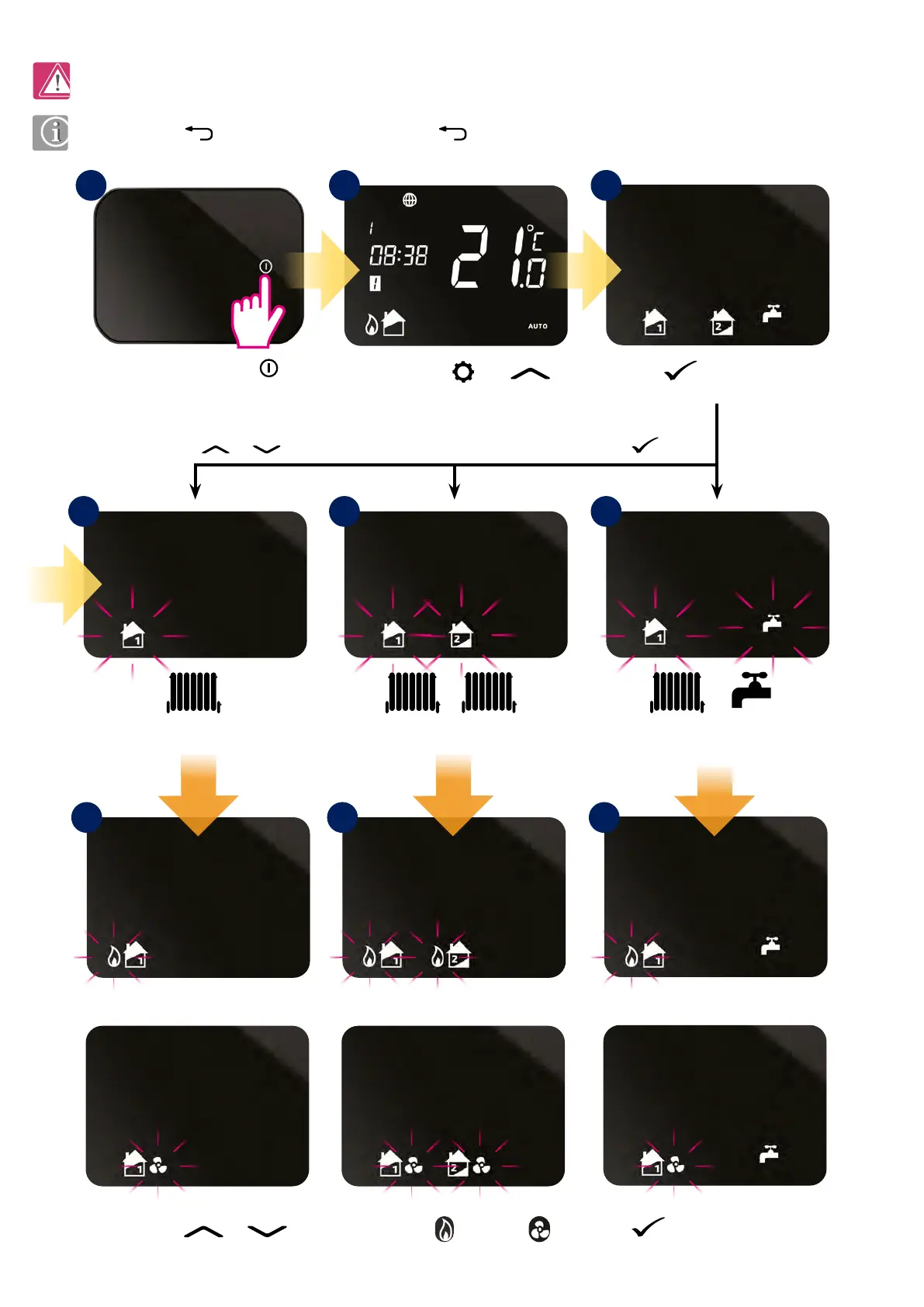
Press or button to select your system conguration. To conrm press button.
Press
or button to select heating or cooling* mode. Press button to conrm.
*Cooling can only be selected if your system supports this.
7.2 System conguration selection
At any time press for return to the previous step or hold for 5 seconds to return to the home screen.
This menu should only be entered by the installer as changes can have a detrimental eect on your heating system.
or or or
Press and hold and
buttons for 3 sec.
Press
button to conrm.
Two central heating zones.One central heating zone.
+
+
One central heating zone
+ hot water system.
Press the power button
to highlight the display.
1
4a
5a 5b 5c
4b 4c
2 3



 To Next Page