25
When you rst enter the application thermostat will automatically display settings page to force on the user to enter main parameters (such as time
zone, operation algorithm, heat/cool mode etc.) Then app will go to home screen and will display the room temperature and setpoint temperature (it
will operate in Manual mode as default).
Features available on the App:
- Clock format
- Time zone
- Daylight Saving Time
- Heating or Cooling Mode
- Temperature accuracy
- Display tolerance
- Temperature oset
- Schedule/Manual/O Mode
- Holiday Mode
- Frost Mode
6. Operating in ONLINE MODE (by app)
6.1 General informations
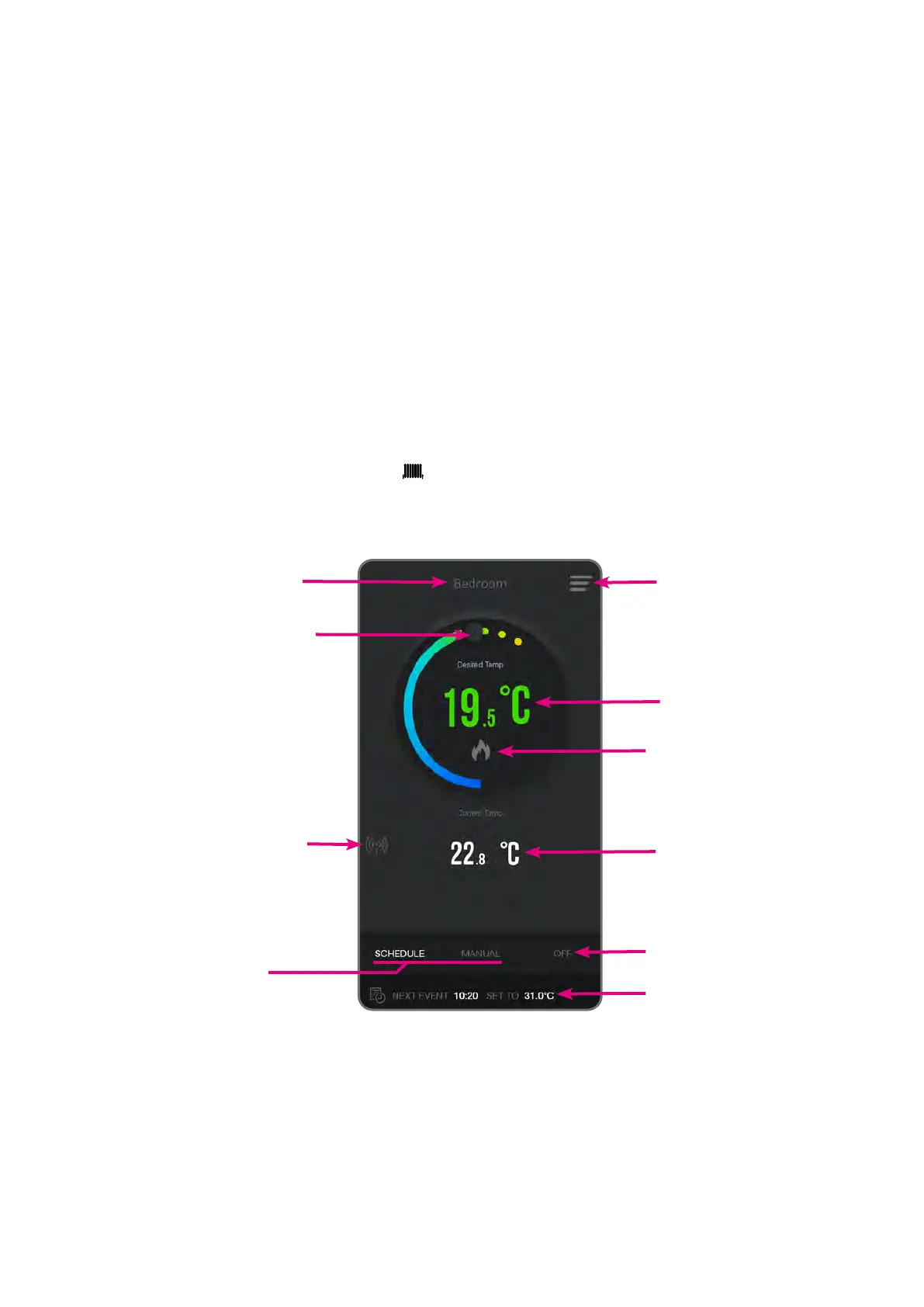
6.2 App interface of the thermostat for heating zone
Thermostat name
Temperature setpoint increase/
decrease
RF Signal Strength
Menu button
Setpoint temperature
Heating/Cooling mode
Operation state indicator
Room temperature
Schedule/Manual Mode
Frost Protection Mode
Next / current event



 To Next Page