40
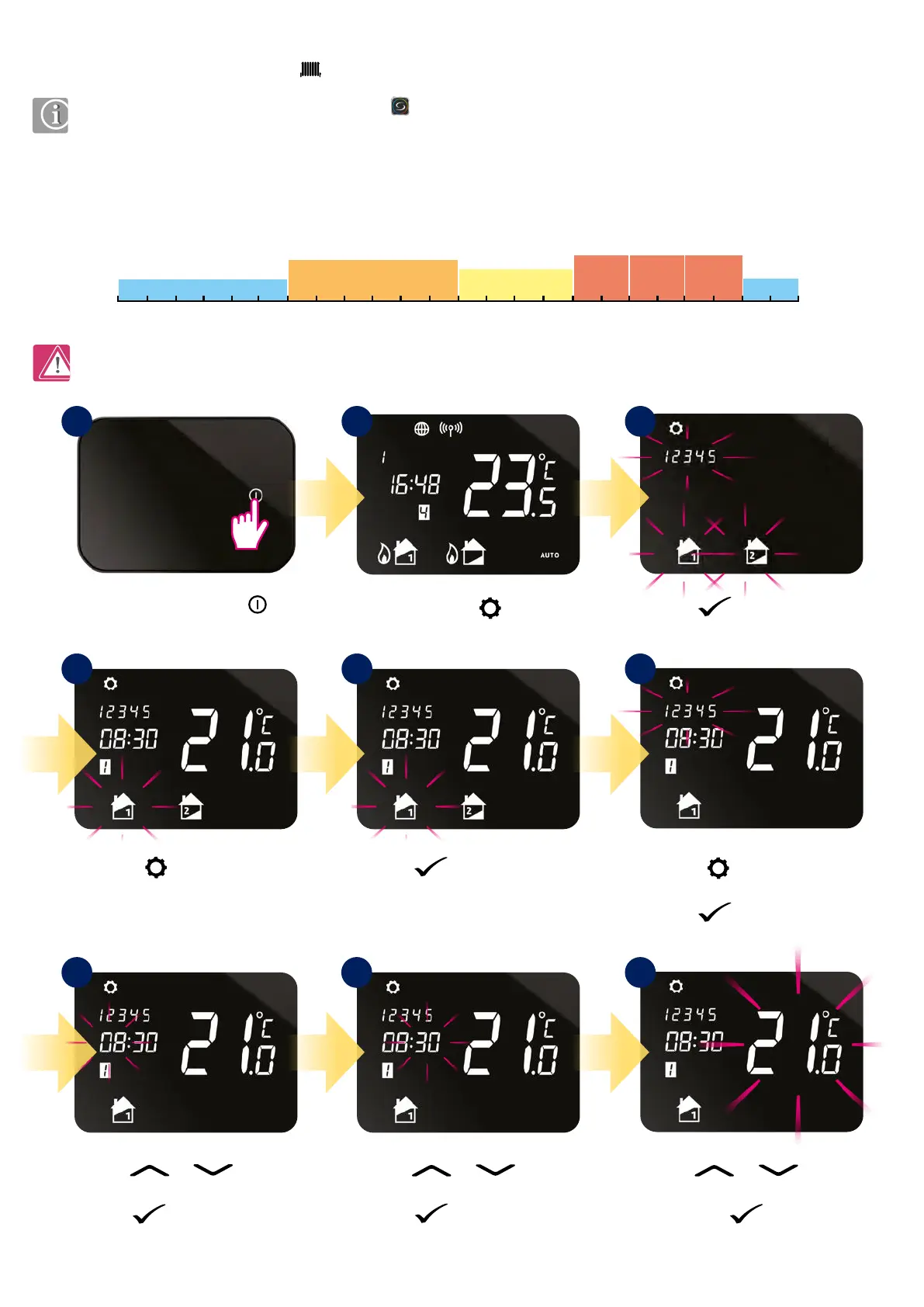
Press or button
to set temperature level for program 1.
Press
button
to conrm. Follow the steps 7-9 to set
next programs.
You can easily set your schedule via iT500 Plus app . If you want to set schedules directly by the iT500 thermostat, please follow the
instruction below.
Note: When you set program schedule, necessarily set all 6 programs. I.e. if you want to set 2 temperature levels, you need to set rst
temperature level for 1 to 5 program and set second temperature level only for program 6.
In iT500 thermostat you can dene 6 schedule programs per day. You can set dierent temperature level for each program. While programming specic
time interval you must be aware that you are about to set at what time the program will start. For example, if you set program 1 for 6:00 (AM) it means
the program is going to run at 6:00 (AM) and will running till the time set for next program. Example of 4 temperature levels for 6 schedule programs:
P1
17°C
17°C
22°C
23°C 23°C 23°C
19°C
P2
P3
P4 P5 P6
P1
0 1 2 3 4 5 6 7 8 9 10 11 12 13 14 15 16 17 18 19 20 21 22 23 24
8.3 Schedule mode
8.3.1 Schedule mode for heating zone
Press or button
to set start hour for program 1.
Press
button to conrm.
Press
or button
to set start minutes for program 1.
Press
button to conrm.
Press
button to select
temperature zone.*
*(only in two heating zones)
Press and hold
button
for 3 seconds.
Press button to conrm.
Press
button to conrm.
Press the power button
to highlight the display.
Press button to choose
ALL, 5/2 or INDIVIDUAL days.
Press
button to conrm.
1
4 5 6
987
2 3



 To Next Page