32
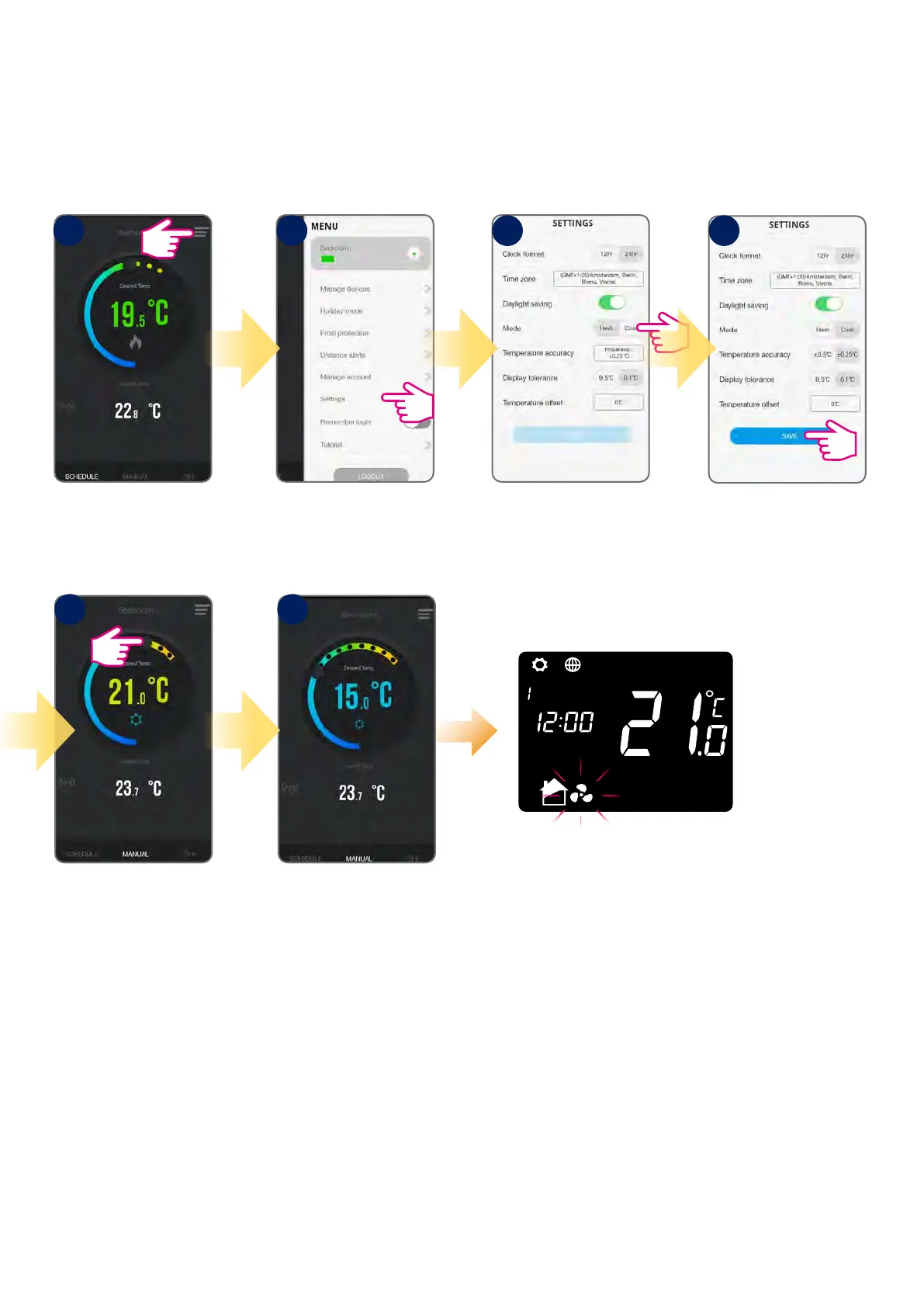
IT500 thermostat can be used for heating systems or for cooling systems. Heating mode is default but there is possible to change mode to cooling. Before
mode change make sure your system is appropriately adjusted.
Tap menu icon. Go to settings. Select Cool Mode.
Tap Save.
Changing to Cool Mode
Using the cursor, set the
temperature.
The frost icon will turn blue
and animated meaning
thermostat is calling for
cooling.
The fan icon will appear on the
LCD next to house icon, meaning
thermostat is calling for cooling.
1
5 6
2 3 4
6.5.2 Heat/Cool mode change (app)



 To Next Page