15
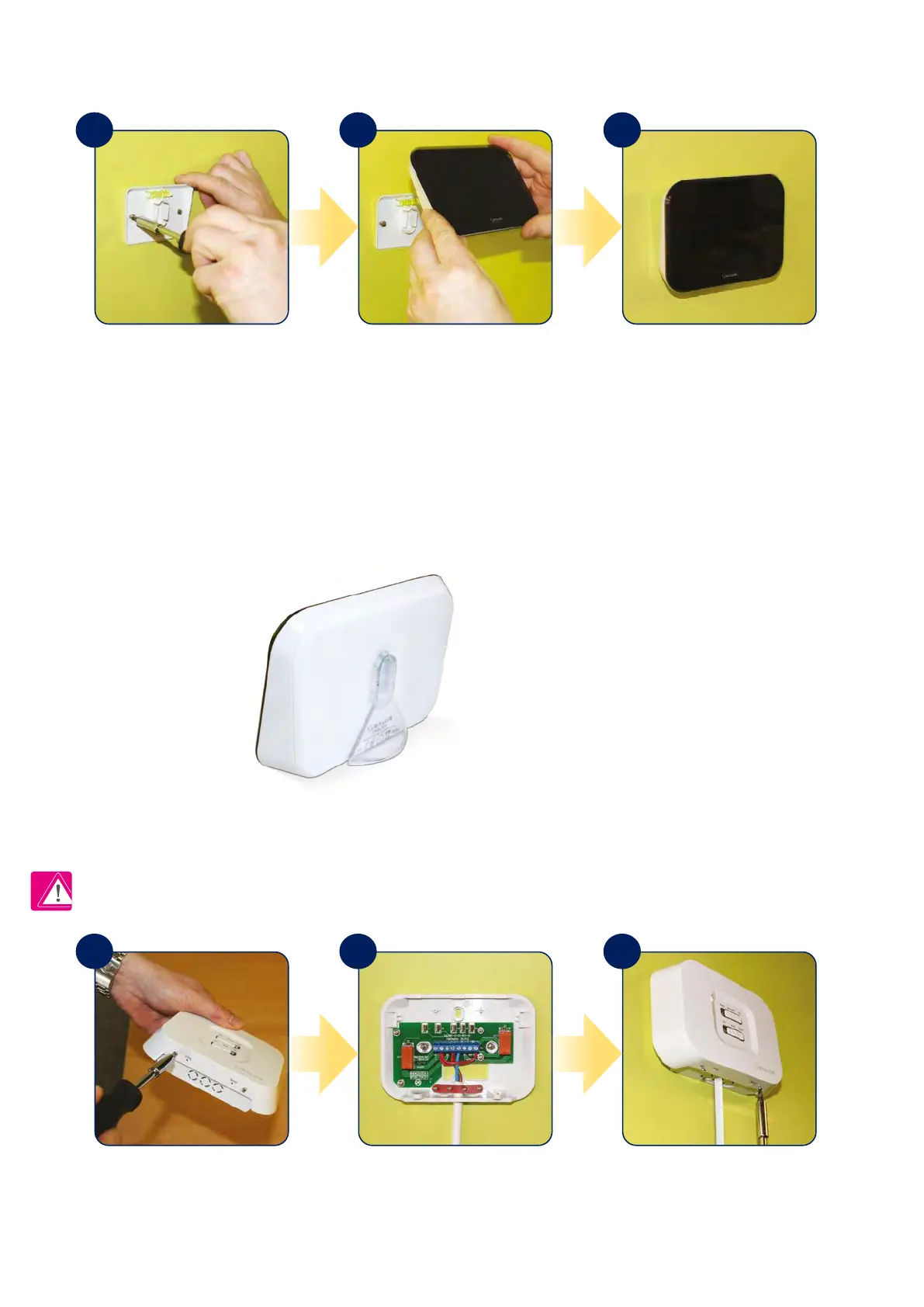
Attach the wall mounting bracket
to a suitable wall using the ttings
supplied and the built in spirit level.
After rst ensuring that the bracket
is secure, clip the iT500 into place by
aligning the recess on the back of
the unit to the bracket and clipping
into place.
Once clipped into place, ensure the
unit is securely seated on the bracket.
For the desk mounted option,
simply clip the clear stand supplied
separately into the back of the unit.
Loosen the screws at the bottom
of the receiver unit and unclip the
front of the unit.
Fit the back of the receiver unit to the
wall using the ttings supplied. Then
wire up the receiver using
proper diagram.
Clip the front of the unit back and
securely screw the front
of the receiver in place.
Note: Always shut o the AC mains supply before installing or working on any components.
2.4 Montage
2.4.1 Installation of wall bracket docking
2.4.2 Desk mount option iT500
2.4.3 Installation of iT500RX receiver
1
1 2 3
2 3



 To Next Page