30
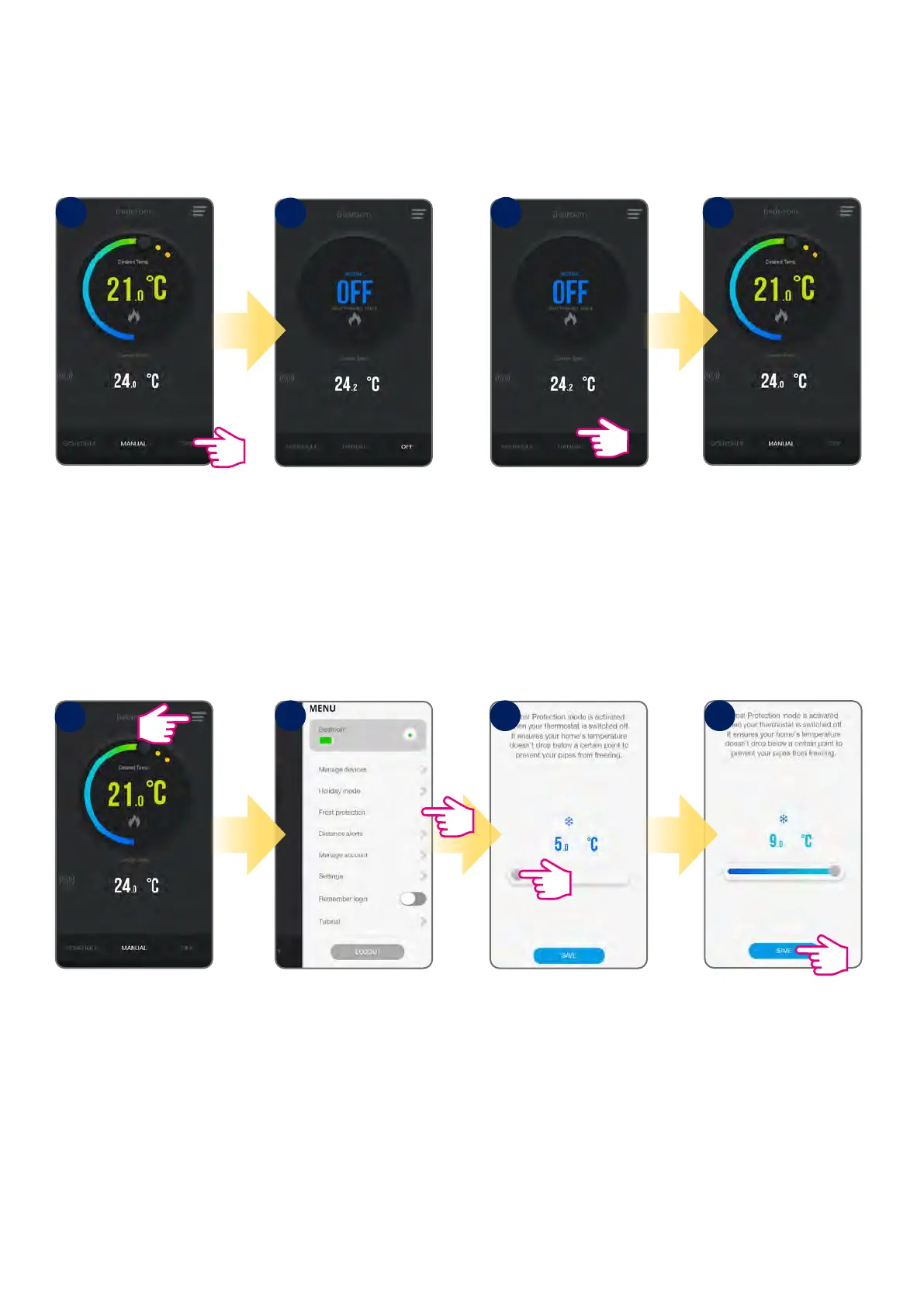
In frost protection mode the thermostat is displaying actual room temperature and maintain „frost protection” setpoint temperature specied in
thermostat settings. When thermostat works in frost protection mode then you have no possibilities to change temperature setpoint. To activate Frost
protection mode online please followe steps below:
Tap frost protection mode
button.
Thermostat is in the frost
protection mode.
Tap manual mode button.
Thermostat is in the manual
mode (switched from frost
protection mode).
Frost Protection ON Frost Protection OFF
Frost Protection Setpoint
Tap menu icon.
Go to Frost Protection.
Adjust temperature.
Default is 5⁰C.
Tap Save.
You can adjust the Frost Protection setpoint using the App. The setpoint range is between 5-9 ⁰C.
1 1
2
1
2 3 4
2
6.4.5 Frost protection mode



 To Next Page