17
TEST / PAIRING
SELECT
SET
TEST / PAIRING
SELECT
SET
6.5 Frost protection mode
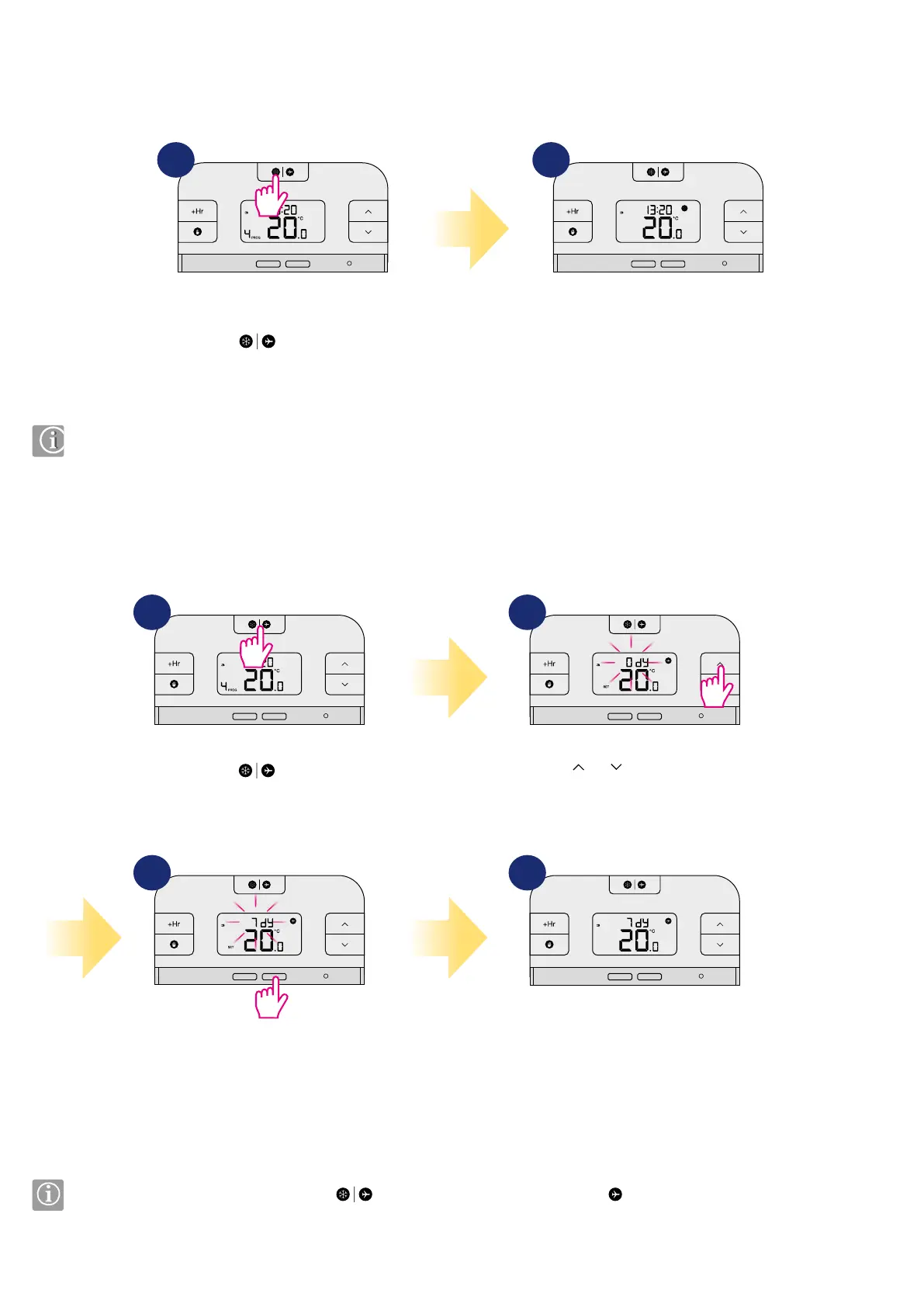
In this mode the setpoint temperature is automatically set to frost setpoint to prevent pipes from frosting. If the room temperature is lower than the frost
setpoint, frost protection will be enabled. To set frost protection mode follow steps below:
Press
button to turn
ON/OFF frost protection.
Snowake icon will be displayed if
frost protection is active.
The Frostpoint temperature can be reviewed by pressing the UP button once, but can only be changed in Installer Mode.
1 2
6.6 Holiday mode
TEST / PAIRING
SELECT
SET
TEST / PAIRING
SELECT
SET
TEST / PAIRING
SELECT
SET
TEST / PAIRING
SELECT
SET
Hold down
button for 3
seconds to activate the holiday mode.
Press SET button to conrm.
You can set up to 31 days.
Thermostat is working in holiday
mode. Number of days left and
airplane icon will appear on the main
screen.
Use
or
button to set the
number of days for holiday mode.
To turn o the Holiday Mode, hold down
button for 3 seconds. The airplane icon
should disappear from the display.
3 sec
In this mode the “frost protection” temperature is maintained for a specic number of days. To set the holiday mode please follow steps below:
1
3
2
4



 To Next Page