7-4
Section 7
SC102ZB/ST103ZB Installation and Operation Manual
Device Joining & Pairing
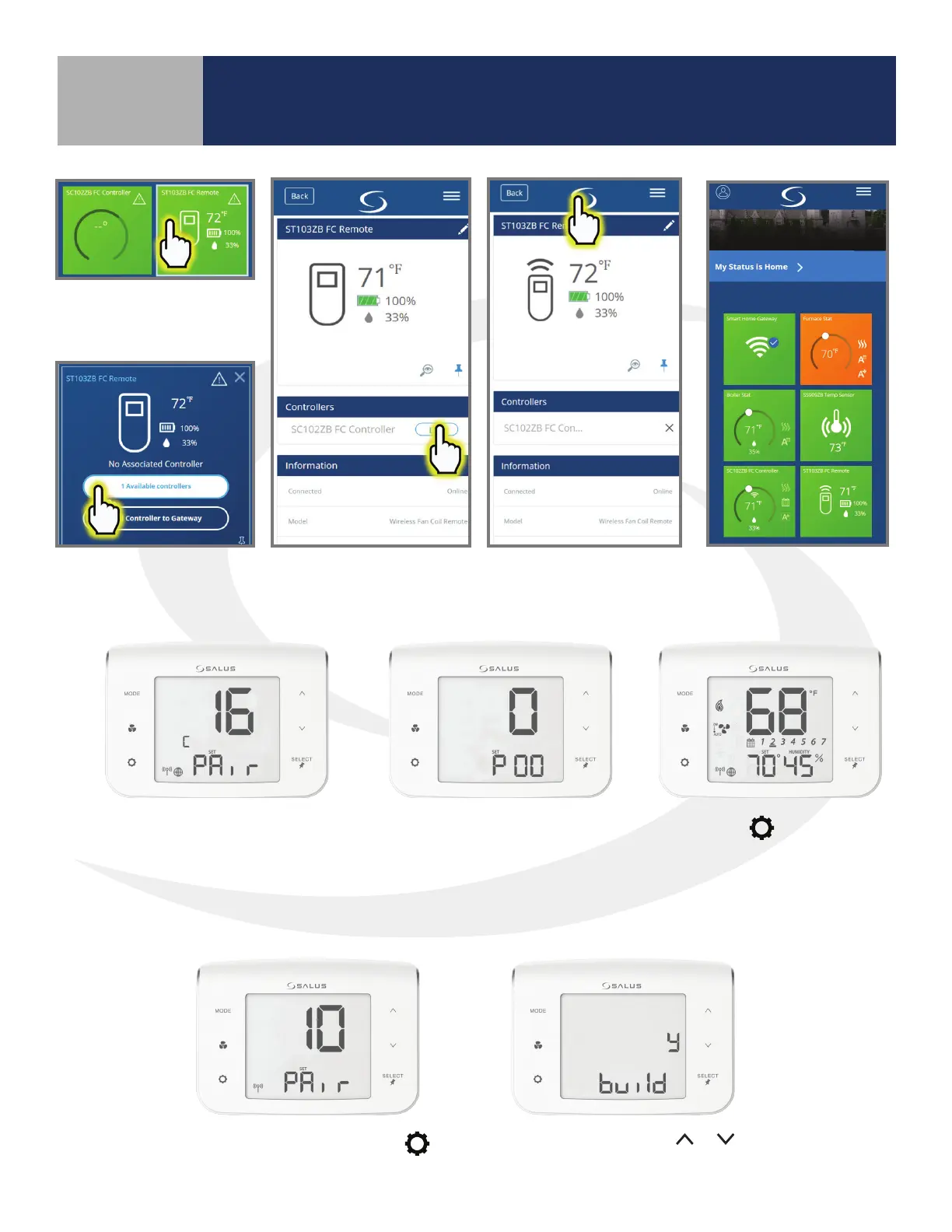
To link the ST103ZB
Remote, choose the
tile icon.
Choose the Link button
corresponding to the
desired controller
When the Controller is linked, return to the
dashboard by pressing the SALUS Logo.
When the tile ips on
the screen, choose “#
available controllers”.
Pairing without an Internet Connection
Next, the SC102ZB Fan Coil
Controller enters Parameter
Setup.
Press the
key to enter
the operation screen.
Once the SC102ZB Fan Coil Controller
is successfully paired with a gateway,
the device will briey display the
Zigbee channel.
From the pairing screen press
.
Conrm build using
or ,
and press “SELECT”.



 To Next Page