8-4
Section 8
SC102ZB/ST103ZB Installation and Operation Manual
Thermostat Configuration
Special Function Codes
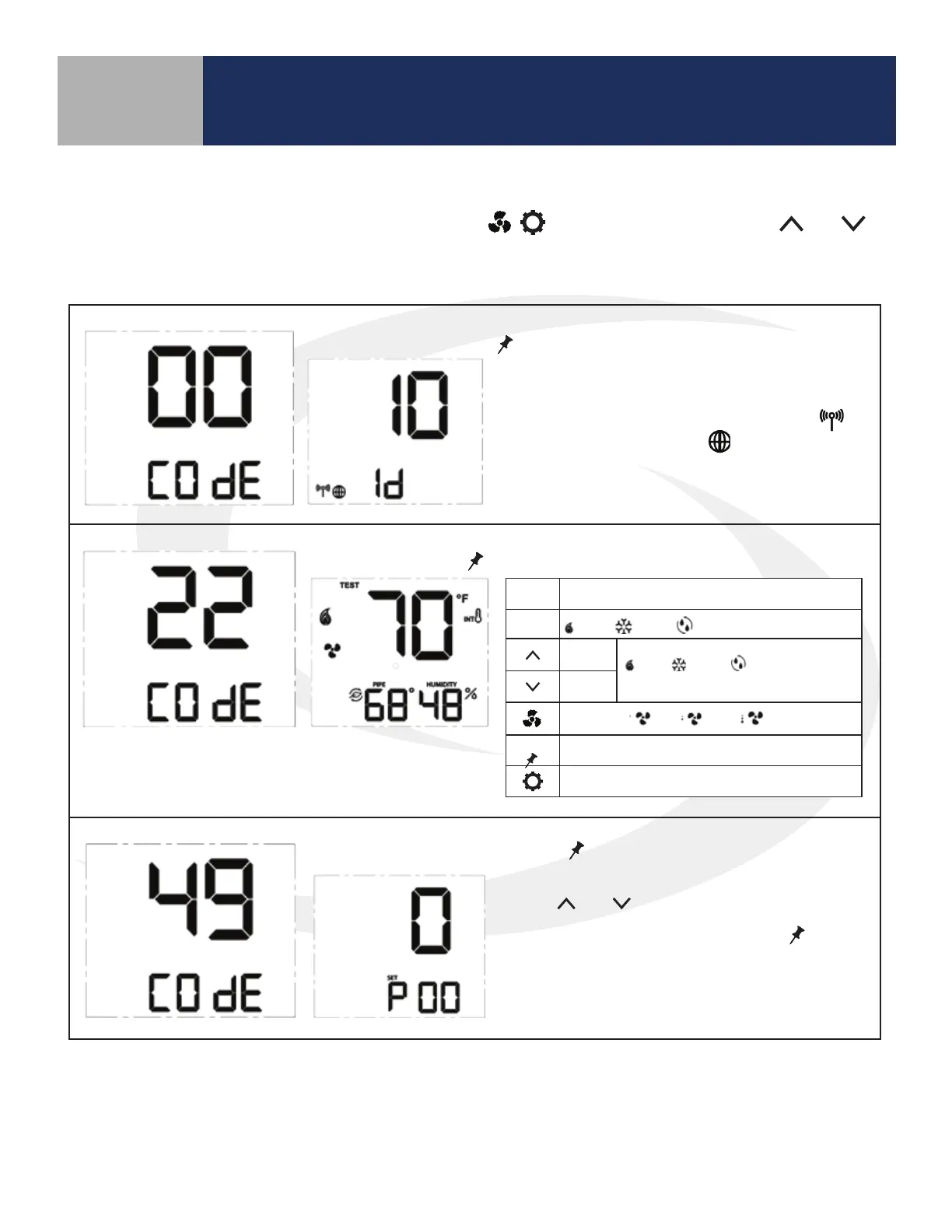
To access special functions, press and hold the MODE, , keys simultaneously. Use the and
keys to scroll through the available codes.
Identify Mode – Press
SELECT
to initiate Identify Mode
A 10 minute timer begins with the screen back-
light flashing. If a network is available, the
icon will flash. The internet
will be visible if a
connection is established.
Test Mode – Press
SELECT
to initiate Test Mode
Parameter Setup Mode – Press
SELECT
to initiate Parameter Setup Mode
Use the and keys to change the value of
the parameter that is flashing. Press
SELECT
to
save the current parameter value and advance to
the next parameter. A complete list of parame-
ters is included in Appendix A.
Key Function
MODE
Heat / Cool / Accessory relay select
Turn on
(WY), (YA) or (Ac)
depending on MODE
Turn off
Fan Speed Lo / Med / Hi relay control
SELECT
Toggle HUMIDITY or Zigbee Channel
Exit Test Mode
Table 8.2: Special Function Codes



 To Next Page