8-3
Section 8
SC102ZB/ST103ZB Installation and Operation Manual
Thermostat Configuration
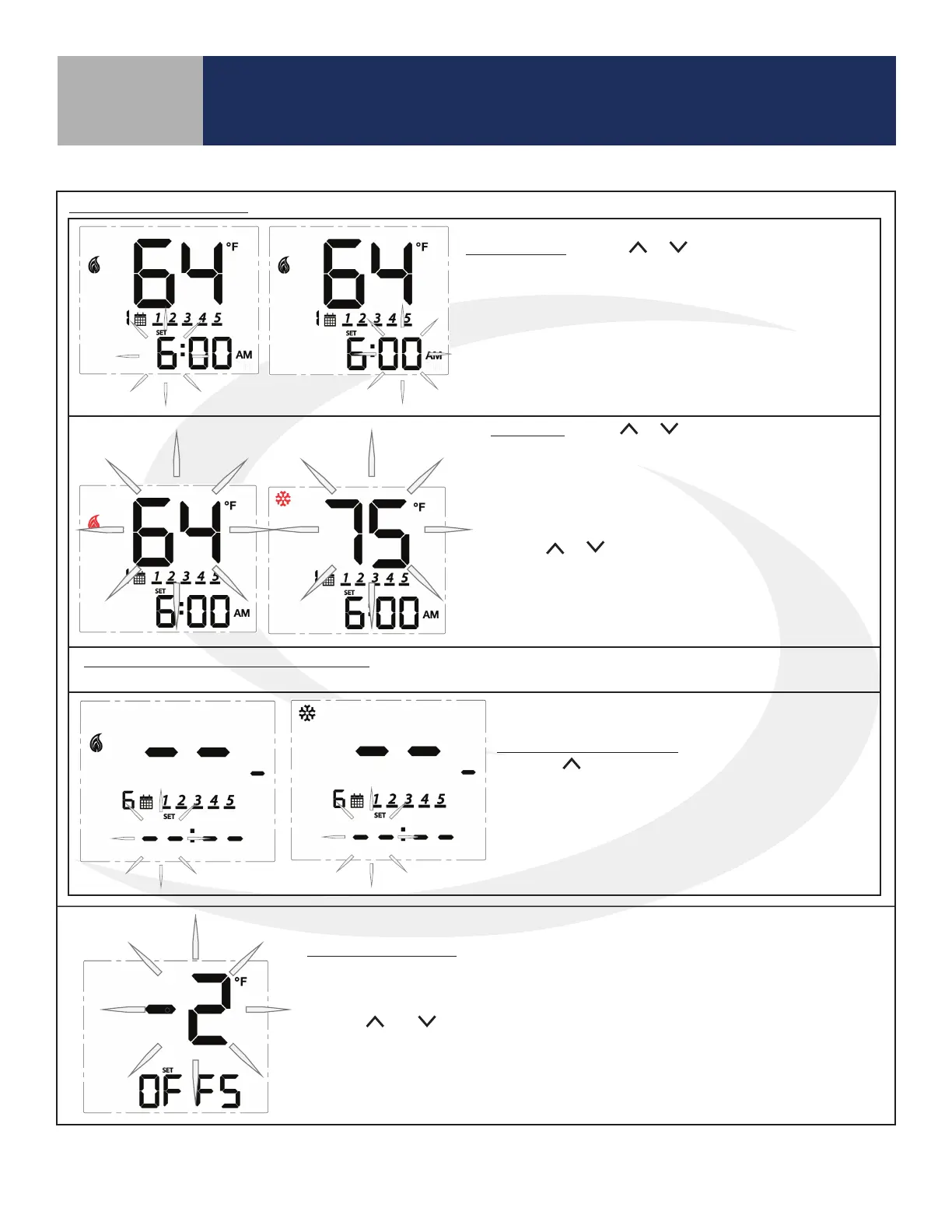
Time Interval: Use the or keys to set the start time
for each time interval, displayed next to the calendar icon.
1st: Set the hour for the time interval start
2nd: Set the minutes for time interval start
Press SELECT to move on to the heating setpoint.
Set Point: Use the or keys to adjust the desired
heating temperature set point for the time interval
displayed.
Press SELECT to accept the set point and move on to
the cooling temperature set point.
Use the or keys to adjust the desired cooling
temperature set point for the time interval displayed.
Press SELECT to accept the set point and move on to
the next interval.
Set points for remaining time intervals: Set the start time and heating and/or cooling temperature for the
remaining interval for a total of 6 intervals.
Skipping a Time Interval: To skip a time interval,
press the key in the hour setting mode until each
of the time and temperature digits change to a “ - “.
When time intervals are completed, the schedule
will return to the first time interval at the scheduled
time.
Schedule (Continued)
Temperature Offset: Change the temperature offset value to adjust the display
of the sensed temperature. This will affect the sensor selected by the INT/EXT
sensor setting.
Use the and keys to set the offset in 1°F (0.5°C) increments. The available
range is -6 to 6°F (-3 to 3°C).
Press SELECT to accept the set point and return to the first item in the
Settings Menu.
Table 8.1: Thermostat Settings (continued)



 To Next Page