8-2
Table 8.1: Thermostat Settings (continued)
Section 8
SC102ZB/ST103ZB Installation and Operation Manual
Thermostat Configuration
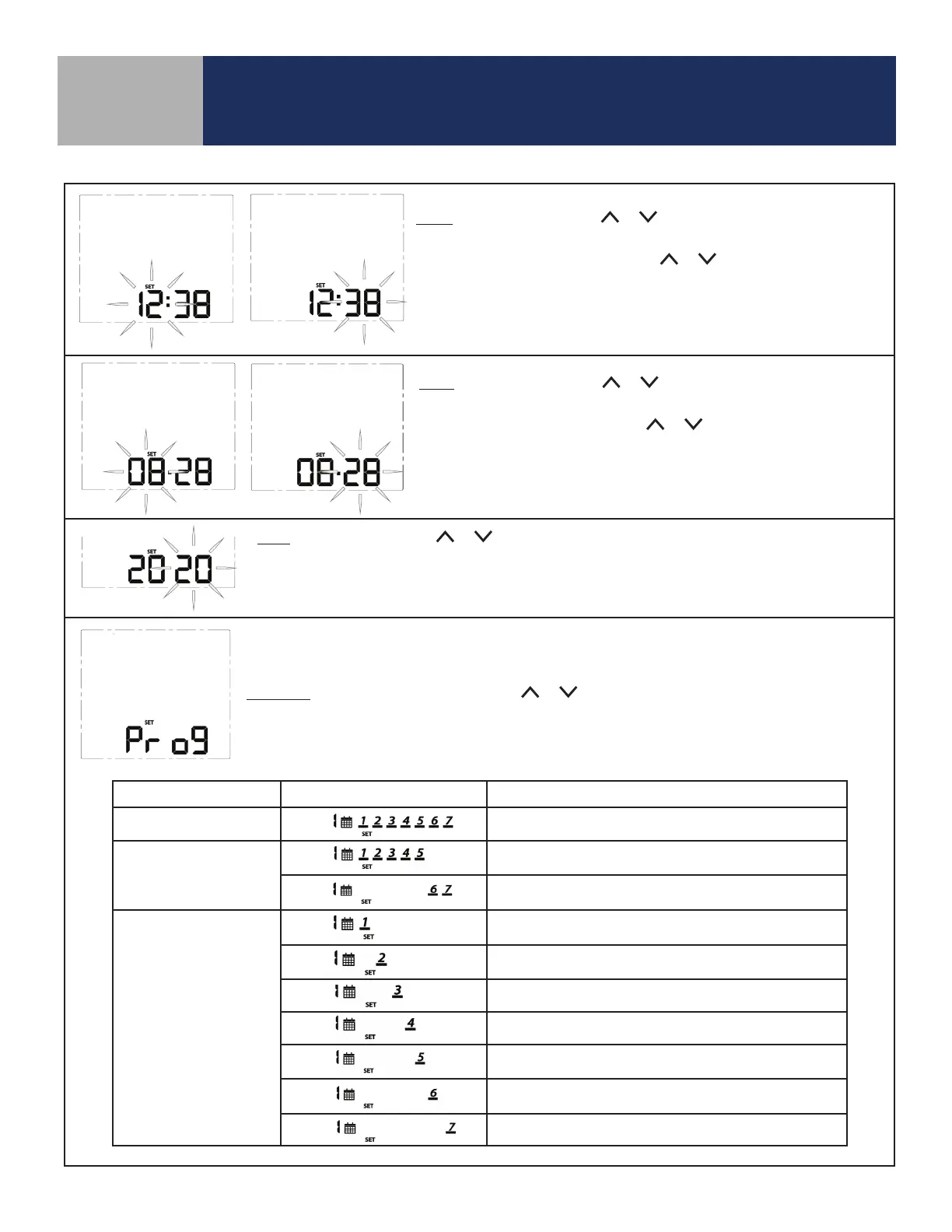
Time: To set the time, use the or keys to change the flashing hour
value, then press SELECT to choose the value displayed and select minutes.
With the minute value flashing, use the or keys to change the value.
Press SELECT to choose the value displayed and move to the next setting.
Note: This setting is available in standalone or local mode only.
Date: To set the date, use the or keys to change the flashing month
value, then press SELECT to choose the value displayed and select date.
With the date value flashing, use the or keys to change the value.
Press SELECT to choose the value displayed and move to the next setting.
Note: This setting is available in standalone or local mode only.
Year: To set the year, use the or keys to change the flashing year value.
Press SELECT to choose the value displayed and move to the next setting.
Note: This setting is available in standalone or local mode only.
Note: Schedule parameters are only available in standalone or local mode. If the Fan Coil Thermostat
is connected to the SALUS Smart Home application, the schedule must be programmed on your PC or
smart device.
Schedule: While Prog is displayed, press the or keys to change the day group to be edited.
See the following table that describes which days are programmed based on the display.
After selecting the day group, press SELECT to move to setting temperatures for each interval during
the day.
Program Mode Day Group Displayed Schedule Description
Weekly
Every day of the week
5+2
Weekdays/Weekend
(Default)
Monday through Friday
Saturday and Sunday
Daily
Monday
Tuesday
Wednesday
Thursday
Friday
Saturday
Sunday



 To Next Page