116 • Program Mode Programming Sam4S 3xx, 4xx, 52xx Electronic Cash Register AU
Program 110 - PLU Auto Tare Programming
1. Turn the control lock to the P position.
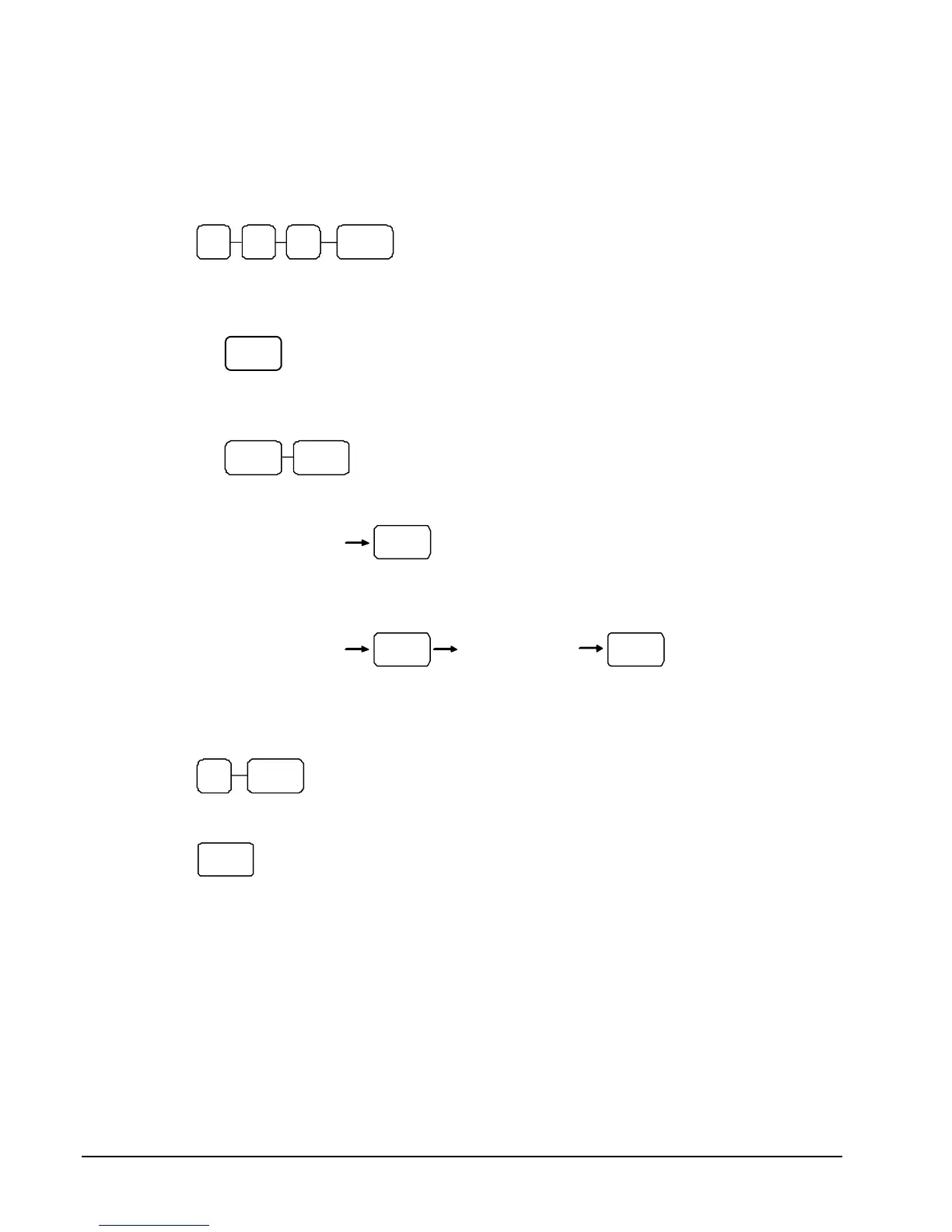
2. To begin the program, enter 1 1 0, press the SBTL key
0 SBTL 1 1
3. Select the PLU or PLUs you wish to program in one of the following ways:
• Press on the keyboard, or
PLU
• Press the first PLU keys that are to receive the same status and press the last PLU keys,
or
PLU PLU
• Enter up to 15 digit number of the PLU and press the PLU key, or
PLU
Enter the PLU#,
u
to 15 di
its
• Enter the number of the first PLU in a range of PLUs that are to receive the same setting,
and press the PLU key. Enter the last number in the range; press the PLU key.
PLU
Enter the PLU#,
u
to 15 di
its
Enter the PLU#,
u
to 15 di
its
PLU
4. Enter a value (1-5) to indicate the number of the preprogrammed tare weight you want to
automatically subtract when the PLU is used for scale entry (using an optional scale). Enter 0
to disable automatic tare subtraction, follow with X/TIME key.
X/TIME N
5. Program additional PLUs, repeat from step 3, or press the CASH key to finalize the program
CASH


 To Next Page