84 • Operating Instructions Sam4S 3xx, 4xx, 52xx Electronic Cash Register AU
Scale Entry
Direct Scale Entry
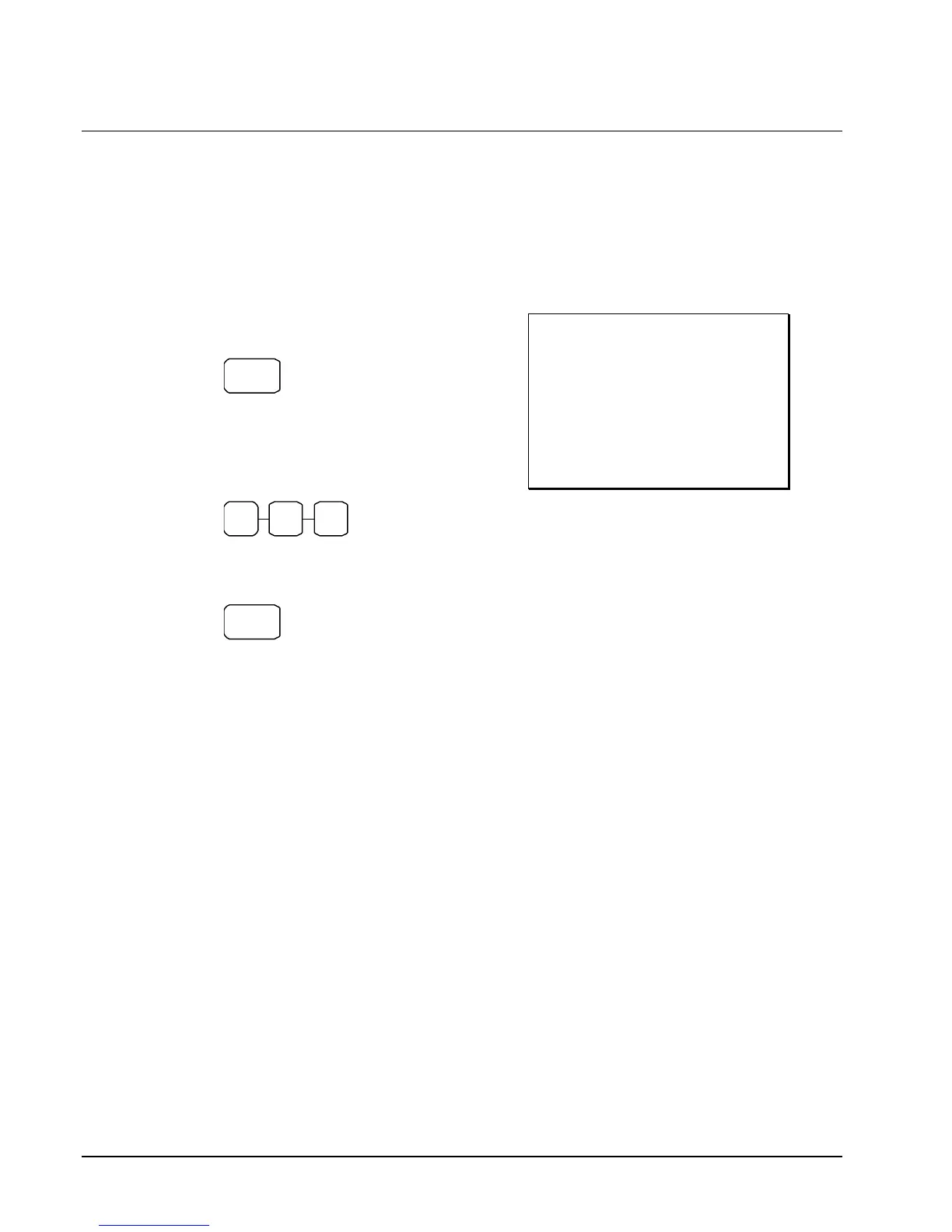
Place a product on the scale and access the SCALE function to display the weight on the cash
register. Then make the appropriate entry; the PLU must have "scaleable" status.
1. Place an item on the scale.
2. Press the SCALE key.
SCALE
3. Note that the weight is displayed on the
screen. Enter the price per kilo on the
numberpad. Do not use the decimal key.
For example, for $3.00, enter:
3 0 0
4. Press a PLU key.
For example, press PLU 1:
1
Receipt Example:
THANK-YOU
CALL AGAIN
DATE 15/01/2003 WED TIME 08:33
1.50 kg @3.00/kg
PLU1 $4.50
GST $0.27
TOTAL $4.77
CASH $4.77
CLERK 1 No.000011 00001


 To Next Page