126 | SAMLEX AMERICA INC.
SECTION 6 | Operation, Protections and Troubleshooting
6.5 PROTECTIONS, FAULT MESSAGES AND TROUBLESHOOTING GUIDE
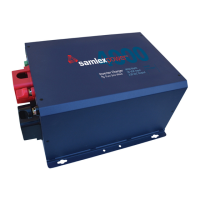
The front panel of the unit has a Red LED marked “FAULT” (13, Fig 2.1). This LED will light up (steady) when the unit
registers any of the FAULT MODE situations shown in Table 7.1 of EVO-RC-PLUS Remote Control Manual.
Table 7.1 of EVO-RC-PLUS Remote Control Manual shows details of protections and associated Fault/Error Messages
that will be displayed on the LCD screen of the optional Remote Control EVO-RC-PLUS.
NOTE: If the optional Remote Control EVO-RC-PLUS is not used, it may be difcult to narrow down the probable cause
of the fault.
6.6 POWERING OFF THE UNIT IN FAULT MODE
If the unit is in “Fault Mode”, it will be possible to power OFF the unit with the ON/OFF Push Button on the front panel
of EVO
TM
(11, Fig 2.1).
As explained under Section 6.1.3, as long as AC input voltage > 70 ± 5 VAC is present, the unit CANNOT BE POWERED OFF
using the ON / OFF Button on the front panel of the unit or on the optional Remote Control EVO-RC [See Section 3.2.2 of
EVO-RC-PLUS Remote Control Manual]. In order to power off using the Power ON/Off Button, switch OFF the AC input rst.
6.7 12V, 100MA CAPACITY DC SOURCE FOR SIGNALING
A 12V, 100mA capacity DC source has been provided (16, Fig 2.1). This voltage may be routed through the contacts of
the Status Relay (14, Fig 2.1) to feed 12V ON / OFF control signal to drive circuits of remote monitoring control of the
programmable conditions of operation of the unit [Refer to Section 4.8.2.5.1 of EVO-RC-PLUS Remote Control Manual].
6.8 STANDBY MODE
When the EVO™ is in Standby Mode, it will stop inverting or charging / pass through.
6.8.1 General Information
INFO
1. Standby Mode may also be used to temporary halt normal operation of the Inverter Charger without
switching OFF the unit completely.
2. EVO-RC-PLUS Remote Control is required for switching ON/ switching OFF Standby Mode. Switching ON/
OFF of Standby Mode CANNOT be carried out from the ON/ OFF button on the front panel of EVO unless
EVO-RC-PLUS Remote Control has been connected to the EVO unit.
For the Standby Mode to be switched ON, the EVO™ should be in ON condition and should be operating in one of the
3 Operating Modes – “Inverting” or “Charging” or “Power Save” [See Figs 3.1(a), 3.2(a) and 3.3(a) of EVO-RC-PLUS
Manual]. When Standby Mode is switched ON, the EVO™ will exit its Operating Mode.
6.8.2 Procedure to Enter and Exit Standby Mode / Status Display in Standby Mode
6.8.2.1 For procedure to enter and exit Standby Mode, please refer to Section 3.4.1 of EVO-RC-PLUS Remote Control
Manual.


 To Next Page